


Matrice 4 Propeller Guards: When Extra Protection Becomes an Operational Trade-Off

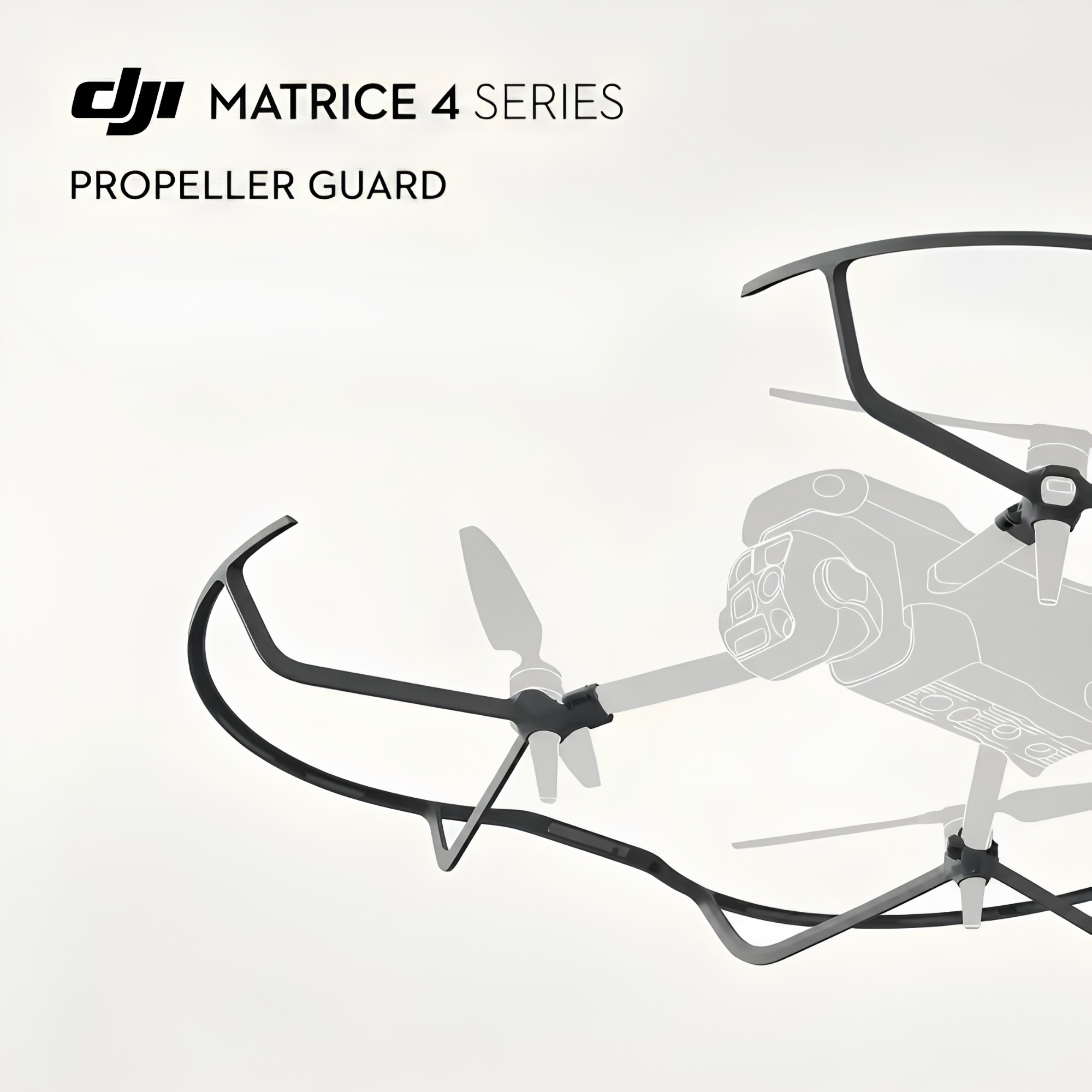
A Matrice 4 inspection team installs propeller guards before entering a confined industrial space, then notices a change in DJI Pilot 2’s obstacle-sensing behaviour and flight dynamics. The guard adds a physical barrier around the propeller disk, but that is not the same as granting permission for close indoor flight. The practical purchase question is whether the added mass, possible sensor restrictions, increased external dimensions and reduced flight margin are acceptable for the actual mission.
What a Matrice 4 propeller guard can and cannot protect
The DJI Matrice 4 Series Propeller Guard is an optional protective accessory for the specified Matrice 4E/4T aircraft. Guards can reduce the likelihood of a light incidental contact directly reaching the rotating propeller, but they are not impact-certified cages that make collisions with walls, workers or electrical equipment harmless. A guard may prevent one type of blade contact while transferring a shock to the arm or frame; the aircraft and propeller assembly still require post-impact inspection.
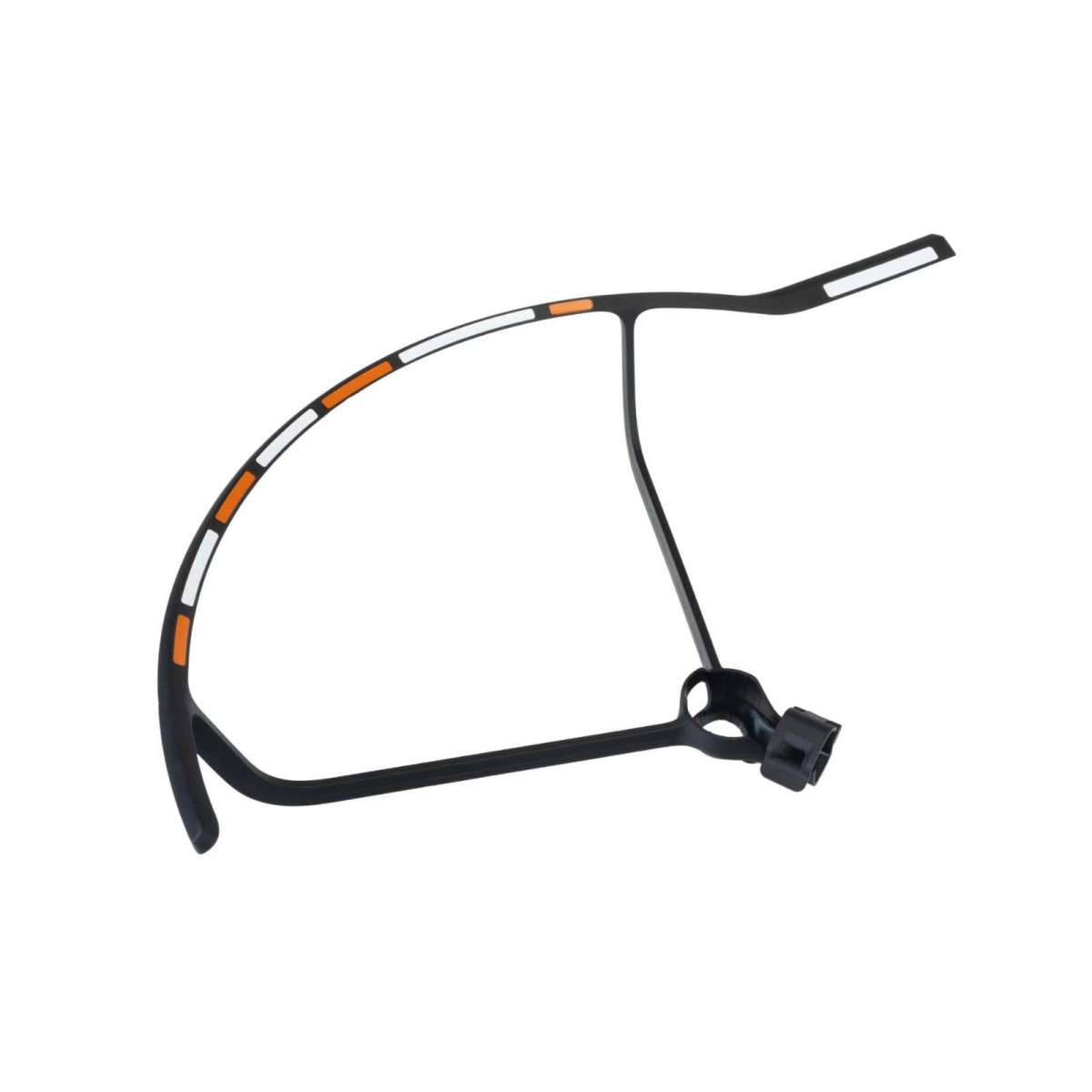
DJI’s Matrice 4 manuals classify propeller guards among qualified optional accessories, but that does not remove the aircraft’s maximum takeoff mass, centre-of-gravity or installation limits. The manufacturer’s baseline aircraft specifications also distinguish standard 1157F from low-noise 1154F propeller configurations. Do not select a guard or flight plan by assuming every Matrice 4 version has the same spare-propeller or payload arrangement.
The trade-offs that a parts catalogue usually hides
| Issue | How guards can change the mission | Preflight check |
|---|---|---|
| Overall width and clearance | The aircraft becomes wider at the rotor perimeter | Measure the actual installed envelope and required separation from nearby surfaces |
| Mass and centre of gravity | Guards consume part of the allowable takeoff-mass margin | Weigh the ready-to-fly aircraft and confirm approved mounting positions |
| Obstacle sensing and APAS | Guards may constrain or disable some sensing functions in the relevant configuration | Verify actual DJI Pilot 2 status; never presume full sensing remains active |
| Airflow and vibration | Nearby guard structures can change the aerodynamic and acoustic environment | Use manufacturer-approved guards and check for contact, looseness or abnormal vibration |
| Endurance and return reserve | Additional hardware and drag may change power required in flight | Plan a conservative mission rather than relying on the guard-free endurance reference |
| Human proximity | Guards are not a substitute for safe separation or approved operating procedures | Keep exclusion zones, observer roles and emergency abort rules |
Do propeller guards leave obstacle avoidance fully available?
Do not assume they do. The Matrice 4 relies on multiple optical and infrared sensors with defined field-of-view and lighting requirements. A guard surrounding the rotor disk can change which parts of the environment or accessory frame appear within a sensing region. Some configurations explicitly restrict obstacle-sensing functionality when the propeller guard is installed. Verify the current manufacturer instructions for the exact guard and firmware and check what DJI Pilot 2 actually reports on the installed aircraft.
Even without guards, DJI warns that small branches, transparent objects, reflective surfaces, poor light and water can interfere with avoidance. A physical guard cannot repair an uncertain GNSS position, a narrow indoor space or an aircraft operating in Attitude mode. If positioning and obstacle sensing are degraded, choose a safer route or stop; do not fly into a wall to test whether the guard protects the rotor.
Before buying: mass limits and propeller configuration
DJI lists maximum takeoff weights of approximately 1,420 g with standard props and 1,430 g with low-noise propellers in its Matrice 4 specifications. These are overall aircraft limits, not amounts available in addition to the full aircraft, battery, guard and other accessories. The manufacturer’s listed maximum payload is a separate reference, and the installed configuration must still satisfy total takeoff-mass and centre-of-gravity restrictions.
For a client asking to install propeller guards alongside an AL1 spotlight, AS1 speaker or other optional hardware, first sum and verify the actual installed mass, not the brochure values of each item individually. Check interference with the vision cameras, infrared sensors, auxiliary lighting and airframe antennas. Do not mount protective hardware in a way that blocks required aircraft signals or cooling.
Practical installation and acceptance checklist
- Identify the aircraft and guard: Matrice 4E or 4T and the exact DJI propeller-guard model. Do not reuse a visually similar guard from a Matrice 4D, Mavic or Mini family without explicit approval.
- Power down completely: avoid working on an armed or powered rotor assembly. Protect the propeller tips and avoid bending blades while mounting hardware.
- Inspect the bracket: verify every retaining point, clearance from propeller tips, material integrity and lack of interference with foldable arms.
- Weigh and check the flight envelope: account for guards, battery, storage card and other accessories; check the DJI maximum takeoff mass and centre-of-gravity rules.
- Review software sensing status: inspect DJI Pilot 2 for any avoidance restriction or alert. Keep an independent plan for areas where sensors are unavailable.
- Perform a controlled preflight: confirm all props are in good condition, no guard touches rotating hardware and no unexpected motor or control warning appears. Do not treat a powered bench test as authorisation for close-to-people flight.
- After any contact: shut down, inspect the guard for cracks or loose fasteners, check blades and motor shafts, and refer structural damage to qualified service.
When guard-free operation may be the safer choice
For a survey flight in a clear outdoor area, extra structure and weight may offer little benefit and increase the logistical burden. For an approved close-inspection route, physical guarding may be a valuable part of an engineered risk reduction—but only when its sensing and propulsion trade-offs are understood. If the task requires bringing the aircraft within centimetres of people or sensitive machinery, the correct answer may be a different inspection tool, not an overconfident guarded drone.
Similarly, high-wind or low-light conditions can reduce the margin needed for a controlled approach. Guards do not change the underlying DJI limitations on wind resistance, obstacle detection or ground-to-aircraft communication. Maintain separation and a predetermined abort route.
Related FalconFly guide
For broader practical context, read our DJI obstacle-sensing limitations around structures guide. It complements this product-specific troubleshooting workflow.
Manufacturer documents and matching hardware
Check DJI Matrice 4 Series aircraft limits, the current manufacturer user/safety manuals and FalconFly’s Matrice 4 Propeller Guard product listing. The right purchase depends on the approved aircraft/guard combination and the documented mission—not the assumption that a guard eliminates the risk of collision.






























