


Zenmuse S1 Spotlight Fogging and False Obstacle Alerts: Night Inspection Setup


At a nighttime inspection, the Zenmuse S1 spotlight can create two unexpected experiences: moisture visible behind the front lens, or a drone that reports obstacle warnings while the beam is on. DJI addresses both in its official guidance, but neither should be handled by casually disabling flight-safety functions without assessing the site.
Internal lens fogging: when it is normal and when to stop
DJI explains that temperature differences between a cold exterior and the interior of the S1 lens can cause temporary fogging, especially in humid or low-temperature conditions. Its tests found little typical effect on illuminance. After the flight, DJI recommends placing the accessory in a dry, ventilated environment, allowing condensation to dissipate. Do not open the optical assembly, scrape the lens coating or use harsh alkaline cleaning products.
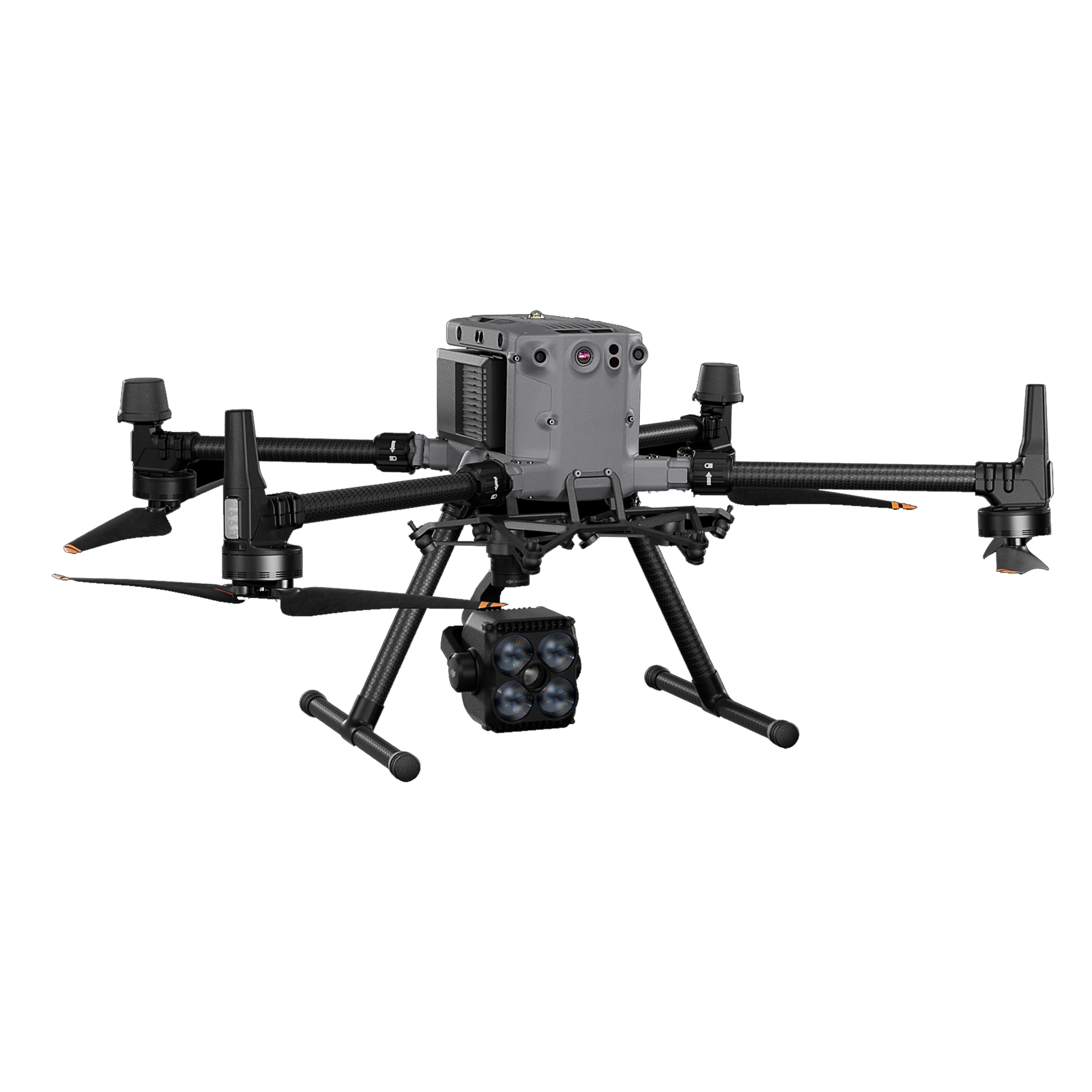
Choosing low beam, high beam or both
| Mode | Beam characteristic | Typical role |
|---|---|---|
| Low Beam | Approximately 15° field | Wide area illumination near camera’s 5× view |
| High Beam | Approximately 4° field | Narrow long-distance target illumination near 15× view |
| Both On | Broader field with stronger centre | Maximum lighting coverage for approved inspection use |
DJI reports up to 40 lux at 100m on Matrice 400 in Both On mode; Matrice 300/350 combinations have a different specified rating. Do not treat the figure as guaranteed performance in fog, smoke or rain.
Why the obstacle system may react to the beam
Strong night illumination and backscatter can interfere with some obstacle sensing. DJI’s S1 FAQ notes possible false obstacle avoidance. It suggests operating in open environments; in specific circumstances, obstacle avoidance may be disabled when necessary. That is a high-risk operational decision, not a default troubleshooting hack. Do so only where permitted, after a site-specific risk assessment and with appropriate visual observation and safe separation.
Safe troubleshooting before moving the aircraft
- Verify the exact platform: Matrice 400, Matrice 350 RTK or Matrice 300 RTK with compatible controller and current firmware.
- Inspect the lens coating, mounting, SKYPORT engagement and cable-free clearances.
- Start at reduced brightness and Low Beam where it meets the actual task.
- Check whether warnings appear only with S1 on and only in a specific orientation.
- Assess haze, surface reflectivity and direct reflection into the aircraft’s sensors.
- Do not aim the beam toward people’s eyes or aircraft navigation; follow night-flight permissions.
- After use, let condensation dissipate naturally in a dry, clean environment.
How to match spotlight and camera
The S1 can be gimbal-synchronized with supported H30 series cameras on the Matrice 400. This helps point the beam near the observed scene, but do not rely on alignment when sensing or aircraft motion makes it unsafe. S1 is a separate multi-payload accessory, not interchangeable with the smaller AL2 for Matrice 5T.
Related FalconFly guide
For broader practical context, read our DJI obstacle-sensing limits in low visibility guide. It complements this product-specific troubleshooting workflow.
How to distinguish fogging from an actual optical fault
DJI confirms that condensation may form inside the Zenmuse S1 lens in low-temperature or high-humidity conditions because the inner and outer surfaces are at different temperatures. In the manufacturer’s testing this temporary fogging had minimal effect on measured illuminance. Leave the unit intact and dry it naturally in a ventilated area after use. Do not attempt to dismantle the sealed lens, use hot-air guns or scrape the coating. An S1 with persistent visible residue, physical cracks or water ingress after normal drying needs a qualified service check; temporary condensation alone is not grounds to dismantle a functioning payload.
Beam selection by the scene, not by maximum brightness
| S1 mode | Where it helps | Practical trade-off |
|---|---|---|
| Low Beam | Broader nearby scene illumination | Less concentrated distant lighting |
| High Beam | Narrower, more distant target inspection | Can cause glare on reflective objects or dense fog |
| Both On | Wide spread with stronger central illumination | Higher power demand and potentially more sensor interference |
| Strobe | Manufacturer-supported signaling or emergency visibility | Not a continuous imaging illuminator |
DJI specifically identifies Both On as a combined broad-beam/high-central-illuminance setting. For a foggy electrical inspection, simply increasing output can reflect additional light back toward the camera. A different beam angle, safe lateral observation position or a reduction in output may provide more useful visual evidence than maximum brightness.
The obstacle-avoidance dilemma at night
DJI warns that S1 use at night may trigger false obstacle-avoidance events. Its FAQ permits disabling obstacle avoidance when necessary, but that is a mission risk decision, not a default troubleshooting fix. Avoid flying close to cables, facades or crowds with sensing disabled; use a clearly unobstructed area, sufficient standoff, experienced manual control and an approved operational risk assessment. If the scene does not permit those protections, stop the sortie instead of bypassing the warning.
- With the aircraft grounded, confirm the S1 gimbal and payload are detected and mounted in the supported configuration.
- In an open test area, note the warning with the spotlight off, then with Low, High and Both On modes, while keeping safe distance from obstacles.
- Identify whether the warnings appear only at a particular beam angle or reflective surface; do not assume the LiDAR or vision module is physically defective.
- Check the model-specific obstacle-perception limitations, lighting and weather conditions. Keep the drone stationary or in a manufacturer-approved safe test while comparing states.
- Clean only the external lens surface using a soft, dry, clean cloth. DJI forbids alkaline cleaning agents and scratching the lens coating.
- After the operation, ventilate the unit and store it dry; DJI recommends ambient humidity around 40–50% where practical.
For the model-specific advice consult DJI’s S1 optical and obstacle-sensing FAQ. Our broader DJI obstacle-avoidance guide explains why an apparently clear image never guarantees safe detection of thin or reflective hazards.
Manufacturer references
DJI S1 operating and fogging FAQ and S1 beam and payload specifications.






























