DJI AL1 Spotlight: Why Obstacle Avoidance Changes When the Light Is On

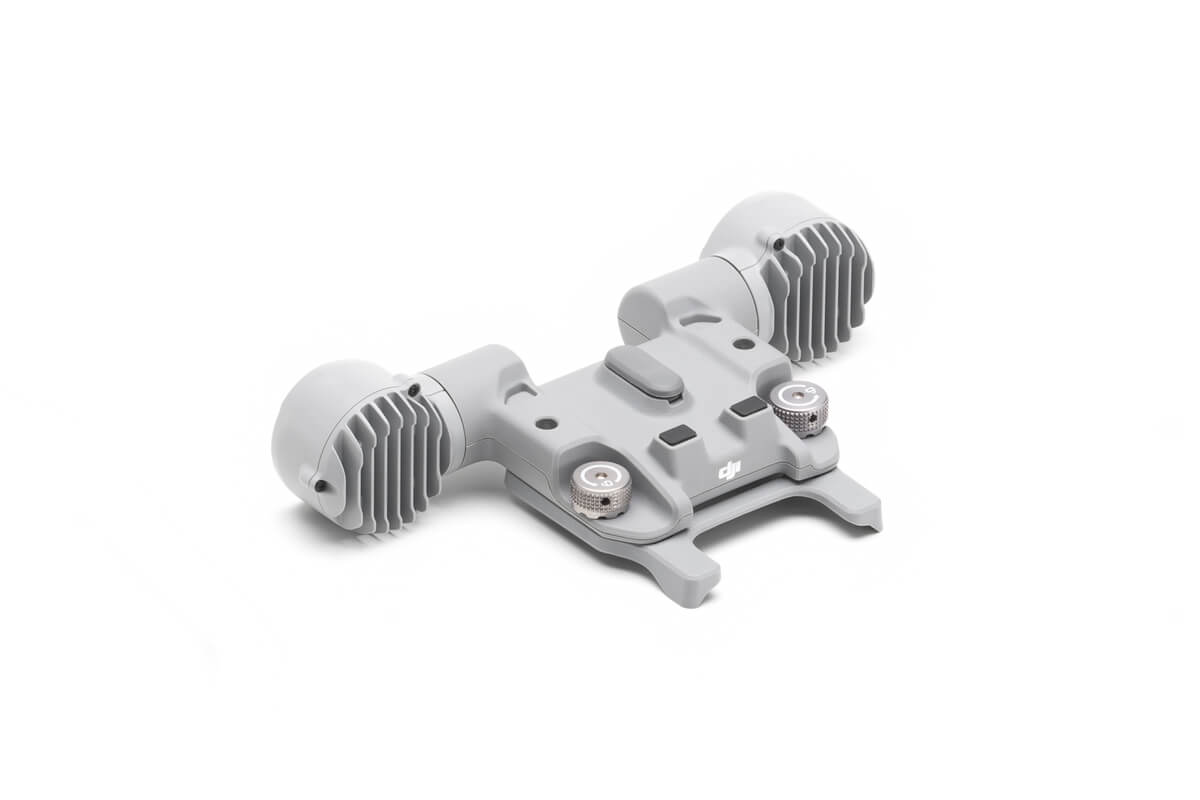
A Matrice 4 crew switches on the DJI AL1 Spotlight for a low-light inspection—and DJI Pilot 2 indicates that obstacle avoidance is no longer available. The aircraft flew normally a moment earlier, so the operator suspects faulty sensors or a bad accessory. In this specific configuration, however, DJI says obstacle avoidance deactivates automatically while the AL1 spotlight is on. Understanding that designed limitation is more useful than resetting every camera and avoidance setting.
The AL1 changes flight risk, not merely the picture
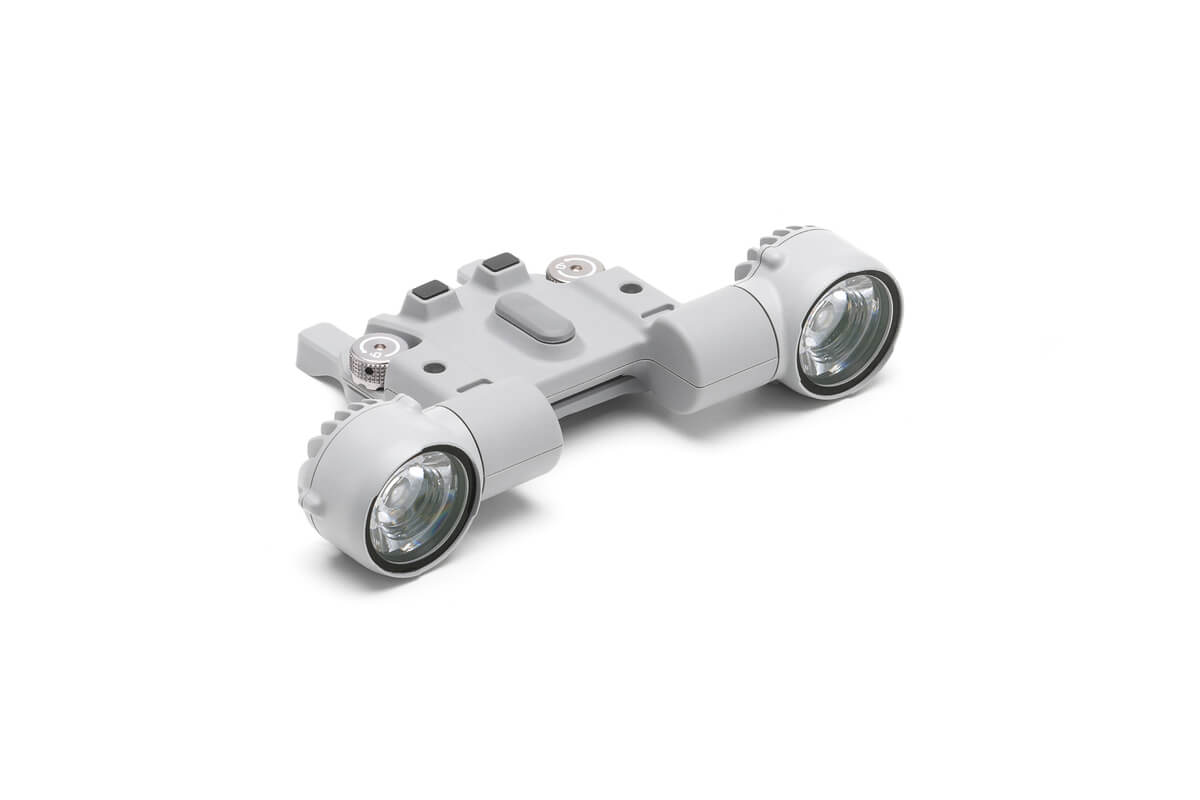
The DJI AL1 Spotlight is an accessory for the Matrice 4 Series with continuously illuminated and strobe operation. DJI’s official Matrice 4 FAQ explains that installing AL1 affects power performance, and that activating the spotlight automatically deactivates obstacle avoidance. This is a planning constraint: an illuminated night-inspection mission should not be designed around automatic avoidance of thin wires, poles, glass, tree branches or other close-range hazards.
The key operational response is not to search for a hidden override that forces sensors back on. DJI documents the limitation explicitly. Where close-to-obstacle illumination is required, change the flight route, increase separation, choose appropriate observation positions and perform a new risk assessment. Do not rely on a spotlight beam to reveal every obstacle, especially overhead wires and dark or reflective surfaces.
What the controller message means
| Observation | Most likely explanation | Appropriate action |
|---|---|---|
| Obstacle avoidance works with AL1 off but is unavailable when illuminated | DJI-documented limitation of the AL1 operating mode | Reassess the route, use conservative manual separation, do not assume a firmware fault |
| Spotlight not detected after attachment | Mounting, activation or firmware mismatch | Inspect the approved attachment; complete Pilot 2 activation and consistency update |
| Spotlight points away from the camera view | Gimbal-follow setting or mode selection | Review AL1 orientation setting and actual gimbal aim |
| Wide illumination has no visible effect at high zoom | Wide-FOV mode is limited to the wide camera at 1× zoom | Check zoom/lens selection rather than returning the hardware |
| Flight time drops with continuous lighting | Added weight and electrical load | Reduce brightness or on-time; land with a conservative battery reserve |
DJI’s wide-FOV and follow-gimbal settings often get confused
The AL1’s wide-FOV mode does not make every telephoto view brighter across an unlimited angle. DJI states that this mode works with the aircraft’s wide-angle camera at 1× zoom. If a pilot turns on wide FOV while using a telephoto focal length, the lack of the expected broad beam is a mode limitation, not proof that the LEDs are malfunctioning. Update to supported firmware before comparing visual results across aircraft.
The follow-gimbal-orientation option is a different control. When enabled, the spotlight follows the camera’s orientation so the illuminated region moves with the view. DJI also permits this feature to be disabled: the light then holds its current pointing angle until following is re-enabled. A stationary light while the camera pans can therefore be an intentional configuration rather than a broken tilt motor.
Power, beam and visibility: what the specification actually supports
DJI specifies approximately 99 g installed weight including bracket, 32 W maximum power, illuminance of approximately 17±0.2 lux at 50 m and 4.3±0.2 lux at 100 m in its defined laboratory setup. Standard illuminated area is listed at roughly 1,300 m² at 100 m, expanding to around 2,200 m² in wide-FOV mode using the manufacturer’s stated illumination criterion. These are reference figures, not a guarantee of identifying a person or reading a label at 100 meters in rain or haze.
A brighter beam can make airborne mist and particles more visible. DJI advises using the aircraft’s electronic defogging function when spotlight imaging looks washed out, and reducing brightness when possible to protect endurance. Neither defogging nor spotlight power changes the underlying fact that obstacle avoidance is disabled while the light is on.
Installation and firmware: a grounded commissioning checklist
- Inspect the mount with the aircraft switched off. Check the approved bracket, mating surfaces and retention screws. Do not suspend the spotlight by a cable or fit it to an unlisted Matrice model.
- Activate in DJI Pilot 2. DJI specifies that AL1 must be activated after installation. Complete any consistency or firmware update that the application requests.
- Confirm mode selection. Test steady-on, strobe and the available controller custom-button shortcuts separately, with no people exposed to the beam.
- Check the camera-light alignment. Test follow-gimbal on/off behaviour, then test wide FOV using the wide-angle 1× camera view.
- Verify the flight-safety warning. Before any mission, brief the crew that switching AL1 on deactivates obstacle avoidance. Document how this affects route altitude, horizontal offset, approach angles and abort points.
- Plan battery reserve. Compare a representative planned lighting duty cycle with a mission without AL1; avoid treating the maximum catalog endurance as a safe return-time guarantee.
Using the spotlight with AS1 audio
The AL1 can be combined with the DJI AS1 Speaker, but the combined installation differs from the individual mounting arrangement. DJI instructs users to remove the speaker’s lower adapter bracket, mount the speaker on the top interface of the spotlight and tighten the connection. This does not restore obstacle avoidance or eliminate the added weight and electrical load. For rescue or inspection work, evaluate the combined configuration as a new mission payload rather than assuming the individual accessory test covers it.
Eye, heat and bystander safety
Never point AL1 directly into anyone’s eyes. DJI warns that the beam can cause eye injury and that the unit may become hot during prolonged operation. Allow appropriate cooling before handling the light after a long mission. The ability to switch into strobe mode does not itself authorize use in traffic, over crowds or where local regulations restrict distracting illumination. Respect line-of-sight, airspace and operational risk controls independently of the lighting equipment.
Related FalconFly guide
For broader practical context, read our DJI obstacle avoidance and sensing limitations guide. It complements this product-specific troubleshooting workflow.
References and next step
Use DJI’s Matrice 4 FAQ (AL1 safety, avoidance, follow-gimbal and wide-FOV behaviour), DJI AL1 engineering specifications, and the official AS1/AL1 user manual for the precise setup. Confirm the stocked accessory and compatibility on the FalconFly AL1 listing. If the light fails to activate or illuminate in any supported mode after a documented setup, keep the recorded warnings and firmware versions before seeking service.