


DJI AS2 Speaker Has No Audio? Fix Activation, Mic and Pilot 2 Broadcast Settings


The sound system on an enterprise drone is more than a loudspeaker with a power switch. A DJI AS2 can be correctly mounted and still remain silent if it has not been activated, if the wrong audio path was selected in DJI Pilot 2, or if the operator speaks away from the controller’s microphone. Work through the causes in this order before replacing hardware.
First establish exactly what is failing
DJI AS2 supports live broadcasting, recorded messages, imported media, text-to-speech and echo cancellation, plus a five-colour strobe. A failure in one mode does not mean the amplifier, speaker or every mode has failed. In a permitted, controlled environment, test an imported/recorded spoken message, then a live message from the controller.
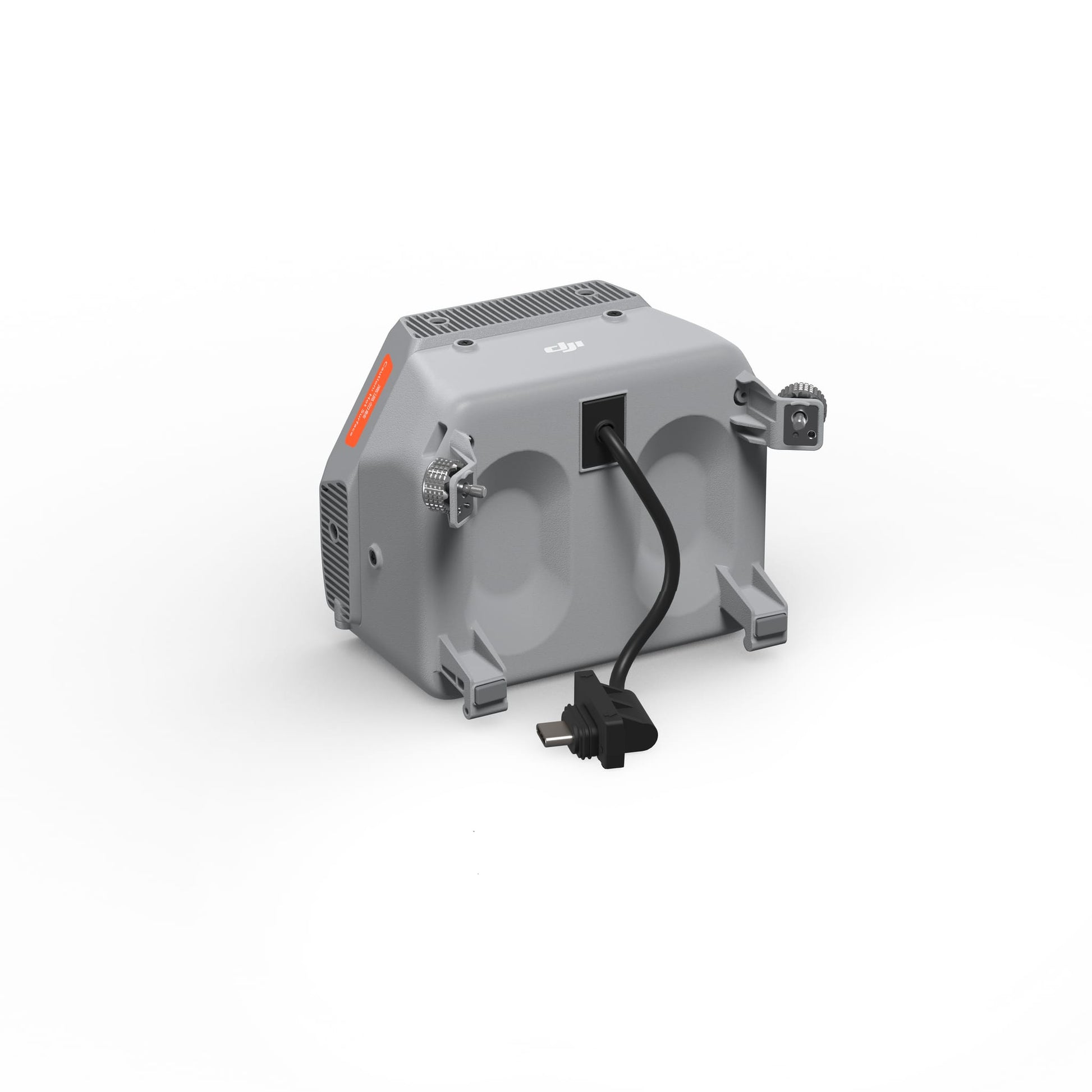
A practical fault-isolation sequence
- Confirm platform compatibility. DJI lists the AS2 specifically for Matrice 5T. Do not treat the Matrice 4 AS1 as interchangeable.
- Power down and inspect the mount. The aircraft-side USB-C connector must be pressed home and the provided screws secured. Never troubleshoot by repeatedly unplugging a powered accessory.
- Activate the module. After mounting, connect to the internet and follow DJI Pilot 2 activation prompts; complete compass calibration and any requested firmware updates.
- Choose a known spoken audio source. Test a prerecorded human-voice clip. A blank imported file or unsupported media workflow can look like a dead speaker.
- Test real-time broadcast properly. DJI recommends speaking close to the top of the remote-controller microphone at a steady pace. Try the dedicated Pilot 2 control and check any custom RC button mapping.
- Verify mode, not just volume. A stop/start shortcut or a live-broadcast state can leave the operator thinking the hardware is powered but not transmitting.
What the specifications do — and do not — mean
DJI quotes up to 120dB at 1m and an effective broadcasting distance of up to 400m under its specified tests. These are not guarantees of message intelligibility through traffic, wind, reverberation or a noisy industrial site. Record a short phrase, assess it from a permitted safe listening position, and change one variable at a time. Do not interpret maximum quoted sound level as an instruction to use maximum gain near people.
Live voice or text-to-speech?
| Use case | Recommended workflow | Typical issue |
|---|---|---|
| Preplanned instructions | Reviewed recorded message | Wrong file/mode selected |
| Dynamic team coordination | Live voice with operator monitoring | Mic position or broadcast stopped |
| Repeated standardized wording | Text-to-speech tested beforehand | Unclear pronunciation or pacing |
Flying with both speaker and spotlight
When using the DJI AL2 Spotlight together with AS2, install the spotlight first according to DJI. Consider additional payload weight and reduced endurance in the operating plan. The spotlight can alter vision-system behaviour; loud audio can create a hazard near people or sensitive locations. Use only under the applicable local permissions.
When the speaker needs service
If activation succeeds but there is still no sound with several supported voice sources, check firmware consistency and log any error messages. Stop immediately for water ingress, a damaged cable seal, overheating, distorted output or mechanical damage. Avoid continuous single-frequency test tones: DJI specifically warns these can damage the speaker.
AS2 audio-modes troubleshooting matrix
| What succeeds | What fails | Correct next test |
|---|---|---|
| Imported or pre-recorded audio | Live broadcasting is silent | Confirm live mode and speak near the top microphone of RC Plus 3 Enterprise; inspect the custom-button assignment |
| Live speech works | Text-to-speech output is missing or unintelligible | Review the supported text-to-speech language, DJI Pilot 2 state and current audio/firmware configuration |
| Audio is heard but echoes | Live public-address quality | Verify the supported echo-cancellation configuration, firmware consistency and operator microphone position |
| Speaker is fitted physically | No accessory recognition in Pilot 2 | Check approved M5T-only model, USB-C seating/seal, mounting screws, internet activation and prompted compass calibration |
| Audio plays clearly nearby | Message is inaudible at the target | Review wind, background sound, target range and volume; do not treat the lab-rated 400m figure as guaranteed speech intelligibility |
AS2 and AS2D: do not swap between M5T and Dock 4
DJI specifies AS2 exclusively for Matrice 5T, while the similarly named AS2D belongs to the Matrice 5TD/Dock 4 ecosystem. The approved mount and interface arrangement must be chosen for the actual aircraft. Likewise, Matrice 4’s AS1 and Matrice 400’s Zenmuse V1 are different speaker families with distinct controls and payload characteristics. Do not assume that a physically similar USB-C connector makes their accessories interchangeable.
How to validate the microphone path without a risky flight
- With the aircraft grounded and propulsion safely disabled, confirm the app recognises AS2 and reports no activation or firmware warning.
- Test a short, clear approved recorded message. If it plays, the output path is working at least in this mode.
- Enter the real-time broadcast mode and speak close to the top of the RC Plus 3 Enterprise at a steady pace, as DJI specifies. Do not assume a headset or phone microphone is the selected input.
- Check any custom start/stop broadcast button assignment in DJI Pilot 2; switching an unrelated toggle can silently leave live audio inactive.
- For use with AL2, follow DJI’s order: fit the spotlight first, then the speaker. Reinspect the combined assembly’s mounting and clearances.
- Stop if sound is severely distorted, the accessory becomes abnormally hot, the seal is damaged or a persistent warning appears. Do not blast continuous single-frequency tones; DJI warns this can cause irreversible damage.
Published output figures and limitations
DJI rates AS2 at 194g weight, 35W maximum power, up to 120dB at 1m and an effective broadcast distance of 400m in its laboratory conditions. These are not guaranteed intelligibility figures for every street, industrial site or windy airspace. The unit’s integrated five-colour strobe is a signaling feature, not additional aircraft obstruction sensing. Re-evaluate aircraft power, flight time and takeoff mass whenever AS2 and AL2 are carried together.
Official sources
DJI Matrice 5T AS2 accessory FAQ and DJI AS2 specifications. Related store listing: DJI AS2 Speaker.






























