


Zenmuse V1 Live Broadcast Unavailable on M350? The Matrice 400 Compatibility Difference


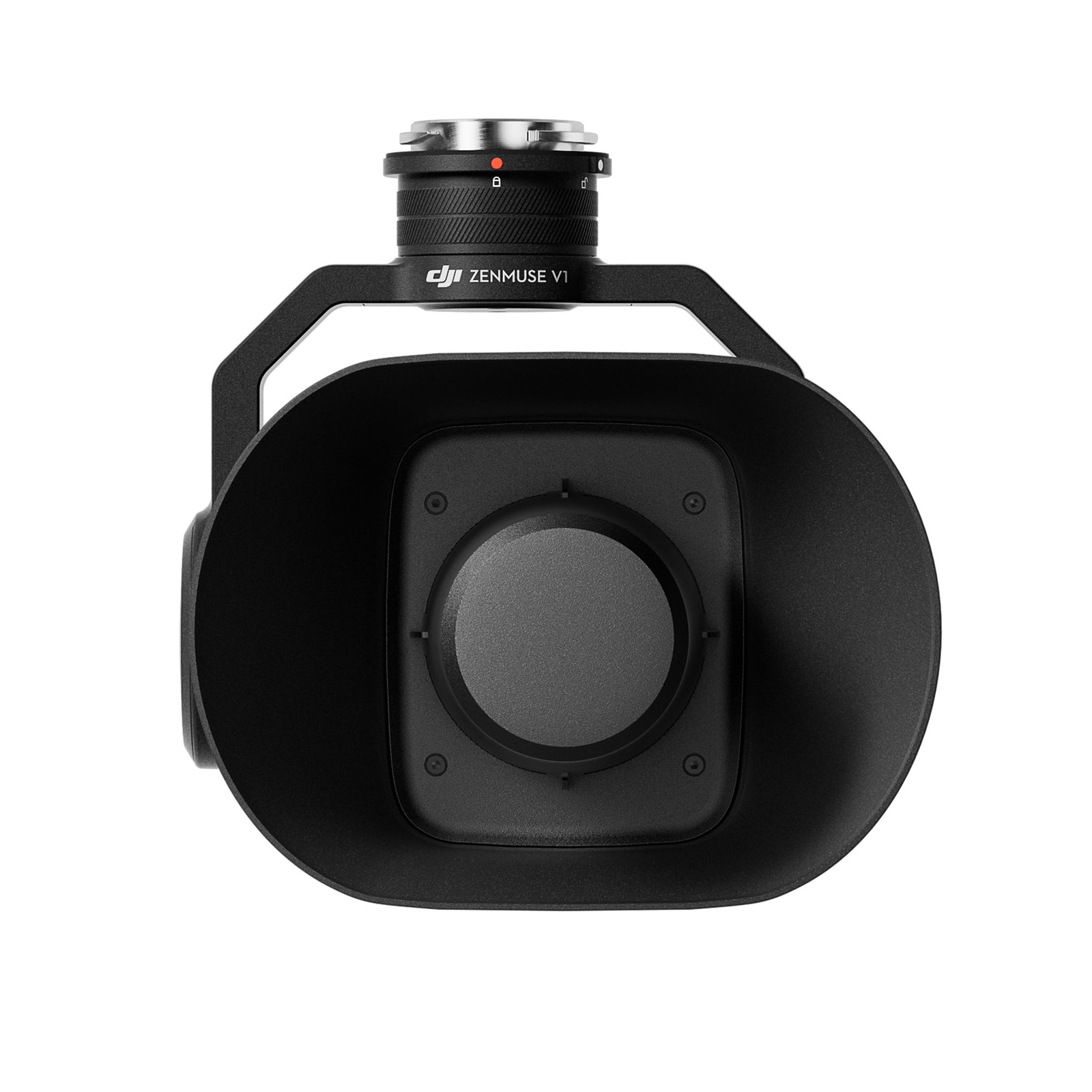
A Matrice 350 RTK rescue team installs the DJI Zenmuse V1 and confirms that prerecorded messages play correctly, yet DJI Pilot 2 shows no real-time microphone broadcast function. This is often a supported-platform restriction, not a broken speaker. DJI explicitly reserves Zenmuse V1 live broadcasting for Matrice 400, while Matrice 350 RTK and Matrice 300 RTK support other audio workflows. Knowing the distinction before a mission prevents wasted troubleshooting and a disappointing purchase.
Zenmuse V1 functions by aircraft, according to DJI
| V1 function | Matrice 400 | Matrice 350 RTK / Matrice 300 RTK |
|---|---|---|
| Real-time live voice broadcast from DJI Pilot 2 | Supported | Not supported |
| Record then broadcast from the controller | Supported | Supported |
| Import and play compatible prerecorded audio | Supported | Supported |
| Text-to-speech languages | Chinese, English, Spanish, Korean, Japanese and French | Chinese and English |
| Maximum sound pressure at 1m | 129dB (DJI laboratory reference) | 127dB (DJI laboratory reference) |
| Specified effective broadcast distance | 700m | 500m |
The sound-pressure and distance figures are measured by DJI under controlled conditions near 25°C. They do not guarantee intelligible speech at the indicated distance in wind, traffic, dense urban environments or behind obstructions. For a critical public announcement, validate message intelligibility at the actual site with appropriate safety separation and authority.
What you can still do on Matrice 350 or 300
On the supported older enterprise aircraft, a team can record audio in advance and play it from the aircraft, import approved files or generate supported text-to-speech output. Use this for repeated instructions such as “keep clear of this access road” or a predefined search-and-rescue warning—subject to the operation’s legal and safety requirements. The limitation is not an inability to emit voice messages; it is the missing continuous live-broadcast workflow demonstrated on Matrice 400.
DJI’s V1 user manual specifies imported audio formats MP3, AAC and WAV, with an individual file-size limit of 10MB. If a long audio file appears in the controller but cannot be uploaded or played, check the actual codec, size and file corruption before changing the speaker hardware. Renaming an unsupported file extension does not convert the audio encoding.
The speaker’s nominal acoustic power is 25W and its effective audio bandwidth is 800Hz–8kHz, according to DJI. Speech-focused audio falls within that bandwidth better than music requiring strong bass. DJI warns against repeatedly playing single-frequency or sweeping tones because they can damage the speaker. Avoid using the V1 as a general-purpose music or siren test device.
Seven-step diagnosis for a silent V1
- Identify the aircraft and remote. Confirm Matrice 400, M350 RTK or M300 RTK and the manufacturer-supported controller. Do not use AS2/Matrice 5 payload instructions for this V1 system.
- Verify that the installed feature exists. A missing live-mic option on M350/300 is normal platform functionality, not necessarily a software fault.
- Inspect the payload connection with power off. Check approved DJI SKYPORT mounting, latch condition, connector cleanliness and visible physical damage. Do not hot-plug an unknown gimbal connector.
- Check aircraft, remote, DJI Pilot 2 and payload firmware together. Follow DJI’s model-matched update instructions, rather than forcing a Matrice 400 firmware package onto the M350 system.
- Try a known-good prerecorded clip. Use a short, correctly encoded MP3/AAC/WAV file under 10MB; select the supported record-and-broadcast or file-broadcast mode.
- Review output state and direction. Verify playback is active, audio level is not muted and the single-axis gimbal is oriented toward the audience within its supported travel and mounting limits.
- Export a reproducible fault record. If supported playback still fails, record the Pilot 2 warning, aircraft/payload IDs and firmware versions. DJI’s manual describes using Health Management System (HMS) → Log Management for diagnostic logs.
A different issue: H20/H30 footage shakes when V1 speaks
DJI warns that co-mounting Zenmuse V1 with an H20 or H30 camera may cause visible image vibration when the zoom exceeds approximately 35×. Acoustic excitation can affect delicate high-magnification imaging even when the camera gimbal itself is correctly mounted. DJI’s first mitigations are to reduce speaker volume or adjust speaker tilt. A noisy inspection image that appears only during a loud V1 announcement should be diagnosed as a payload interaction before the camera is condemned.
Plan an actual comparison: capture the same stationary scene at the same zoom and flight attitude with the speaker silent, at reduced volume, and at the working volume permitted by the operation. Do not test full sound output at close range near personnel. If video still shakes with the speaker off, investigate the camera mount, aircraft vibration, propeller condition and optical autofocus instead.
Do not overlook the speaker’s gimbal and aircraft power budget
Zenmuse V1 has a single-axis tilting gimbal. DJI lists different controllable tilt ranges depending on whether the unit uses a downward, third or upward supported mounting position. An operator should not expect free 360-degree aim or identical tilt behaviour on a Matrice 400 and a Matrice 350. The speaker adds payload mass and power draw and can affect the aircraft’s propulsion and vision-system performance; DJI explicitly advises cautious operation after installing the payload.
When planning multi-payload flights, account for the complete approved mounting system, aircraft takeoff mass, electrical limits and any camera interference. Increasing speaker volume to compensate for poor audience orientation may increase vibration and worsen the camera result. A better orientation and an intelligible prerecorded message can be more useful than maximum loudness.
Choosing V1 versus a compact DJI speaker
The genuine Zenmuse V1 serves specified Matrice 400, M350 RTK and M300 RTK installations. The DJI AS2 is intended for another DJI Enterprise aircraft/accessory family and is not a plug-and-play substitute for V1. If the job requires continuous live voice on Matrice 350, simply buying an AS2 is not a manufacturer-supported upgrade path; select an aircraft and speaker combination for which the required feature is expressly documented.
Operational safety and official sources
High sound pressure can harm hearing or disturb nearby animals and residents. Use directional broadcasting only where the operator has appropriate permission, respect local public-address rules, and avoid close-range tests. Record the exact message when professional accountability matters.
DJI’s Zenmuse V1 official FAQ documents the Matrice 400-only live-broadcast rule, 700m/500m distances and 35× camera-shake precaution. The V1 specifications list the audio bandwidth and gimbal modes, and DJI’s V1 product support supplies user documentation. Verify these capabilities before ordering the original V1 on FalconFly.






























