


Matrice 4 1157F Propeller Replacement: Match the Pair Before Takeoff

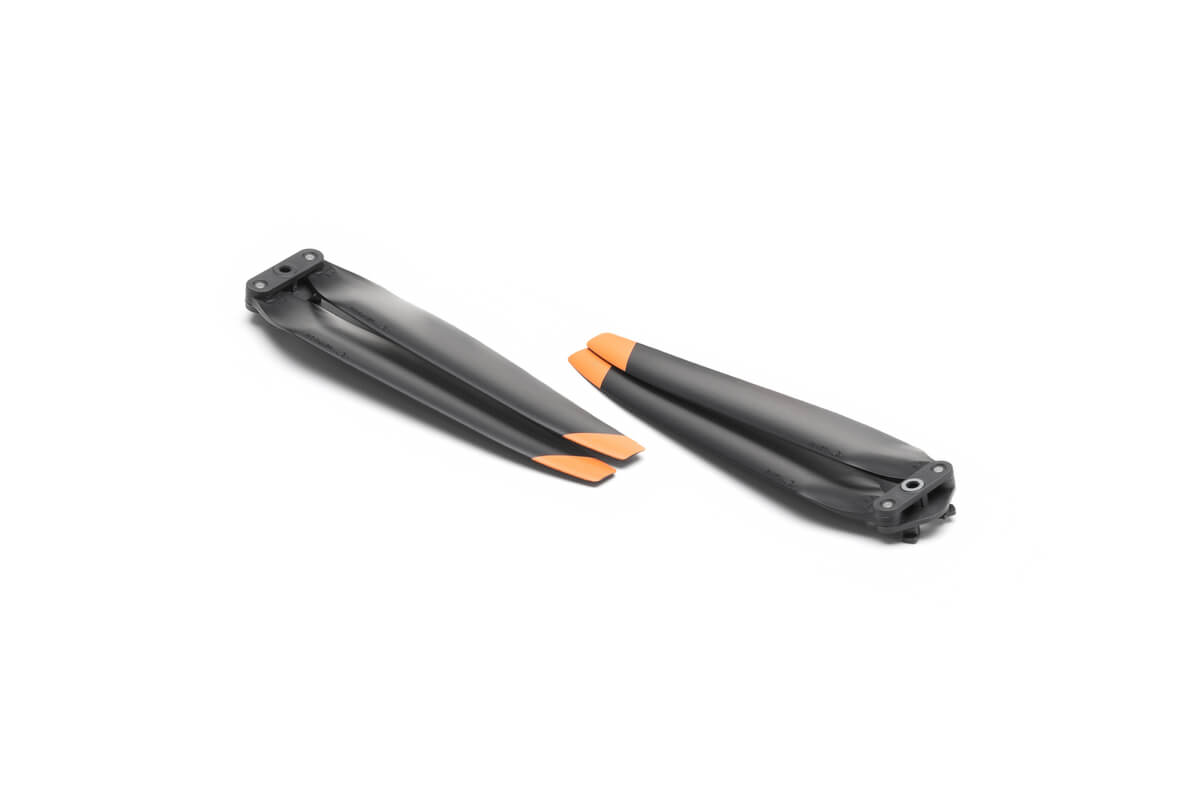
A Matrice 4 inspection pilot notices a shallow nick on one propeller after packing the aircraft into its case. The motors spin freely and the drone still powers on. Is the nick cosmetic, or should the propeller be replaced before the next job? DJI’s Matrice 4 maintenance instructions are explicit: replace a propeller showing nicks, cracks, serious wear or deformation immediately. The assessment should also include the motor hub, the propeller adapter and the correct replacement model.
Confirm 1157F is the correct model for this aircraft
The DJI Matrice 4 Series 1157F pair is the manufacturer’s standard propeller option for Matrice 4E and 4T. DJI separately identifies 1154F as the low-noise Matrice 4 Series alternative. The models are not simply arbitrary retail part numbers: they correspond to configurations with different manufacturer-published endurance results, and DJI prohibits mixing propeller types on the aircraft. The larger 1364 family used on Matrice 4D or 4TD is not a Matrice 4E/4T substitute.
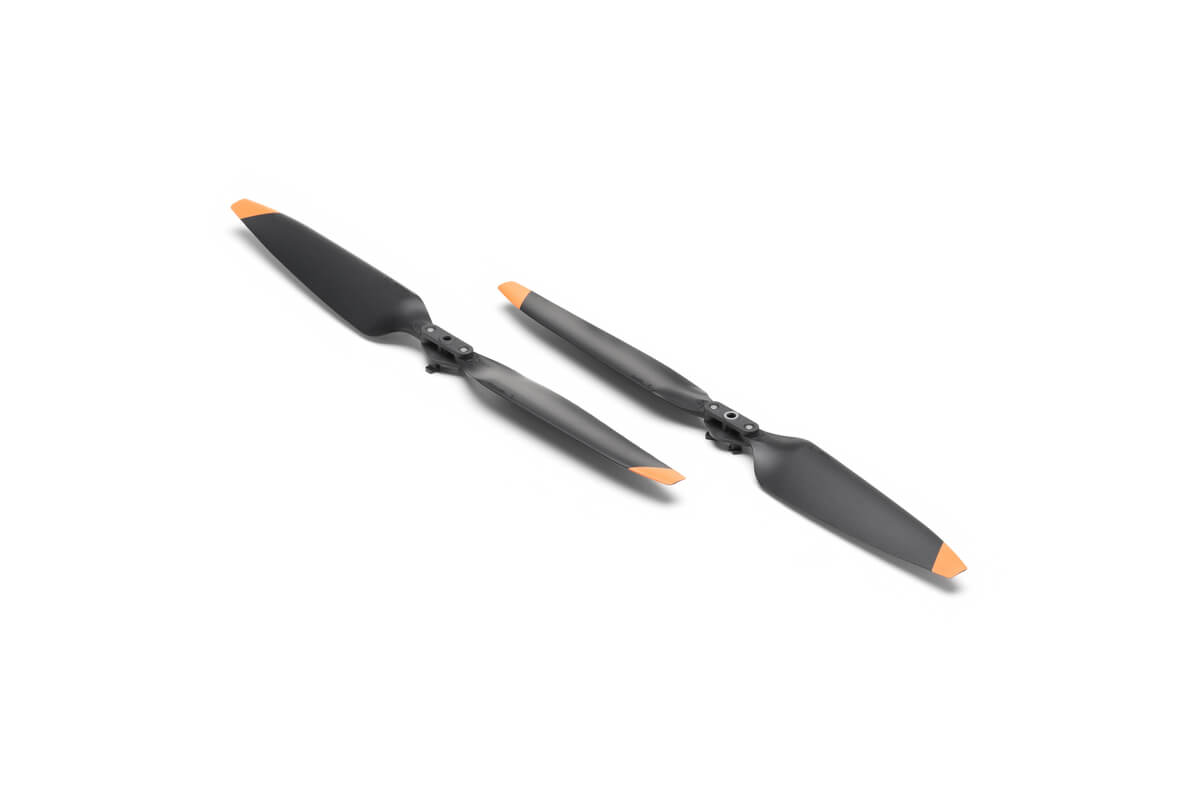
DJI says low-noise 1154F propellers are the default in the EU regional configuration. If a 4T/4E was supplied in Europe with low-noise props, a bag of 1157F standard props may not represent the right replacement for that certified setup. Confirm the current operator requirements and the installed complete set first; do not mix 1154F and 1157F just to replace one damaged blade.
The damage checklist: what counts as a reason to stop?
| Observation | Likely significance | Safe next step |
|---|---|---|
| Visible nick or chipped edge | Possible balance change and local stress concentration | Replace the affected propeller according to DJI’s maintenance instructions |
| Crack near the blade root or hub | Structural failure risk under rotor loading | Ground the aircraft and replace; inspect the hub thoroughly |
| Blade permanently bent or warped | Changed rotor aerodynamics and potential vibration | Replace rather than attempting to straighten |
| Scraping or gritty sensation rotating the motor by hand | Possible bearing, rotor or foreign-object damage | Stop: DJI advises qualified service for obstruction or rubbing |
| Loose or damaged propeller adapter | Attachment failure risk even with new blades | Use manufacturer-authorised inspection and replacement procedure |
| Propeller looks old but no visible defect | Consumable maintenance interval still applies | Review the logbook and DJI’s life/inspection limits |
When the aircraft survived a strike, the motor still needs checking
A clean exterior does not prove the rotor shaft, bearings or propeller adapter are undamaged. With the aircraft completely switched off and the battery safely disconnected under normal handling procedures, inspect the affected arm for looseness or deformation. Turn the motor gently by hand: it should rotate smoothly without obvious rubbing, catching or unexpected play. If the rotor contacts the stator or motor base, DJI’s Matrice 4 maintenance guidance says not to fly the aircraft and to seek factory or qualified repair. Do not attempt to repair a damaged motor by balancing the propeller with tape.
The crew should also review the circumstances of the impact. A light strike against vegetation, a case strap pressing a blade sideways, and a hard collision with metal each create different risks for the motors and arms. Record the event, take a clear image of the damage and note whether any flight-controller propulsion warning appeared after the impact.
What a replacement work order should contain
- Aircraft identification: Matrice 4E or 4T, regional configuration, current firmware and installed propeller model.
- Part identification: genuine replacement 1157F if the aircraft is configured for standard propellers, or the correct 1154F option if required.
- Motor location: record exactly which corner is affected; match the blade orientation and mounting pattern in the Matrice 4 manual rather than copying a Mini 5 Pro or Matrice 4D procedure.
- Replacement condition: use a complete undamaged supplied part and all manufacturer-specified fasteners/adapter components; do not reuse worn mounting parts where the procedure requires replacement.
- Mechanical check: verify that each motor is secure, turns without abnormal resistance, and its propeller cannot rock or contact other components.
- Flight-safety signoff: confirm the correct complete propeller type, battery health, normal self-check results and absence of propulsion warnings before operation.
Do not guess tightening torque, add glue or alter blade balancing based on unrelated DJI product families. Follow the current Matrice 4 Series propeller/adapter maintenance procedure. If it is unclear which part was affected by a collision, use qualified service rather than making an on-site improvised repair.
Replacement interval versus actual physical damage
DJI’s Matrice 4 maintenance guidance identifies propellers as consumables and recommends replacement based on wear and service age. A published inspection criterion is replacement after more than 200 flight hours or one year, whichever limit applies, alongside immediate replacement when damage is visible. Flight hours alone cannot extend the life of a nicked or warped blade. Keep a simple per-aircraft log that records total propeller service time, incident history and which genuine replacement set was installed.
A comparison with the 1154F low-noise option
DJI’s published figures list a 49-minute maximum reference flight time with standard propellers versus 46 minutes with the low-noise configuration, in defined windless tests with no payload. These values are not a reason to swap a single 1157F onto an aircraft otherwise fitted with 1154F. For low-noise procurement, view FalconFly’s 1154F pair and compare the approved aircraft configuration, regional obligations and actual operating reserve rather than just the endurance headline.
Related FalconFly guide
For broader practical context, read our how to identify safe genuine drone propellers guide. It complements this product-specific troubleshooting workflow.
DJI references and purchase checklist
Use DJI’s Matrice 4 Series specifications for the correct 1157F/1154F model distinction, DJI’s official aircraft propeller list and the official maintenance and user manuals for inspection and installation. The FalconFly 1157F listing supplies the genuine model reference for compatible standard-propeller configurations. The safest choice after an impact is a documented replacement—not a trial flight to see whether the vibration is tolerable.






























