


Matrice 4 Charging Hub: Why the 200W Model Won’t Charge from USB-C

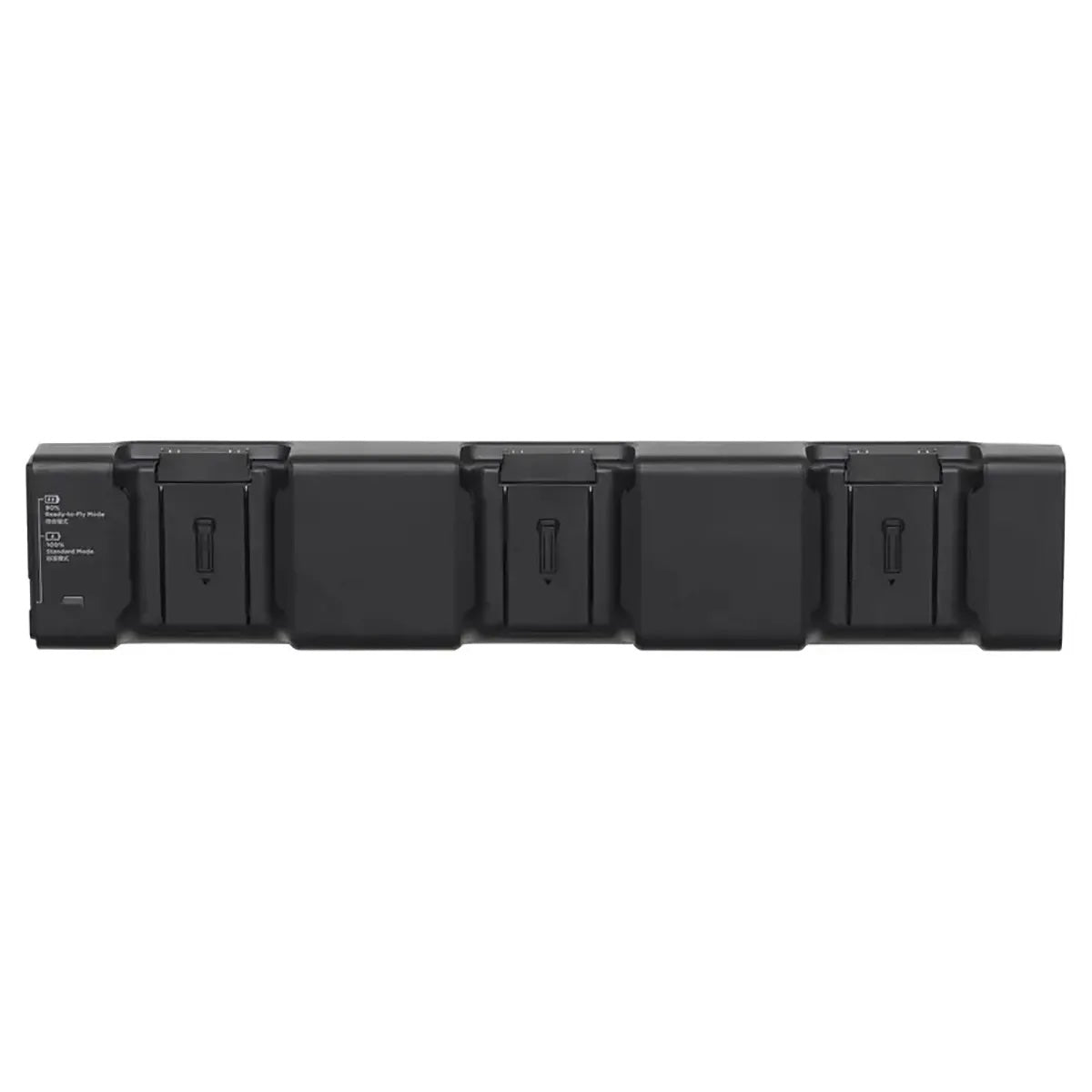
A Matrice 4 crew can own a perfectly working high-power USB-C charger and still find that the DJI 200W Charging Hub refuses to charge a battery. That is not necessarily a failed hub. The two official Matrice 4 charging hubs are different power systems, despite serving the same battery family. Here is how to diagnose the actual connection before buying another adapter.
The crucial distinction: the USB-C socket is not always a power input
DJI specifies a USB-C PD charging input for the 100W Matrice 4 hub. The separate 200W hub charges from a compatible DJI 240W Portable Charger (CDX230-240) or DJI Power 1000 with the dedicated SDC cable; its USB-C socket is for configuration and firmware updates, not battery charging. A 140W or even 240W USB-C laptop brick will not turn that data socket into a charging input.
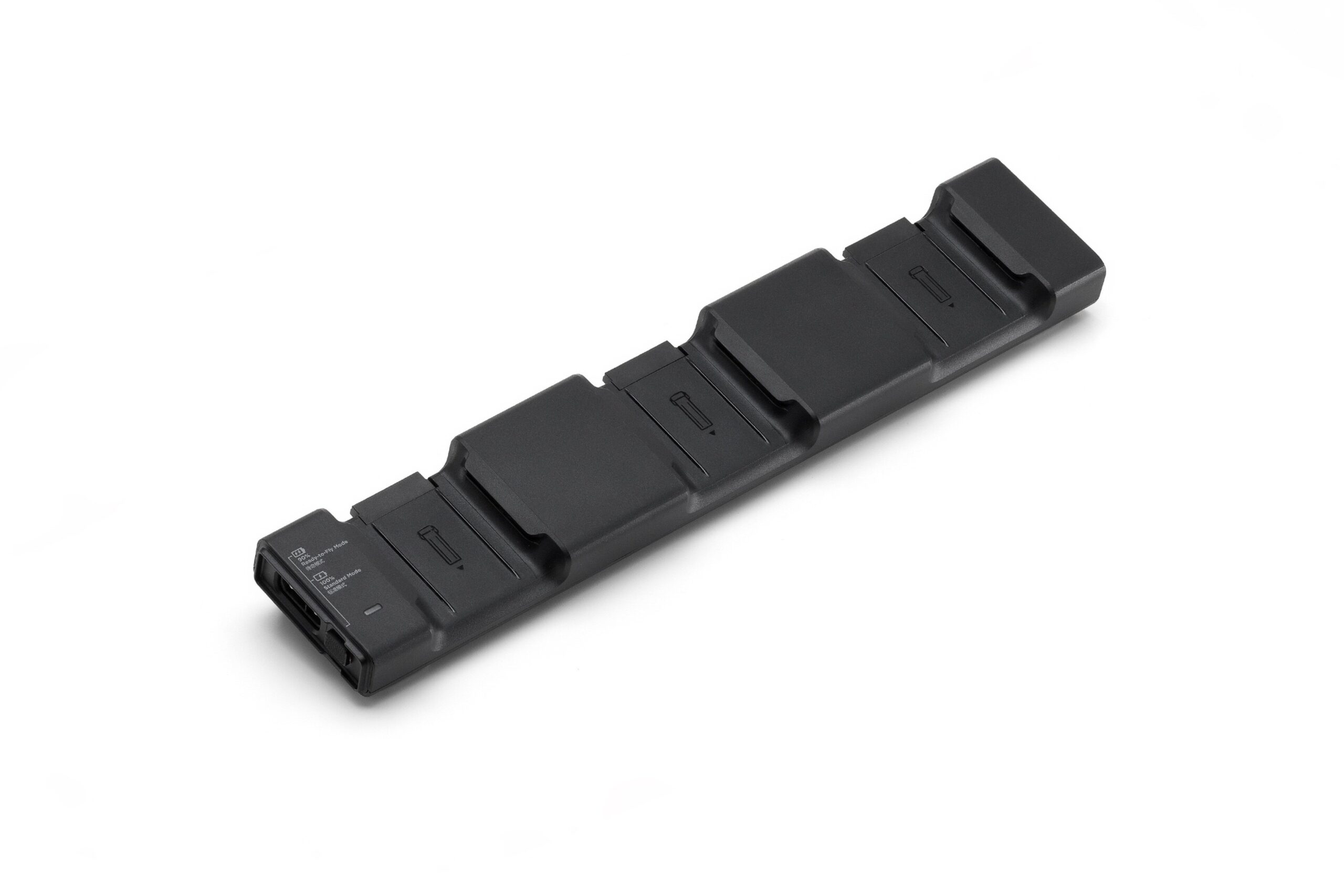
100W or 200W: which one matches your field kit?
| Question | 100W Charging Hub | 200W Charging Hub |
|---|---|---|
| What powers it? | Compatible USB-C PD power source; DJI recommends a suitable 100W source | DJI 240W Portable Charger or approved DJI Power 1000 + dedicated SDC cable |
| Can its USB-C port recharge aircraft batteries? | Yes, with a compatible PD supply | No. USB-C is for configuration and firmware |
| Approx. one-battery charge to 100% | 78 minutes | 55 minutes |
| Approx. one-battery charge to 90% | 60 minutes | 40 minutes |
| Who benefits? | Mobile crews carrying a good PD charger | Teams with the supported higher-power charging ecosystem |
These are DJI’s approximate laboratory charging times under the specified combinations, not promises in extreme heat or with different adapters. Both hubs charge sequentially rather than charging every inserted battery at full output at the same time.
What to check when a battery does not start charging
- Read the hub’s model label. Distinguish CHX345-100 from CHX345-200; the wattage printed on your phone adapter is not the hub’s model.
- Check the source, cable and port as a single system. With the 100W model, use a proper PD output and sound cable. For the 200W model use only the specified DJI power route; do not improvise voltage-converting plugs.
- Inspect the battery. Verify the pack is the Matrice 4 Series Intelligent Flight Battery, with clean, undamaged contacts and no swelling or unusual temperature.
- Check ambient and pack temperature. The DJI charging specification is 5–40°C. A hot pack returned straight from a sun-exposed flight may need a safe cool-down before charging.
- Select the correct mode. Ready-to-Fly intentionally targets 90%; Standard mode targets 100%. A 90% indication in Ready-to-Fly mode is not proof of failure.
- Test with one battery. This isolates pack- or slot-specific faults. If symptoms persist with the documented source and multiple known-good batteries, stop and arrange authorized inspection rather than opening the hub.
Field workflow for mapping and inspection teams
If the mission is a short Matrice 4E mapping flight, the 100W system can be a practical travel choice because the charging source is easier to source. If the crew rotates batteries continuously and already operates the dedicated DJI high-power system, the faster 200W route may reduce turnaround. Calculate flight-cycle needs using the number of packs, the sequential charge behavior and actual site temperature. A three-slot or four-slot housing should never be confused with simultaneous charging capability.
Common questions
Will a 200W USB-C GaN charger work with the 200W hub?
No: DJI states the 200W hub’s USB-C port does not take battery-charging power, regardless of the adapter’s label.
Why does the battery stop at around 90%?
Check the hub’s Ready-to-Fly mode first. That mode charges to and maintains around 90% for faster deployment.
Can the drone itself be charged through USB-C?
No. DJI specifies charging the Matrice 4 Series batteries through the appropriate charging hub, not in-aircraft charging.
Before dispatch: a repeatable charging acceptance test
Do not discover a power-chain mismatch at the job site. With the aircraft switched off and batteries removed from the aircraft, record the hub model, the power-source model and the cable identification in the equipment checklist. For a 100W hub, use a USB-C PD source capable of the required profile; the official DJI 100W adapter recommends its C1 port. If that adapter is also powering a second device, its total 100W rating is shared and one-port output can fall to 82W. A slower charging session under shared load is therefore not automatically a hub fault.
Test one undamaged, room-temperature battery first, then repeat with a second known-good pack. Record the starting state of charge, mode-switch position, time to the hub’s indicated completion and any LED or app warning. Compare with DJI’s published 78-minute (100%) and 60-minute (90%) 100W reference, or 55-minute and 40-minute 200W reference, while allowing for starting charge, temperature and supply differences. Do not interpret those laboratory timings as a fixed deadline for every partially charged pack.
Planning charging capacity for a multi-battery operation
Sequential charging changes the arithmetic. Four inserted packs are not four independent 100W or 200W charging channels. For a mission requiring several battery rotations, estimate the charging queue using the expected number of discharged packs, the selected 90% or 100% target and the documented one-pack reference. A four-battery queue can be much longer than one charging cycle, and battery cooling time adds another variable. Keep a charged reserve for an unexpected return-to-home or weather delay rather than assuming the next pack will finish just as the aircraft lands.
The Matrice 4 intelligent battery is rated at 99.5Wh and has a documented charging temperature of 5–40°C. That is a charging limit, not the same as its broader operating temperature range. A pack that can power the aircraft in cold conditions is not necessarily eligible for immediate charging there; DJI also states that the battery does not support low-temperature charging or self-heating. In hot environments, shade and ventilation help, but never force-cool a battery using water or put a damaged pack back into rotation.
When to stop troubleshooting and escalate
Stop immediately if a pack is swollen, unusually hot, leaking, physically damaged or producing an abnormal smell. If the correct power source, approved cable and two known-good packs all fail in the same hub, record the exact model and indicator behavior for DJI support. Conversely, if one pack fails across otherwise functional hub slots while other packs charge normally, isolate that pack from service. Avoid opening the battery or hub, bridging contacts, or trying unapproved voltage adapters: those experiments can create a more serious fault than the original no-charge symptom.
For current hardware guidance, cross-check the DJI Matrice 4 downloads and charging hub user guide alongside the official FAQ before field deployment.
Before substituting a USB-C charger for a proprietary DJI charging input, review our explanation of DJI SDC, USB-C and vehicle-charging connectors. The connector shape alone does not establish the voltage, direction of power flow or approved cable.
Official technical reference
Charging interfaces, modes and timing are taken from the DJI Matrice 4 Series FAQ and official specification sheet. Verify the latest revision for your region before purchasing a 240W charger or SDC cable.






























