


DJI Matrice 4 100W Hub Not Charging at Full Speed? USB-C PD and Battery Order Explained

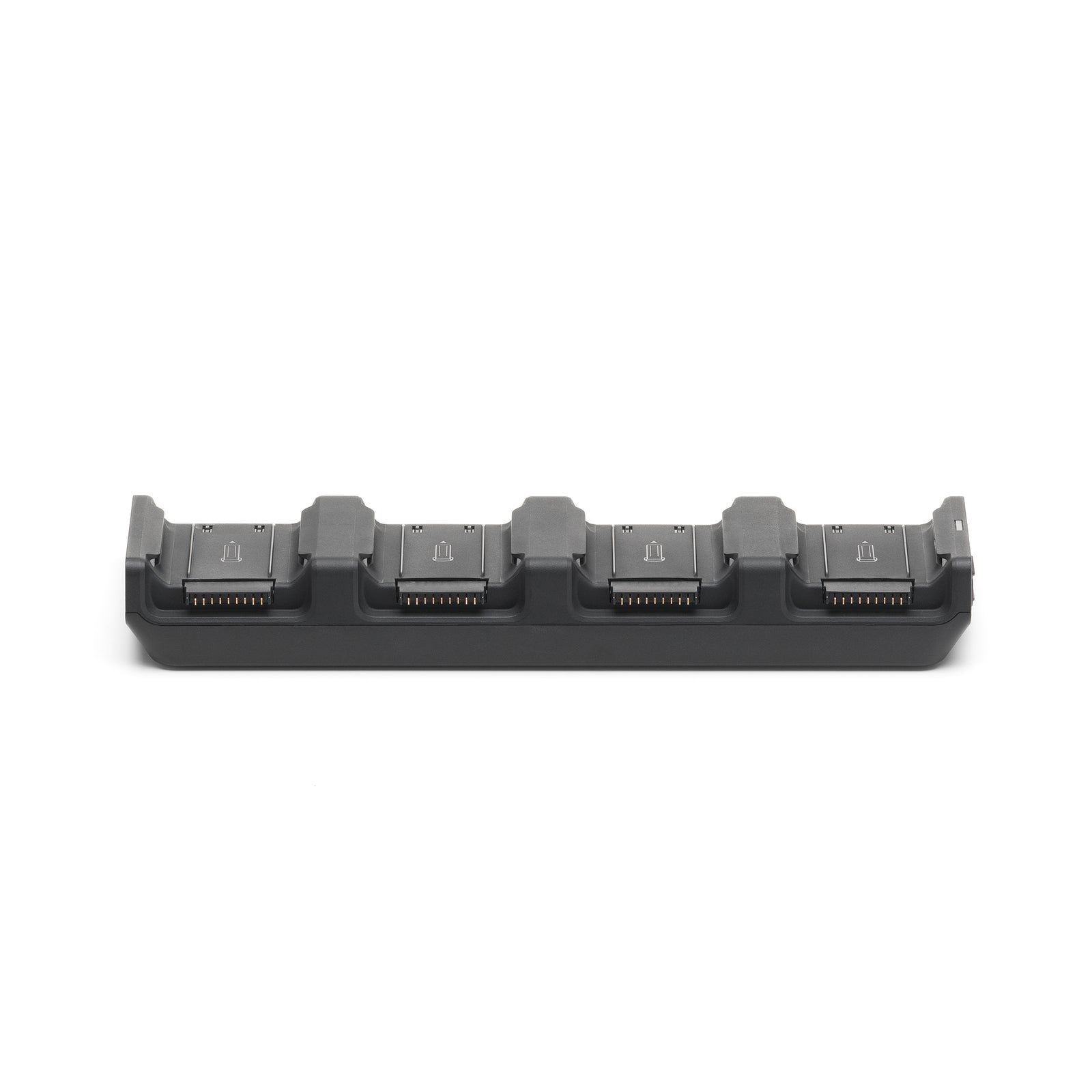
A Matrice 4E pilot plugs the official 100W battery hub into a USB-C charger that happily powers a laptop, yet the battery seems unusually slow to charge. The hub is not necessarily faulty. The DJI Matrice 4 Series 100W Charging Hub relies on a compatible USB Power Delivery source, and the actual charging rate depends on the source, cable, battery state and configured charging mode.
A 100W hub needs a real 100W-capable power path
DJI recommends a suitable 100W USB-C power supply for this hub. The word “100W” on a charger’s housing is not sufficient by itself: power can be distributed across multiple USB ports, individual USB-C ports may offer different PD profiles, and some cables are rated for lower current. The hub can negotiate only what the source and cable allow. Do not modify an adapter or force a plug to bypass normal USB-C PD negotiation.
Why does the hub leave one battery alone?
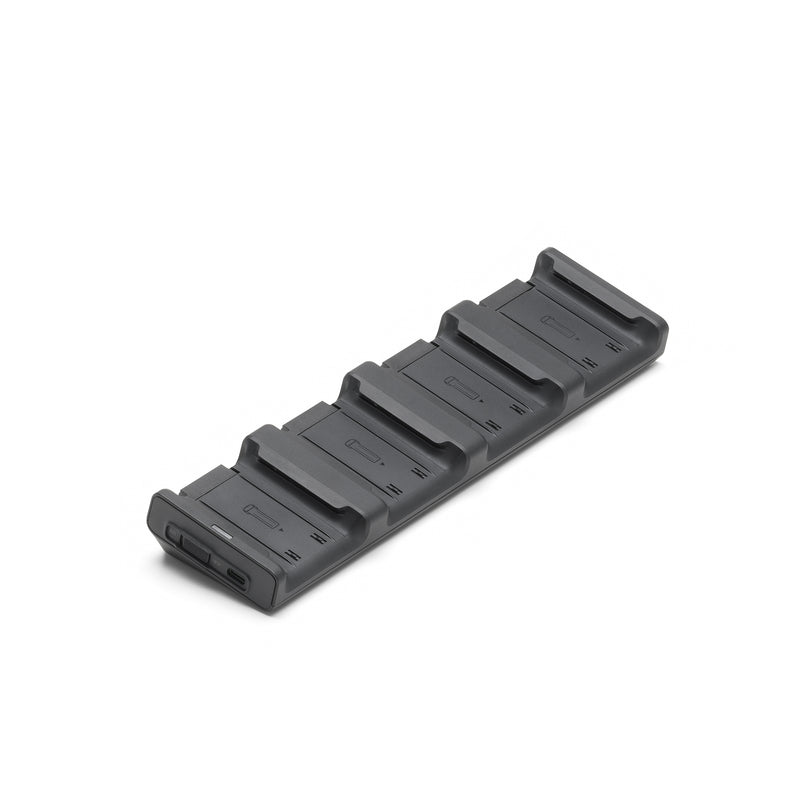
The Matrice 4 charging hub works through its inserted packs sequentially. DJI’s charging approach prioritizes the battery with the highest current state of charge. Operators sometimes mistake this for a dead slot: one pack charges while the others wait. A four-position housing is not a four-channel simultaneous 100W charger. For short turnaround missions, this priority can help bring one almost-ready pack to usable status sooner.
Ready-to-Fly may explain a 90% stop
DJI provides two useful modes: Ready-to-Fly, which charges to approximately 90% and maintains that level for deployment, and Standard, which targets 100%. If the battery appears to stop around 90%, confirm the mode before concluding that the pack’s upper cells have become defective.
| Reported symptom | First check | Do not assume |
|---|---|---|
| Much slower than expected | Per-port USB-C PD output and cable rating | Hub has failed |
| Second or third battery does not charge yet | Highest-charge-first sequential cycle | Slot is broken |
| Stops near 90% | Ready-to-Fly vs Standard mode | Battery capacity is lost |
| Starts charging late after a flight | Battery thermal state and allowable charge range | USB-C port is damaged |
Six checks that isolate the power bottleneck
- Identify the hub. Check the label for CHX345-100. DJI has a different 200W Matrice 4 charging hub whose USB-C port cannot power battery charging at all.
- Test one verified 100W PD source. Use a properly rated single output and the official or appropriately rated USB-C cable. Disconnect other devices drawing power from a shared multiport adapter.
- Inspect USB-C and battery contacts. Look for bent pins, moisture, corrosion or unusual heating. Never charge a physically damaged pack.
- Insert one known-good battery. A single pack test removes queueing from diagnosis. Then test each slot without changing the source.
- Confirm charge mode. Decide whether your mission requires a quicker 90% turnaround or a full 100% charge.
- Allow safe temperature adjustment. DJI specifies a 5–40°C charging range for the Matrice 4 battery ecosystem. A hot pack may delay charging; use the equipment’s normal thermal protection rather than improvised chilling.
What charge time should I expect?
DJI quotes approximately 60 minutes to 90% or 78 minutes to 100% under its stated testing with a suitable 100W USB-C source. Those figures should not be multiplied by four as a rigid station schedule because the charge sequence, starting percentages and thermal state all affect the pack rotation. In a practical mapping day, plan using the longest likely pack turnaround rather than the absolute fastest manufacturer figure.
Can I charge through the Matrice 4 aircraft’s own USB-C socket?
No. DJI specifies the compatible charging hub route for the Matrice 4 battery. An aircraft USB-C data port is not an invitation to connect arbitrary high-power battery charging equipment.
Choose the 100W or 200W ecosystem deliberately
Choose the 100W hub if your field kit already has a compatible high-power USB-C PD supply and portability matters. The 200W hub can offer shorter charging periods, but DJI requires a specific dedicated high-power source rather than ordinary USB-C PD. The published DJI lab comparison is roughly 78 minutes to full for the 100W route versus 55 minutes for 200W with approved power. Neither design makes every inserted battery charge simultaneously at maximum rate.
A 100W USB-C PD hub is a different electrical interface from DJI’s SDC accessories. Our DJI power-connector guide helps distinguish an approved PD source from a cable that merely looks compatible.
Official documentation
DJI Matrice 4 Series FAQ (charging interfaces, modes, timing) and Matrice 4 official specifications. See the corresponding 100W hub product page for the correct model.






























