


Mavic 3 Enterprise Speaker: Why Voice Announcements May Be Silent

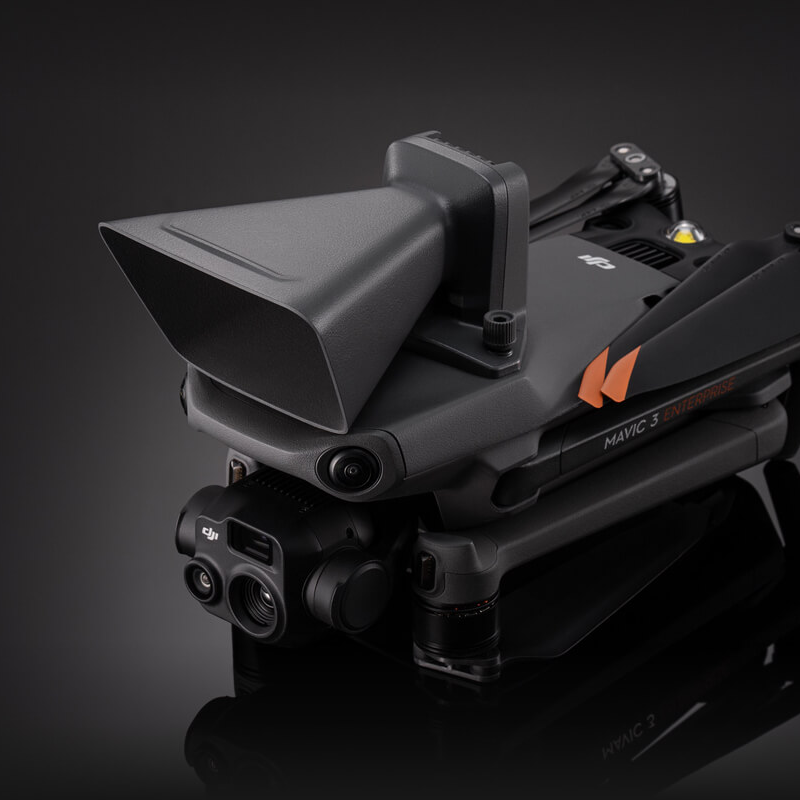
A Mavic 3 Enterprise operator installs the official speaker, starts DJI Pilot 2 and cannot get a voice announcement to play. Another team discovers that the RTK module must be removed before the speaker can be used. These are related to a particular platform design rather than interchangeable generic DJI accessories. DJI explicitly says the Mavic 3 Enterprise Speaker and RTK Module cannot be used simultaneously, and that the speaker’s directional angle cannot be adjusted. Those two constraints should be checked before concluding the speaker is faulty.
The Mavic 3 Enterprise speaker is a specific PSDK accessory
The DJI Mavic 3 Enterprise Series Speaker is designed for the supported Mavic 3E/Mavic 3T PSDK top accessory interface. Its purpose is to broadcast messages during approved public-safety, inspection and other aerial operations. DJI’s specifications list approximately 85g weight, 3W rated power, 110dB maximum volume at 1 metre, and an effective broadcast reference of about 100 metres at 70dB, measured under defined conditions. It is not equivalent to a larger AS2 or Zenmuse V1 speaker simply because all products are sold for enterprise drones.
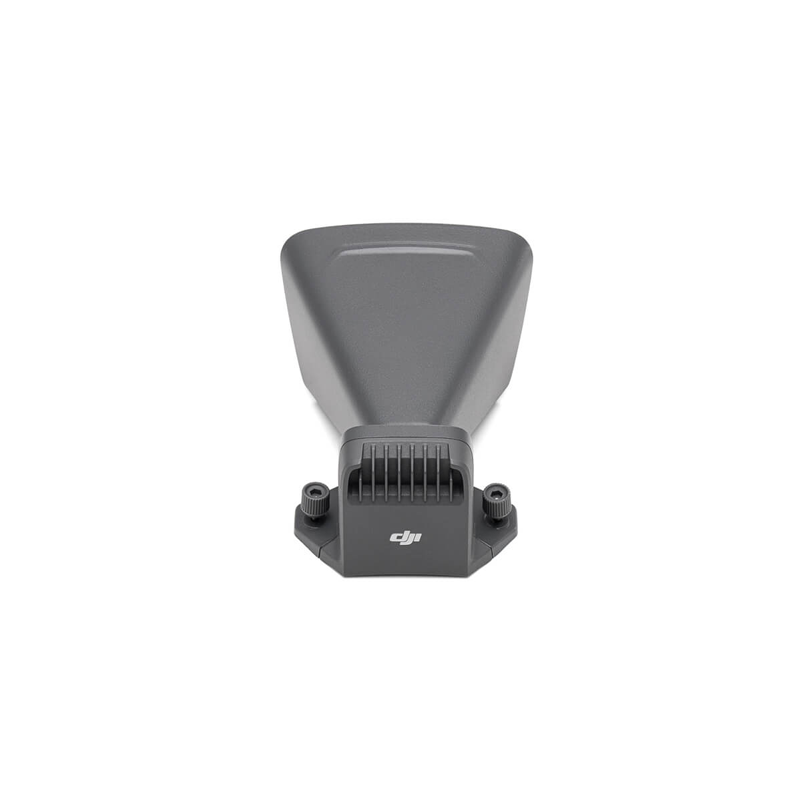
The speaker uses the aircraft’s top accessory connection. DJI says that an Mavic 3 Enterprise Series speaker can be moved to another compatible Mavic 3 Enterprise aircraft; it is not permanently bound to one airframe. If it is silent after transfer, do not attribute the symptom automatically to a one-aircraft pairing restriction. Instead inspect activation, firmware, attachment and the selected audio operation.
First check: speaker versus RTK module
DJI’s Mavic 3 Enterprise FAQ gives a clear No when asked whether the RTK module and speaker can be used at the same time. The aircraft’s top PSDK accessory position and the supported interface configuration are not a multi-accessory hub. A team that wants centimetre-level geotagging for a mapping sortie and loud voice broadcast for a public announcement should plan separate mission configurations, or choose a different manufacturer-supported aircraft/payload system where those functions can coexist.
| Symptom | What to investigate | Common wrong assumption |
|---|---|---|
| RTK module attached; speaker cannot be used | DJI-documented mutual-exclusion rule | That a splitter or software toggle will safely enable both |
| Speaker installed but not listed in DJI Pilot 2 | Mount, connector, activation, firmware and supported aircraft | That the amplifier is defective |
| Sound plays but message is hard to understand | Background noise, distance, audio level and wind | That a 100m catalog distance is guaranteed speech intelligibility |
| Audio works but speaker points away from target | Aircraft position/heading, rather than gimbal-tilt control | That speaker angle can be adjusted with a gimbal slider |
| Speaker moved to another M3E/M3T and stays silent | Accessory recognition, current firmware and audio mode | That it is permanently locked to the original drone |
Why 110dB does not mean everyone hears you at 100m
DJI’s sound-pressure figure is measured at 1 metre and the effective-distance figure under the stated reference conditions. Ambient machinery, traffic, wind, terrain and message content change actual intelligibility. A prerecorded safety message with clear pronunciation may be more usable than an improvised live broadcast. Test volume and clarity in a compliant, controlled setting and use a reasonable safety separation from people and animals.
DJI explicitly states that the speaker’s angle cannot be adjusted on this model. If the pilot wants to broadcast toward a target behind or below the aircraft, plan the aircraft’s safe orientation and position rather than trying to force the accessory into a tilt mode that does not exist. Do not imitate the independently controllable Zenmuse V1 speaker’s features on this smaller accessory.
Seven safe checks for a silent speaker
- Identify the aircraft and accessory. Confirm genuine Mavic 3 Enterprise speaker and supported M3E/M3T aircraft. Accessories from Mavic 2 Enterprise are not interchangeable by default.
- Remove competing attachments under the proper powered-off procedure. Do not leave the RTK module installed and attempt an improvised simultaneous connection.
- Inspect the mechanical and electrical interface. Check for debris, damaged contacts, bent retention pieces or liquid exposure; never probe contacts with metal while powered.
- Confirm DJI Pilot 2 recognition. Open the supported PSDK accessory interface and check activation/status and any relevant firmware prompt.
- Test a known-good announcement. Try the documented supported recording or imported playback method, and keep the remote’s audio controls and permissions distinct from hardware recognition.
- Check real operating conditions. Verify that the aircraft is safely grounded, the target is within a practical audible range and wind/background noise is not masking a working output.
- Document the error. Capture Pilot 2 messages, firmware revisions, speaker part number and results from a known-good compatible M3E/M3T if available. Seek service only after the supported configuration fails a repeatable check.
When to choose a different speaker platform
If the mission demands a larger broadcast range, a controllable speaker gimbal, automatic volume management or live audio features beyond this model’s manufacturer-supported operation, evaluate a compatible platform such as Zenmuse V1 on Matrice 400/350/300 according to DJI’s model-specific restrictions. The Matrice 5 series AS2 is another separate accessory family. Do not promise their extra capabilities to M3E speaker owners without verifying supported hardware.
The goal is a functional match: a simple announcement from a compact M3E may be suitable for some operations, while simultaneous RTK mapping plus public-address broadcasting may require a different enterprise payload configuration. Identify the actual operator requirement before purchasing an accessory.
DJI references and FalconFly listing
DJI’s Mavic 3 Enterprise FAQ confirms the speaker/RTK mutual exclusion, fixed speaker angle and transfer to another compatible drone. See DJI’s speaker dimensions, output and range specifications for the reference figures. The genuine part is available in the FalconFly Mavic 3 Enterprise Speaker listing. Check the exact aircraft/accessory configuration before committing to a mission’s communications plan.






























