DJI O4 Antenna Replacement: Video Range Collapsed After a Repair

After a crash repair, the DJI O4 goggles still show a sharp camera picture when the quad is close, but video range collapses as soon as the pilot flies farther away. The camera cable was recently changed, so the builder orders another. That may miss the actual fault. The O4 radio antenna and the camera-to-air-unit coaxial cable serve different jobs. A working image at short distance can coexist with a badly seated RF antenna, carbon-fibre antenna shadowing or a damaged miniature I-PEX connector.
Identify which O4 antenna the product actually supplies
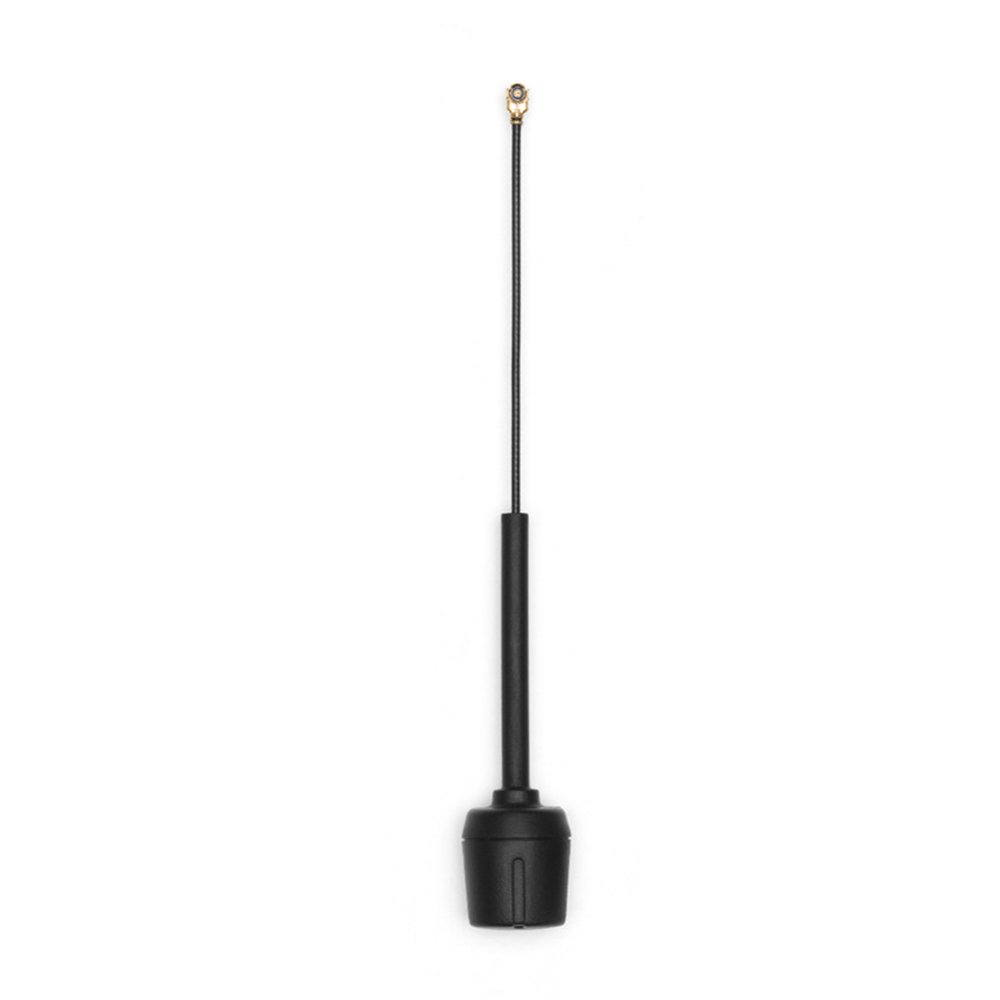
FalconFly’s DJI O4 Air Unit / O4 Air Unit Pro Antenna is the original DJI O4 Air Unit Pro Antenna GP107791 supplied via GEPRC in a simple anti-static bag. GEPRC specifies a 110mm, approximately 2.1g, single-frequency, LHCP (left-hand circularly polarised) omnidirectional antenna with an I-PEX connector. The listing includes one antenna per order, not a matched pair.

GEPRC lists compatibility with O4 Air Unit Pro, O4 Air Unit and O4 Wide Air Unit. DJI’s own product page confirms compatibility with the O4 Air Unit Pro and O4 Air Unit. However, the two O4 models do not have the same stock RF layout: DJI specifies two 110mm antennas / 2T2R for O4 Pro versus one 80mm antenna / 1T1R for the standard O4 Air Unit. A replacement antenna being physically approved for both does not make the stock antenna counts identical or guarantee that two connectors are present on the smaller unit.
| Parameter | O4 Air Unit Pro | Standard O4 Air Unit |
|---|---|---|
| Stock RF paths | Two antennas, 2T2R | One antenna, 1T1R |
| Original DJI stock antenna length | 110mm | 80mm |
| Original stock antenna weight | Approx. 2.1g each | Approx. 0.75g |
| GP107791 replacement package | One 110mm, approximately 2.1g LHCP I-PEX antenna, with GEPRC/DJI-listed compatible models | |
| Camera coaxial | 130mm original | 50mm original |
| RF frequency bands | 5.170–5.250GHz and 5.725–5.850GHz, subject to local regulatory availability | |
Why the Pro usually needs two antenna paths
The O4 Air Unit Pro uses a 2T2R transmission architecture, so both correctly installed RF antennas matter for its intended performance. GEPRC recommends purchasing/using two antennas as a pair on the Pro. A retailer selling GP107791 individually must not be interpreted as saying one antenna is enough for the stock two-antenna Pro configuration. If only one of the two original leads is damaged, confirm the condition and match of the remaining path before replacing the failed antenna and returning to service.
The ordinary O4 Air Unit instead uses 1T1R. Installing an approved longer replacement does not turn it into a 2T2R system or create an extra radio chain. The extra length and mass can also affect antenna mounting on micro frames. Always match the actual air-unit generation and physical clearance.
Radio antenna failure versus camera cable failure
An RF antenna carries the video transmitter’s radio-frequency energy into free space, and its routing can be affected by carbon-fibre shadowing, metal, battery placement and antenna orientation. A camera coaxial cable carries video-related signals between the camera module and air unit. A pinched camera coax can produce a black picture while the O4 radio still connects; a poorly attached RF antenna can create reduced link quality or an early transmission drop even when the camera records cleanly onboard.
| Symptom | Most relevant checks |
|---|---|
| Normal near-range video, range collapsed after repair | RF antenna I-PEX seat, cable, matching antennas, carbon shadowing and goggles settings |
| Goggles link present but camera picture black | Camera-to-air-unit coax, camera electronics, O4 firmware and module power |
| Goggles freezes while onboard recording remains clean | Video RF interference, antenna layout or digital transmitter heat |
| Both onboard recording and goggles picture show jello | Physical frame/camera vibration and optical shutter rather than RF antenna gain |
| Unexpected high VTX temperature on the bench | DJI low-power cooling requirements and correct RF antenna attachment |
I-PEX connectors need special care
The GP107791 uses a miniature I-PEX press-fit antenna connector. These connectors can be damaged by lifting them at an angle, pulling on the cable, trapping the plug under a frame plate or repeatedly forcing a misaligned snap-on connection. Disconnect the flight battery, allow the O4 module to cool and inspect the connector before touching it. The correct plug should be aligned with the mating socket and seated using the appropriate manufacturer technique; do not solder it, crush it with pliers or use glue as a substitute for a damaged connector.
When the socket itself has lifted from the air-unit PCB after a crash, simply buying a new antenna may not restore performance. That is board-level damage; an improper repair may create impedance problems, shorts or a permanent RF defect. Refer a damaged PCB connector to qualified service instead of repeatedly pressing new plugs onto an unstable pad.
Why carbon-fibre frames affect range
Carbon-fibre plates and batteries can obstruct or distort the antenna’s effective radiation pattern. A replacement installed deep inside a rear carbon cage may be perfectly genuine yet perform worse than a correctly supported exterior route. Position the antenna using the aircraft/frame maker’s guidance and keep the radiating element reasonably clear of major conductive structures, motors and other RF leads. Do not place an exposed antenna where it can enter a propeller disk or be struck by a folding arm.
Two Pro antennas should be arranged according to the supported mechanical layout. Do not arbitrarily bend both into one tight bundle or route them directly beneath a thick battery simply because it makes the frame look tidy. Preserve reasonable cable strain relief without sharp bends at the I-PEX connector.
Seven-step safe O4 range diagnosis
- Identify the exact air unit: Pro (two antenna paths) or standard O4 (one). Check model label, original antenna count and the correct connector.
- Record the before/after symptom: note link quality, near-range picture, approximate environment and which frame/camera/radio components were changed after repair.
- Inspect with power removed: check I-PEX seating, cable jacket, antenna tip, pinching, corrosion and damage at the air-unit PCB connector.
- Confirm correct antenna inventory: GP107791 includes one 110mm LHCP antenna; replace the appropriate damaged path and verify the Pro system’s second antenna.
- Review placement: avoid carbon and battery shadowing, excessive bend tension, exposed rotor contact and unsupported antennas of unknown polarization.
- Check alternative causes: inspect O4 temperature warnings, firmware/binding state, goggles settings, regional transmit restrictions and nearby 5GHz interference.
- Perform only a safe legal verification: compare controlled link behaviour in a permitted open area with the correct airframe and a tested return reserve. Do not deliberately fly to video loss.
Do not test the transmitter without a proper antenna
Operating an RF transmitter with an antenna missing or a damaged connector may expose its output stage to an improper load, potentially causing additional damage. Avoid extended powered tests on a suspected open RF path, and do not use boosted power modes as a substitute for repairing a physically damaged antenna. DJI also notes that stationary O4 systems may require cooling and that allowable transmit power/frequencies differ by region; those limits remain important even after a successful antenna replacement.
Original sources and replacement options
GEPRC’s GP107791 antenna specification confirms one 110mm/2.1g LHCP I-PEX unit per pack and use of a matched pair on Pro. DJI’s O4 Air Unit and Pro specifications document one versus two stock RF paths; the DJI original spare-antenna listing gives additional compatibility detail. Buy the O4 Pro GP107791 antenna at FalconFly and read our O4 antenna shadowing and lost range guide for a broader installation diagnostic.