


Matrice 400 E-Port V2 Development Kit: Why Your Payload Does Not Communicate

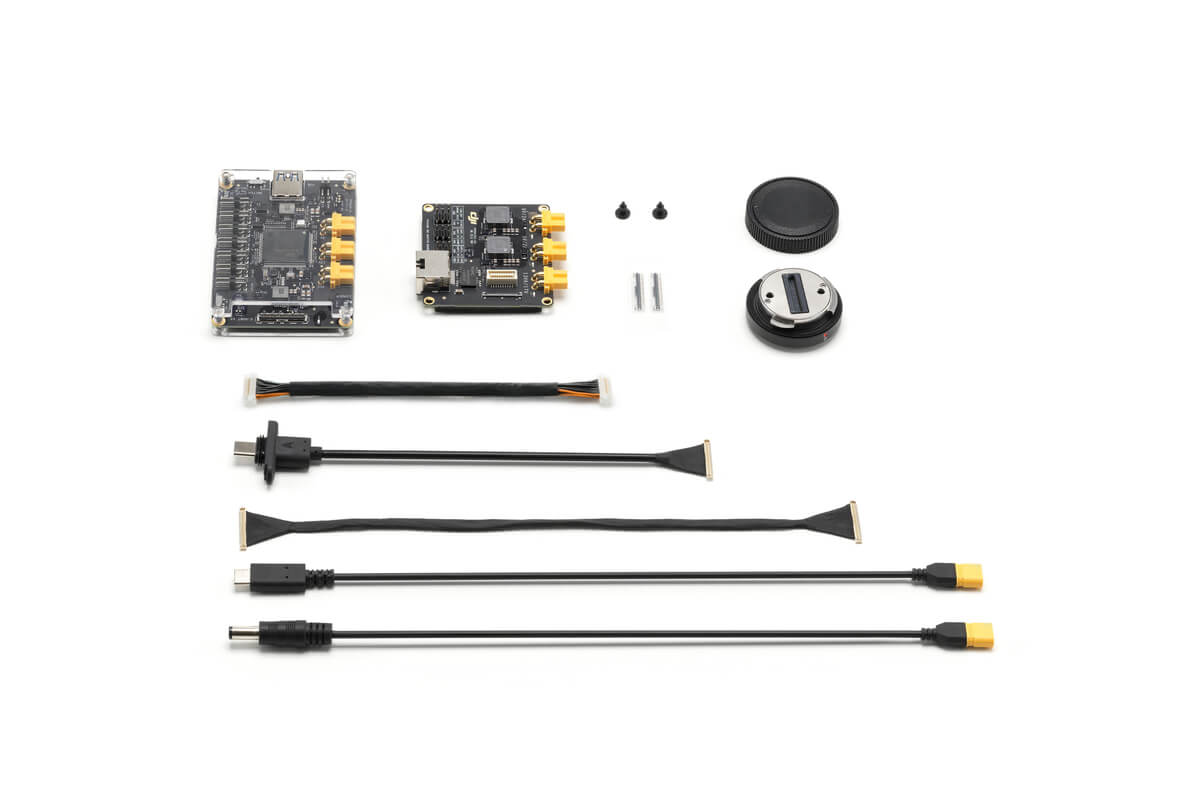
A custom payload can power on perfectly from a Matrice 400 and still be invisible to the flight software. On this platform, physical power, USB/serial transport and Payload SDK application registration are separate layers. Treating a working power LED as proof that the complete integration is healthy is one of the fastest ways to lose a test day.
Start with the hardware chain—not the app screen
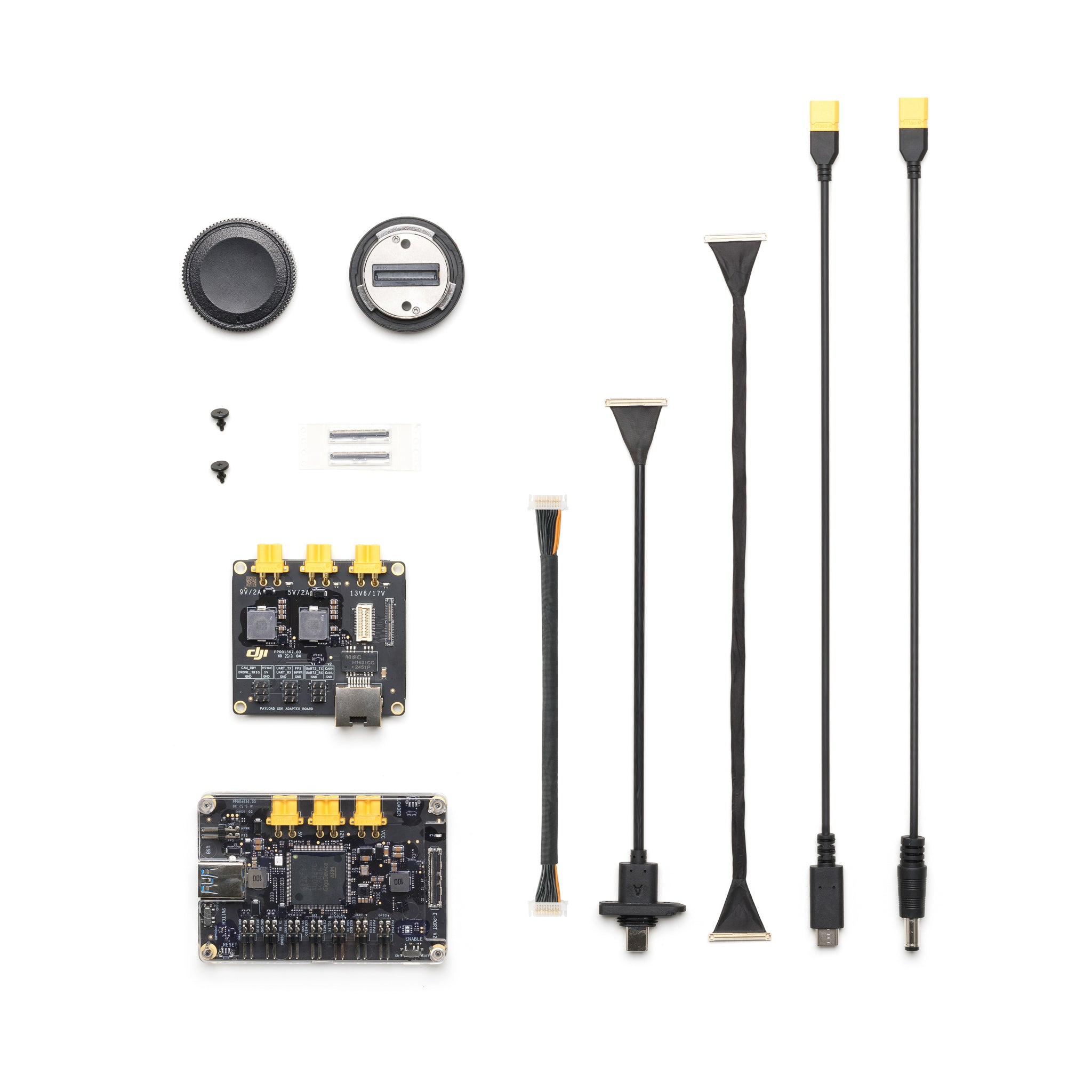
The DJI E-Port V2 Development Kit is the development interface between the Matrice 400 and a new payload; it is not a plug-and-play adapter that automatically turns every camera, sensor or computer into a DJI Pilot payload. DJI documents an onboard GD32F527 MCU, external memory and a USB route to third-party MCU or SoC hardware. A clean bench setup therefore has three identifiable parts: the airframe E-Port V2 socket, the correct E-Port V2 coaxial lead, and the development board or supported third-party hardware.
Before applying power, inspect the E-Port V2 mating surfaces, cable retention, connector orientation and mechanical strain relief. Remove propellers for any powered laboratory integration work, follow DJI’s service precautions, and do not energise improvised pin mappings. A connector can appear to fit while the hardware and protocol are completely wrong.
The three failures that look like one problem
| Observed symptom | Most useful first check | What it does not prove |
|---|---|---|
| Development board has no power | Correct physical E-Port V2 connection and documented hardware supply path | An SDK registration fault |
| Board powers on but host sees no link | USB device role, cable data capability, USB enumeration and serial bridge configuration | A DJI Pilot interface fault |
| USB/serial transport works but no payload widget appears | PSDK version, app initialisation, device identity and application registration logs | A bad power port |
Keep one log per layer. Record what hardware enumerated, which firmware image was flashed, which PSDK release the project compiled against, and which step failed. Swapping the whole board after every unsuccessful test destroys the evidence needed to isolate the fault.
Check the PSDK generation and the host role
DJI’s E-Port V2 quick-start guide requires Payload SDK 3.13.0 or later for this development kit. Newer SDK releases may add support and fix integration edge cases, but that does not mean an existing application should be blindly upgraded during a flight-ready mission. Test a known-good SDK sample, pin the exact version in the development notes, and only then port the production payload.
Where an external board supplies the application logic, the development kit uses a USB connection to that device. DJI also describes a USB-to-TTL bridge option for hardware without native USB support, and a specific USB virtual COM implementation. Confirm the side expected to enumerate as a USB device before blaming the airframe. A charge-only USB cable, incorrect device role or missing serial driver will each create an apparently identical ‘no communication’ symptom.
Four native ports do not mean four unrestricted copies of a payload
The Matrice 400 has four external E-Port V2 interfaces, but the number of usable third-party payloads is constrained by mechanical installation, connector and port assignment, available aircraft power, SDK support, thermal design, balance and safe takeoff mass. DJI specifies 120 W for an individual E-Port V2 interface in its aircraft specification. That figure is a port-level specification, not permission to multiply it by every connector and ignore aggregate aircraft limits.
The E4 interface supports expansion through the dedicated E-Port V2 HUB expansion design. DJI states the expanded configuration can support up to seven payloads in total. For an engineering team, this is a topology and integration capability—not a guarantee that seven high-draw instruments may operate simultaneously. Make a power and data budget that includes startup surges, sustained consumption, radio coexistence and flight reserves.
A disciplined ten-minute isolation test
- Write down the airframe model and firmware, E-Port number, development board revision, PSDK version and cable part.
- With propulsion disabled, test the board in the documented connection arrangement and note LED indications, without inferring their meaning from colour alone.
- Verify the host side detects the expected USB or serial endpoint. If it does not, investigate transport before changing Pilot settings.
- Run the official DJI sample application on the onboard MCU or the recommended external-board setup. Keep a copy of its raw console output.
- Validate application registration, device identity and payload discovery in DJI Pilot, then reintroduce the project-specific code one module at a time.
- If the problem begins after adding a second payload, revert to the single-device test and compare power, port assignment and resource use.
Choosing the right parts before ordering
If you are prototyping on the Matrice 400, the development board alone may not be enough: budget for the E-Port V2 coaxial cable, a supported development host and the proper mechanical mount. A SkyPort V3 adapter is a different integration path and should not be selected merely because the name resembles an older payload port. For an existing M300/M350 payload, plan a compatibility review instead of assuming the old USB configuration transfers unchanged.
Official engineering references
Cross-check your test against DJI’s E-Port V2 Development Kit quick guide, hardware connection instructions and Matrice 400 specifications. Always check the SDK version’s release notes before deploying to an operational aircraft.






























