Mini 2 and Mini 4K Replacement Props: Avoid a Wrong-Blade Installation

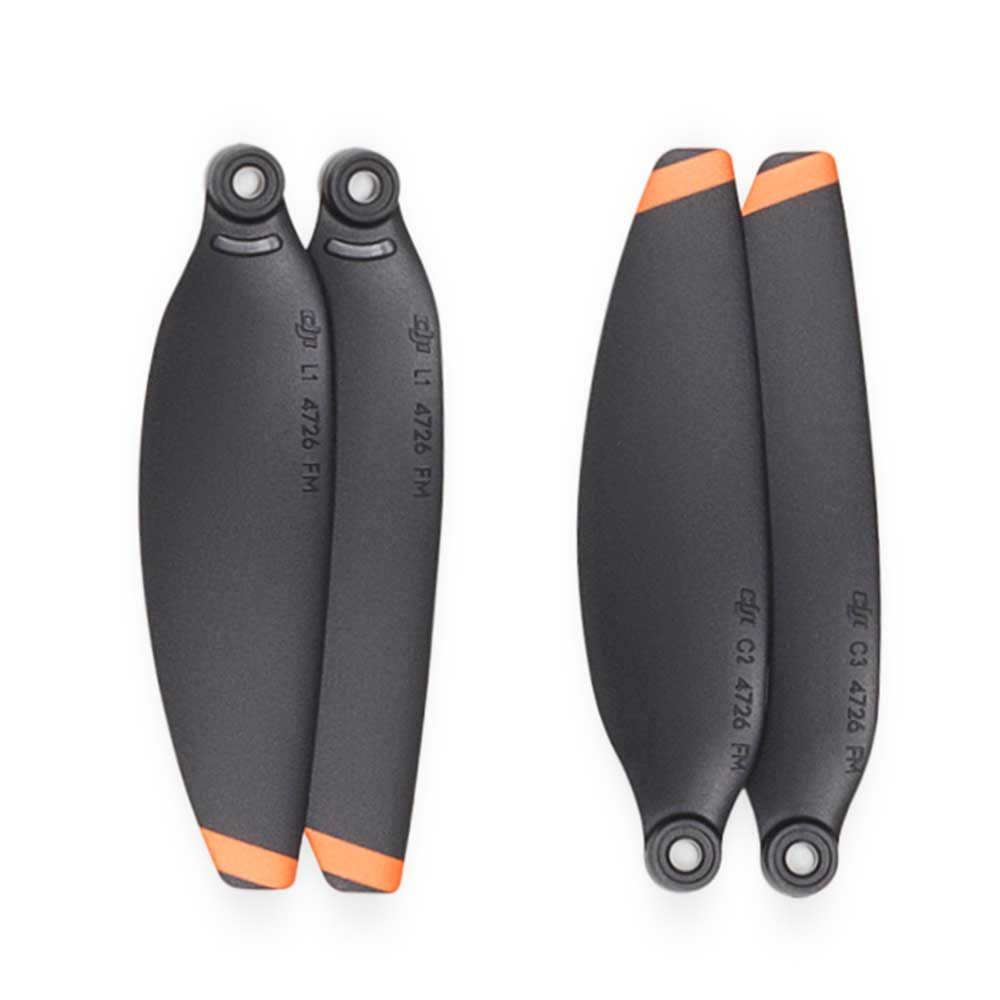
A DJI Mini 4K begins vibrating after a set of spare blades is fitted. The package says it is compatible with Mini 2 and Mini 4K, but the pilot may have mixed marked and unmarked blades or used the wrong retaining hardware. The original replacement kit contains eight blades and twelve screws for specific motors; an apparently matching blade diameter does not prove correct rotation. Before trying another flight, identify each blade marking, follow DJI’s motor-location diagram and inspect all damaged motor mounts after the incident.
Mini 2 / Mini 4K: verify marked and unmarked blade positions
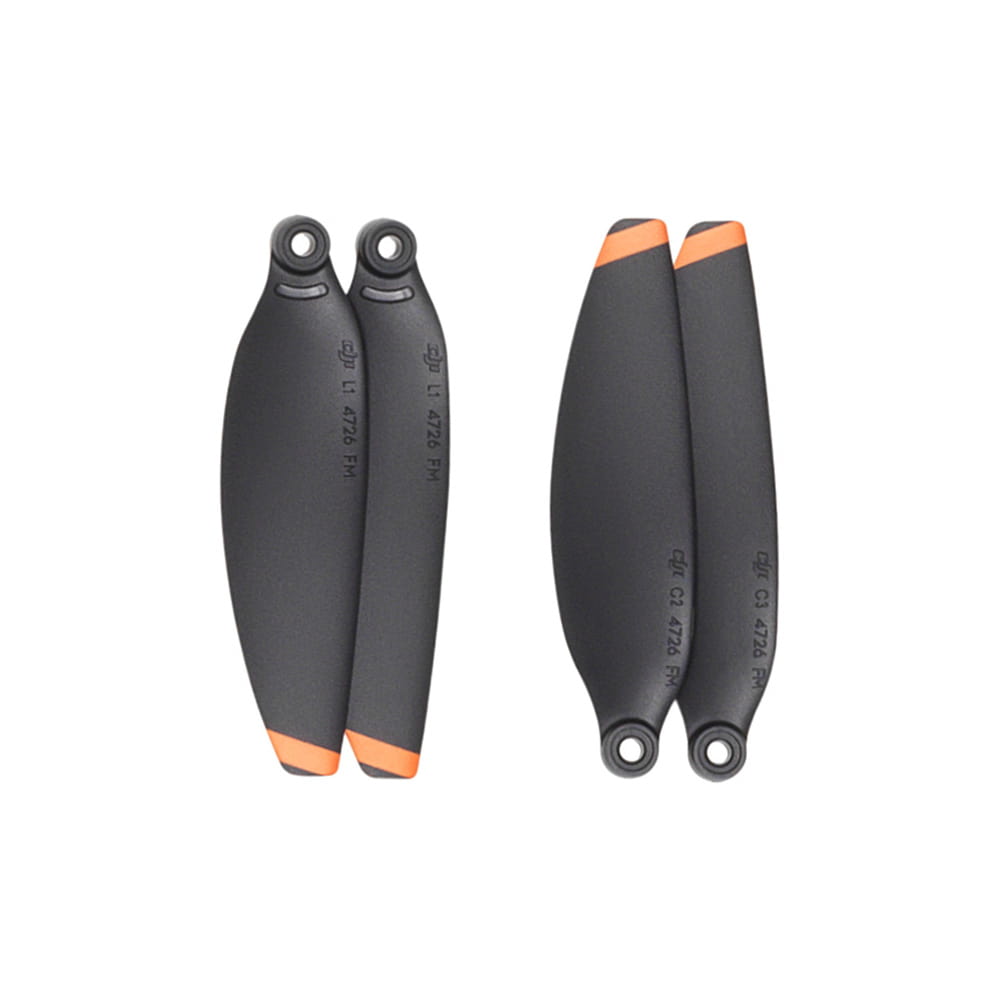
Compare the original 8-blade/12-screw kit contents with the aircraft’s official spare-parts diagram. The original Mini 2/Mini 4K blade sets are divided by rotor marking and rotation; mixing a marked and unmarked propeller at one motor can cause abnormal flight even if the blade diameters appear identical. Photograph the model marking and look up the matching support entry before applying a solution from a different drone.
What to do before the next flight
- Verify the part and model: Read the full product identifier, model support and software version shown by the aircraft.
- Test the suspected cause: Identify the marked and unmarked propeller positions before removing the originals.
- Recheck the workflow: Use the approved fastening method and inspect the hubs for stripped screws.
- Keep a trace: Record the conditions, warning messages and any relevant media from a controlled test; isolate one change at a time.
Battery and propulsion problems deserve particular care: do not fly with damaged blades, swollen packs, uncertain latches or unexplained power warnings. When the problem can be reproduced on the ground, that is the appropriate place to diagnose it rather than using a normal flight as an experiment.
The trade-off hidden in the specification
A drone that can briefly spin its motors is not proof the propellers are attached in the correct direction. Performance figures in product literature normally use controlled temperatures, winds, flight profiles or combinations. When choosing a spare or planning a shoot, the more important measure is the usable outcome with a safe return margin and the supported configuration for your region.
| Before buying | What to verify |
|---|---|
| Compatibility | Exact aircraft model, generation and approved part number |
| Setup | Required screws, charger, firmware or pairing process |
| Practical use | Weather, actual flight mode, reserve, local rules and intended deliverable |
Choosing the correct Mini 2 or Mini 4K propeller set
Use the original eight-blade/twelve-screw DJI replacement kit matched to the exact Mini 2 or Mini 4K aircraft and retain the correct marked versus unmarked positions. A drone that wobbles after maintenance is not a candidate for a quick trial flight near people: inspect blade pairing, mounting screw condition, rotor seating and motor freedom with power disconnected. Mixing model generations or reusing damaged screws is a false economy compared with a properly fitted genuine set.
When buying, the relevant proof is the aircraft-specific compatible SKU, not only a seller’s statement that the propeller is ‘for DJI Mini’. Review the original Mini 2/Mini 4K propeller kit and DJI’s current mounting diagram before fitting any replacement.
Mini 2 and Mini 4K blade replacement FAQ
Why might a new blade cause vibration immediately after installation?
The wrong marked/unmarked position, an incorrect screw, damaged mounting hardware or a bent motor shaft can cause vibration. Ground the drone and inspect the entire affected rotor before testing.
Does the eight-blade kit mean all eight must be installed?
Follow DJI’s precise model-specific instructions for replacing damaged blades and paired motor assemblies. The package quantity indicates included spare components, not permission to combine used and new blade variants at random.
Can a Mini 3 propeller replace a Mini 4K one?
No substitute should be chosen solely by diameter or brand. Compare the original approved part number, rotational markings and fastening system; Mini generations are not universally interchangeable.
Official technical source
Before ordering or changing your operating procedure, consult DJI’s official product guidance. FalconFly’s relevant product: DJI Mini 2 / Mini 4K Propellers (8 Blades + 12 Screws).