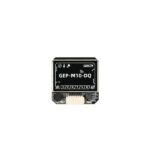
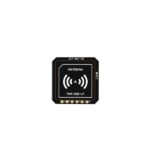
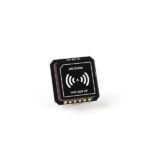
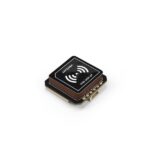
GEPRC GEP-M10-DQ GPS Module
- u-blox M10 GPS with integrated QMC5883L compass and barometer
- GPS / BeiDou / Galileo / QZSS / SBAS; up to 32 satellites
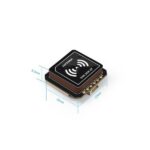
- 22 × 22 × 8.2 mm module, 18 × 18 mm antenna
- 3.3–5 V; UART GPS plus I²C sensors
- Onboard flash and supercapacitor for hot starts
| Brand | Geprc |
|---|---|
| Model | GEP-M10-DQ |
| GNSS Chipset | u-blox M10050 (M10) |
| Satellite Systems | GPS / BeiDou / Galileo / QZSS / SBAS |
| Compass | QMC5883L magnetometer |
| Barometer | DPS310 or DPS368 (factory batch dependent) |
| Module Size | 22 × 22 × 8.2 mm |
| Ceramic Antenna | 18 × 18 mm |
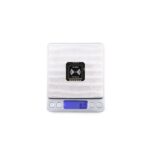
| Module Weight | Approximately 8.0 g |
| Supply Voltage | 3.3–5 V |
| Update Rate | 10 Hz |
| Interface | GPS UART; sensors I²C |
Product Overview — GEPRC GEP-M10-DQ GPS Module
The GEPRC GEP-M10-DQ is an integrated navigation module for FPV quadcopters, multirotors and fixed-wing builds that need more than position data. It pairs a u-blox M10050 GNSS receiver with a QMC5883L magnetometer and a built-in barometric pressure sensor, giving compatible flight controllers access to location, heading and pressure information from one compact board.
Built around GEPRC's 22 × 22 mm M10-series form factor, the DQ version combines an 18 × 18 mm ceramic patch antenna with flash memory and a backup capacitor. That makes it practical for FPV builders who want positioning support without fitting three separate boards into an already crowded aircraft.
Compared with the basic GEP-M10 and Nano units, the key distinction is the DQ sensor package: it carries a compass and barometer in addition to the GNSS receiver. These sensors are useful only when your flight controller exposes suitable wiring and its firmware supports them; the GPS itself does not automatically enable navigation modes.
Key Features — GEP-M10-DQ
- Multi-constellation satellite reception: GPS, BeiDou, Galileo, QZSS and SBAS reception expands the available pool of satellite signals. GEPRC lists support for tracking up to 32 navigation satellites, subject to antenna placement, sky conditions and local interference.
- Built-in heading information: The onboard QMC5883L magnetometer can provide orientation data to supported flight-control systems. Compass readings require correct orientation and calibration, and should be checked for interference from motors, battery leads and high-current wiring.
- Barometric altitude input: An integrated barometer provides air-pressure measurements that a compatible autopilot may use for altitude estimation. Factory production can use DPS310 or DPS368 depending on component supply; neither is an alternative to proper firmware configuration.
- Compact ceramic antenna: The 18 × 18 mm antenna fits the standard 22 mm M10 module footprint, making it easier to mount than a much larger patch antenna. Skyward orientation and spacing from RF-emitting hardware remain essential.
- Fast follow-up starts: An onboard flash chip and supercapacitor preserve relevant settings between flights, improving the conditions for a hot start when valid satellite data is available. First acquisition after a long storage period can still require extra time.
- Dedicated data interfaces: Satellite positioning is transmitted over UART using u-blox protocol, while the compass and barometer communicate over I²C. The distinction matters when choosing pads and a firmware target.
The real performance of any GPS module also depends on your antenna installation, interference conditions and flight-controller configuration.
GNSS Reception and Navigation
The M10050 receiver collects signals from several global satellite systems rather than relying on GPS alone. More constellation options can make it easier to obtain enough satellites in an open-sky environment, although buildings, overhead cover and poorly placed VTX hardware can still degrade reception.
GEPRC specifies a 115200 bps serial connection with 10 Hz updates. Set the FC's receiving UART according to its firmware and confirm the protocol rather than assuming every Betaflight or INAV setup uses the same defaults.
The additional magnetometer and barometer are distinct from the GPS UART link. If you wire only power, ground, TX and RX, you can still have GPS data while the auxiliary sensor functions remain unavailable. A correct DQ installation routes SDA and SCL as required by the actual controller.
Technical Specifications — GEP-M10-DQ
| Manufacturer / Model | GEPRC GEP-M10-DQ |
|---|---|
| GNSS receiver | u-blox M10050 (M10 series) |
| GNSS operating systems | GPS + BeiDou + Galileo + QZSS + SBAS |
| Navigation satellites | Up to 32 (conditions dependent) |
| GNSS UART baud rate | 115200 bps |
| Output frequency | 10 Hz |
| Supply voltage | 3.3–5 V |
| Body size | 22 × 22 × 8.2 mm |
| Ceramic antenna | 18 × 18 mm |
| Weight | Approx. 7.8 g for standard M10 form factor; configuration may vary |
| Magnetometer | QMC5883L |
| Barometer | DPS310 / DPS368 (production dependent) |
| Interfaces | UART GNSS, I²C sensor data |
| Position accuracy reference | Manufacturer lists 2D accuracy approx. 1.5 m under specified conditions; not a guaranteed result |
| Internal backup | Flash + supercapacitor |
Manufacturer specifications are reference values. Installed performance and compatible features depend on the host aircraft and its flight-controller firmware.
Electrical Interfaces and Flight Controller Integration
Connect power and ground to the appropriate rated supply on the flight controller. GPS TX goes to an FC RX pad; GPS RX goes to an FC TX pad when bidirectional communication is required. Do not connect TX to TX. Use the manufacturer's wiring diagram and verify connector pin order, as harnesses are not universal.
To use the compass and barometer, connect I²C SDA and SCL to supported FC pins. GEPRC notes that Betaflight 4.4 cloud-built firmware may require explicit magnetometer and barometer options before flashing; on INAV, alignment and calibration settings must match the installed compass.
Mount the ceramic antenna facing the sky, with a reasonable gap from powerful VTX antennas, receivers and current-carrying power cables. Check satellite counts, compass direction, sensor status and GPS-rescue or navigation settings on the bench before attempting GPS-dependent features in flight.
Important model distinction
Unlike the GPS-only Nano and standard M1025, the GEP-M10-DQ includes magnetometer and barometer sensors. A flight controller with only an available UART will not expose those extra sensors.
Installation & Setup Guide
- Check your flight controller: Confirm the power rating, free UART pads and the supported GNSS firmware/protocol before soldering or plugging in the module.
- Choose an unobstructed position: Orient the ceramic antenna towards open sky. Keep it away from carbon-fibre shielding, VTX antenna feeds and noisy motor or battery wiring.
- Verify the wiring: Connect ground and a supported supply. Cross GPS TX to the flight controller's RX pad; connect GPS RX to TX when the firmware requires communication in both directions.
- Configure firmware: Enable GPS on the right UART, select the protocol and appropriate baud rate, and enable any additional sensors only when the specific model and controller support them.
- Test outdoors before flying: Check for a satellite fix, correct position reports and acceptable sensor readings. Inspect GPS rescue or return-to-home settings rather than assuming they activate automatically.
- Secure and retest: Mount the module firmly with safe cable strain relief and verify reception again after assembling the frame and powering the VTX.
For DQ compass/barometer support, connect I²C SDA/SCL correctly and enable the relevant firmware sensors. GEPRC's support article explains additional definitions sometimes required for Betaflight 4.4.
Recommended Applications
- Long-range FPV aircraft: A compact way to supply satellite positioning and potential heading/altitude inputs to compatible long-range flight controllers. GPS rescue and return functions are dependent on the installed firmware and correct setup.
- Navigation-focused multirotors: Useful for compatible flight-control stacks with UART and I²C connections where a compass or pressure sensor complements location information.
- Fixed-wing and custom builds: Fits applications that can physically accommodate the module and use the GNSS protocol; autopilot firmware must be checked for sensor support.
Which GEPRC GPS Should You Choose?
Choose the DQ version when the flight controller and the intended build can benefit from compass and barometer data as well as GNSS. For a basic GPS-only whoop, the smaller Nano may be the more practical option; for larger aircraft focused on antenna reception, consider the M1025.
What Comes in the Manufacturer's Package?
- GPS module: One unit of the selected GEPRC GPS model
- Terminal cable: The GEPRC manufacturer pack lists one wiring cable
- Instructions: The GEPRC manufacturer pack lists a module instruction manual
- Accessories: GEPRC lists a sticker and heat-shrink tube for the standard package; contents can vary by supply batch
The exact retail package is supplied as received from GEPRC. The information above describes the manufacturer's typical accessory set rather than extra modules or sensors.
Before You Fly
These modules provide GNSS measurements; they do not independently fly or steer the aircraft. Satellite-assisted rescue, heading hold, waypoint functions and altitude control require appropriate flight-controller hardware, firmware, tuning and safe test procedures.
For the most detailed manufacturer reference, see the official GEP-M10-DQ series product specifications.

GEPRC
Explore the technology behind your next build.
Discover GEPRC
GEPRC focuses on the FPV ecosystem, from ready-to-fly quadcopters and cinewhoops to airframes, electronics, motors and navigation accessories. Its product families serve pilots looking for cinematic flying, freestyle performance, long-range exploration or carefully selected parts for custom aircraft.
GEPRC equipment rewards attention to the complete build rather than any single component. A GPS module must match the flight controller's available connections, a battery must suit the voltage and dimensions of an airframe, and a video or radio configuration must align with the pilot's existing control and viewing system.
Explore the brand by starting with your flying style and aircraft size. Check receiver protocols, video transmission, mounting, operating voltage and firmware before choosing related parts. That compatibility-first approach makes it easier to build a dependable and purposeful FPV setup.
Shipping Information
- Dubai Deliveries: Free one-day delivery within Dubai on business days, with an option for cash on delivery.
- UAE Deliveries: Delivery to other Emirates outside Dubai is available for a flat fee of AED 35, with an estimated delivery time of 2–3 business days. Please contact our team to check availability.
- International Deliveries: Shipping to GCC countries, the Middle East, and Africa is available upon prior arrangement with our support team due to varying import regulations. Customs, clearance fees, and taxes are the buyer's responsibility. For international shipping of additional accessories, all shipping costs, customs duties, and related fees will also be borne by the buyer.
Reviews
There are no reviews yet.