


ExpressLRS Packet Rate, Telemetry Ratio and Dynamic Power Explained

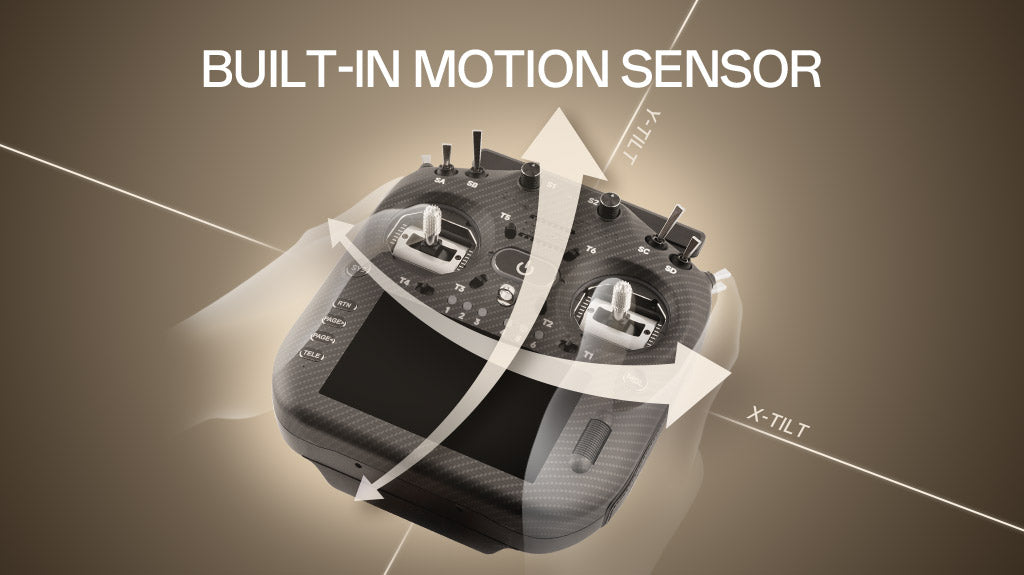
A transmitter may connect reliably on the bench, yet suffer telemetry warnings or unexpectedly short practical range outdoors. Increasing output power does not automatically solve the problem. ExpressLRS performance depends on a combination of packet rate, receiver capabilities, telemetry ratio, RF conditions, antenna installation and configured regulatory domain. Treat these as system parameters with trade-offs, not a leaderboard where the largest number always wins.
Packet rate: latency versus margin
Packet rate describes how frequently RC data packets are transmitted. Faster modes can improve input update frequency, but the available link margin and supported modulation settings also matter. Some fast modes trade sensitivity for speed and may be a poor choice for challenging RF environments. Use a packet rate supported by both the installed transmitter firmware and the receiver; a setting visible in one firmware generation may not be supported everywhere.
For general flying, begin from a documented, moderate preset with reliable reception before changing packet rate. Change one variable at a time and perform a controlled range check in a permitted location.
Telemetry ratio is not free bandwidth
Telemetry allocates airtime to receiver-to-transmitter data such as link statistics and battery information. A more frequent telemetry ratio can make data updates feel faster, but it competes with forward-link resources depending on the RF mode. Set it around actual telemetry needs rather than maximizing frequency without a reason. A warning about lost telemetry alone is not always the same as a full loss of RC control, yet it should trigger investigation.
Log link quality, reported signal metrics and relevant alarms separately. A single RSSI value is not a reliable universal substitute for the full link-health picture.
Dynamic power: useful, not magic
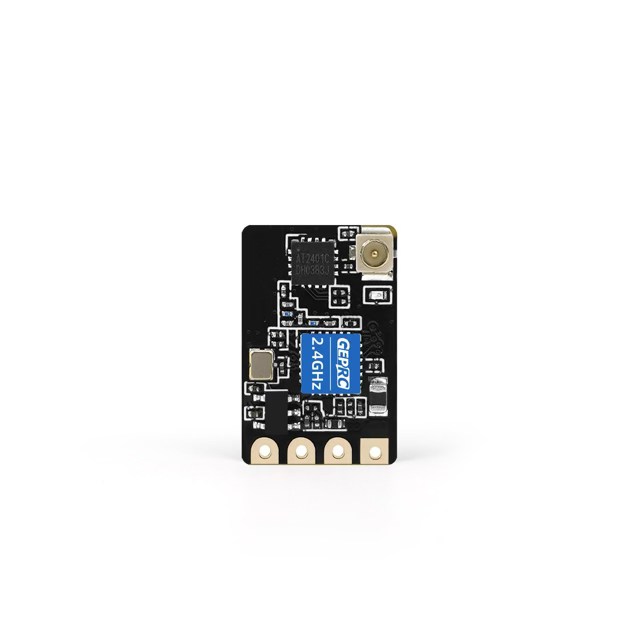
Dynamic power may adjust transmission power as needed within the radio’s allowed power settings. It helps manage unnecessary output in certain conditions, but it cannot overcome a damaged antenna, disconnected u.FL connector or mismatched band. Never transmit with an RF connector missing its appropriate antenna if the equipment requires one; output stages can be damaged.
Check local regulations for permitted frequencies and power limits in the operating location, particularly when switching between region-specific firmware profiles.
A measured tuning workflow
- Record transmitter, external module if any, receiver model, firmware versions and chosen regulatory domain.
- Confirm correct radio model and verified binding with no propellers installed.
- Choose a compatible moderate packet-rate preset, then check telemetry ratio and power setting.
- Inspect each antenna and keep coax away from rotating parts and conductive frame elements.
- Conduct an appropriate low-risk range check and compare link statistics; stop at the first sign of instability.
Change only one RF parameter before repeating the comparison. Otherwise you cannot tell which setting caused an improvement.
Common misdiagnoses
A receiver that loses communication only at a specific orientation may have antenna-shadowing or installation problems rather than inadequate transmitter power. Intermittent warnings near other equipment may reflect interference. A model that loses all channels after an update may instead have a mismatched firmware configuration or incorrect serial UART. Use our RF compatibility guide before replacing components.
When to stop tuning
Do not continue a flight after recurring link alarms, failsafe events or unexpected receiver resets. Check power stability on the 5 V rail, connector integrity and whether receiver antennas were crushed during a previous landing. Reliability measured over repeatable short test routes matters more than an isolated maximum-distance demonstration.
Field checklist: before you commit
- Identify the exact product revision and verify electrical, mechanical and firmware compatibility.
- Check weight, fitment, included accessories and what is sold separately.
- Keep a safe baseline configuration and document any settings or hardware changes.
- Bench-test without propellers where electronics are involved; fly only in authorised locations.
- Stop testing if you observe overheating, unexpected movement or radio instability.
What link-quality data can tell you in practice
At the field, record a stable baseline before changing packet rate. In ExpressLRS systems, link-quality values indicate the proportion of successfully received packets over a window, while signal-strength indicators reflect RF reception in another way. The precise display and thresholds depend on firmware and radio configuration. Neither one alone is a substitute for proper antenna inspection. A sudden loss near one aircraft orientation can reveal airframe shielding even when the transmitter reports ample output power.
Use the radio’s documented range-test features only in an appropriate low-risk location. If reception degrades early, stop rather than trying to establish a dramatic maximum distance. Compare logs or telemetry screens from repeated, short checks with the same antenna orientations.
Why firmware and switch configuration matter
A packet-mode menu might differ after a radio or receiver firmware upgrade. Confirm that every device supports the selected mode instead of copying a screenshot from another pilot. Dynamic power settings can be constrained by region and by module hardware, and power changes may affect heat and battery life. Follow local RF requirements even when firmware presents a larger power option.
Receiver control should be validated together with flight-controller failsafe configuration. A link can appear stable on a bench while a serial port is misconfigured to report intermittent channel data. Before taking off, use a props-off test to check continuous channel movement and correct loss-of-signal behavior. Consistent, moderate settings with an intact antenna path are preferable to an aggressive packet-rate preset that only works at very short range.
Frequently asked questions
Is the highest packet rate always best for freestyle?
No. It may reduce link margin; choose based on compatible firmware, actual RF conditions and the required response characteristics.
Does more transmitter power fix bad antenna placement?
Not reliably. Antenna installation and uninterrupted power must be corrected first.
Can telemetry disappear while controls still respond?
Yes, depending on mode and configuration, but do not treat repeated warnings as harmless. Investigate and test safely.
Shop and read further
Explore a related FalconFly product or buying guide and our complementary technical guide. Use product specifications and latest manufacturer manuals to confirm the exact version before purchase.
Note: Observations in this guide are conditional; performance depends on equipment configuration, firmware, environment, payload and correct installation.

















