Choosing a RadioMaster ELRS Controller: Pocket, TX15, GX12 or TX16S

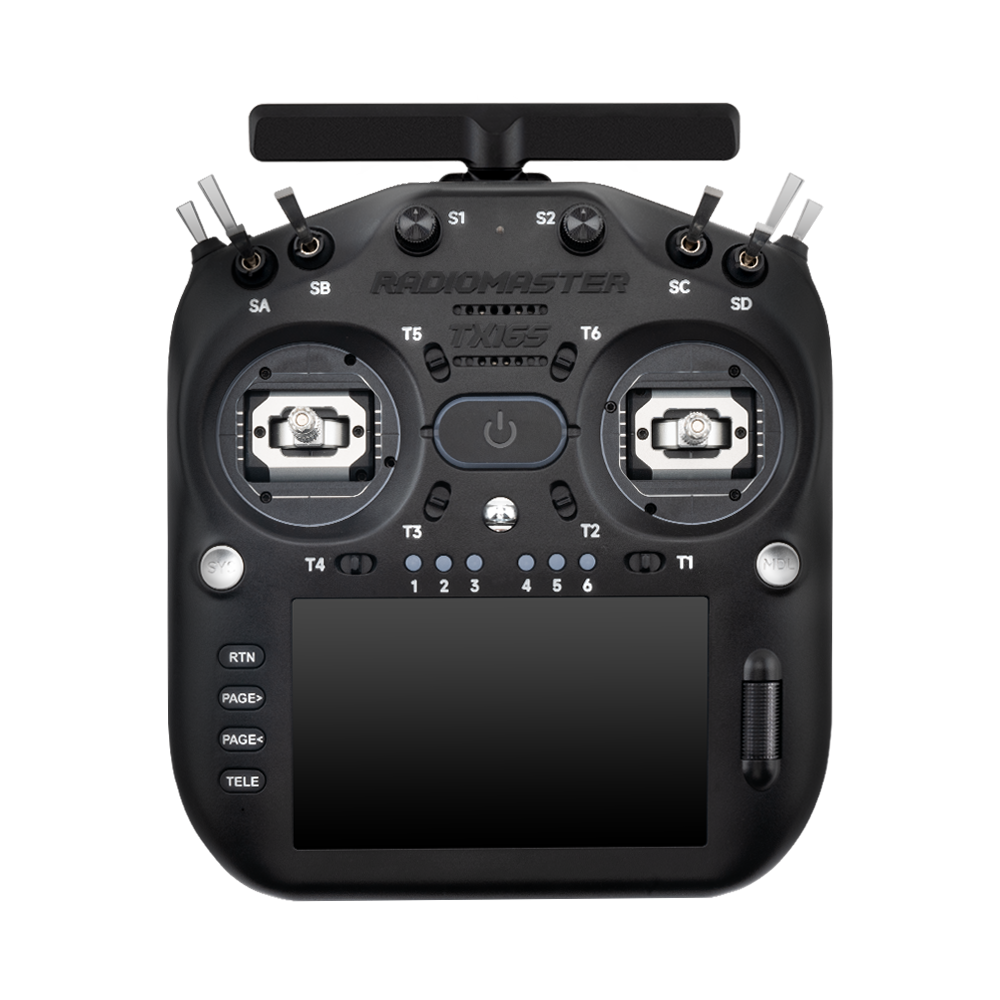
Radio controllers are among the longest-lived pieces of an FPV kit. An aircraft may be replaced after a crash or an upgrade; a well-chosen transmitter can follow a pilot for years. The important differences are ergonomics, RF hardware, expansion and controls—not just the number of switches.
Start with how you hold the sticks
Compact transmitters make sense for travel, occasional flying and pilots who prefer thumb control. Larger radios offer more room for hand position, controls and displays. Pinch and hybrid pilots may find extra space around the gimbals useful; thumb pilots may prefer the shorter reach of a compact radio. Try to consider case size and weight, especially if you intend to travel with both goggles and batteries.
A radio with many controls is not necessarily better for a freestyle quad. A typical acro setup uses a handful of channels for arming, mode selection and optional accessories. Aircraft with camera gimbals or auxiliary equipment may have very different requirements.
Choose the RF ecosystem carefully
A transmitter listed as ELRS needs a corresponding ExpressLRS receiver operating on a compatible frequency band and firmware. Models may have different RF variants under nearly identical product names. Check whether the radio has internal ELRS, a module bay or a separate external module—and which band that hardware uses. Crossband and Gemini products require their exact compatible counterpart configurations.
If you already fly a 2.4 GHz ELRS aircraft, a 2.4 GHz ELRS radio is the straightforward choice. If you use TBS Crossfire, multiprotocol gear or proprietary receivers, a radio’s display and gimbals alone do not make it suitable; examine RF modules and support first.
The sensible shortlist
The RadioMaster Pocket Crush is a compact starting point, while the RadioMaster TX15 is a different size and control layout. The GX12 Gemini-X and TX16S MK3 target pilots with different RF and user-interface priorities. Review the exact listing for installed gimbals, firmware and battery inclusion.
It is easy to overlook power. Some radios ship without a battery, and accepted battery chemistry, cell count and connectors differ. Add a suitable battery only after confirming the radio’s specification.
Set it up once, document the settings
On EdgeTX-based systems, keep a backup of your radio model configuration before major firmware changes. Name the aircraft model clearly and verify channel mapping, switches and arm assignments with propellers removed. After binding, use the flight controller configuration to confirm that stick movement and failsafe behave as expected.
A radio that cannot bind should be diagnosed from RF enable state, band, firmware and receiver configuration before replacing hardware. The ELRS troubleshooting guide walks through those checks.
Consider the future, but buy for today’s equipment
An expansion bay or broader RF platform may be valuable if you genuinely intend to operate multiple protocols. Equally, it adds cost and complexity that a single-radio 2.4 GHz ELRS pilot may never need. Prefer documented compatibility, good ergonomics and availability of spare gimbals over promises that any radio can connect to everything.
Questions worth asking before purchase
Can any RadioMaster radio bind to DJI aircraft?
No. RadioMaster ELRS equipment is used with compatible ELRS receivers; it is not a universal DJI controller.
Does a larger radio improve radio range?
Not by itself. Link performance depends on RF system, power settings, antennas, interference, receiver placement and applicable regulations.
Is a dual-band Gemini radio always necessary?
No. It is useful only with suitable compatible receivers and configurations; ordinary 2.4 GHz ELRS is adequate for many aircraft.
Do I need an external ELRS module?
Only if your radio lacks an appropriate internal ELRS link or your intended system requires a different RF module.
Are RadioMaster batteries included?
It varies by model and package. Check the specific product listing before ordering.
Explore the FalconFly FPV Knowledge Hub for related technical buying guides. Specifications and compatibility should be verified for each exact model.
Further reading: ELRS Binding · Community radio setup questions