


DJI Controller Shows Stick Drift? Calibrate Before Replacing the Remote

A small, unwanted command can feel like a flight-control emergency. Before deciding the transmitter gimbals have failed, distinguish physical stick drift, neutral-offset calibration and aircraft positioning in a controlled environment.
Prove the controller input actually drifts
Controller drift needs an input-side diagnosis. A transmitter that reports a moving axis at rest is different from an aircraft holding position imperfectly in wind, and neither should be confused with a tilted camera gimbal. Start by identifying which reading is actually changing.
| Observation | What it suggests |
|---|---|
| Stick telemetry moves at hands-off neutral | Review calibration and gimbal mechanics |
| Sticks centered but aircraft drifts in wind | Check positioning, mode and weather |
| One direction fails after impact | Mechanical or electronic controller damage possible |
Diagnostic path
1. Identify the remote and aircraft
The menu and calibration process vary by DJI controller and app. Use the current manual, not a calibration video for another transmitter.
2. Check mechanical centering
With the aircraft safely off, look for dust, broken spring tension, case contact, damaged sticks or a dropped remote.
3. Read the actual inputs
Where available, open control-stick calibration and monitor raw/visual input. A visible off-centre indication is different from aircraft drift.
4. Follow the approved calibration routine
Complete the on-screen range and centering procedure without forcing the sticks against mechanical stops; confirm the neutral reading afterward.
5. Escalate after repeated failures
If the value drifts again or a spring is damaged, request manufacturer service. Do not compensate with aggressive flight settings to conceal a faulty control input.
In-depth tests and operating guidance
Stick neutral, aircraft drift and camera movement are different symptoms
A pilot may report that the drone ‘pulls right’ without the controller stick physically moving. That can originate from wind, GNSS/vision positioning performance or the aircraft’s control mode rather than an inaccurate transmitter. True controller-stick drift becomes more plausible when a calibration display shows a nonzero or unstable input with the stick released. Camera gimbal horizon drift is a different subsystem again. Ask the customer for a screenshot of the actual stick input monitor, model identifiers, app firmware and a description of when movement occurs. Don’t instruct a compass recalibration until you have identified a navigation symptom that the manufacturer says warrants one.
A safe hands-off input test
Work with the aircraft safely off or with its propellers removed as appropriate for the manufacturer’s setup method. Inspect how the stick recentres after being pushed to each axis limit without forcing it. In a supported controller calibration panel, note whether the axis returns cleanly to neutral and whether the indicator jitters while hands are away. Keep fingers off the gimbal throughout the observation. A single small reading while an operator is touching the stick is not meaningful evidence. Repeat the observation after a complete normal restart. A calibration menu that cannot reach the ends of its travel can also indicate physical interference or hardware damage.
How a firmware or mapping mistake can look mechanical
After pairing a different controller or updating firmware, flight controls may feel unfamiliar even when the gimbals are healthy. DJI controller mode settings assign throttle, yaw, pitch and roll to different axes; a pilot switching mode configurations can misinterpret a control response as drift. Check the selected stick mode and any custom button assignments before concluding that a hardware axis is inverted. Avoid modifying unrelated aircraft sensors to compensate. If the controller fails only in one app or after a particular update, preserve the version details for manufacturer support. A physical gimbal issue should generally be consistent when inspected at the controller-input level.
Dust, impact and service risk
A dropped or contaminated remote may develop an intermittent centring spring, damaged potentiometer or Hall-sensor assembly, or a stick cap rubbing the housing. Gently inspect externally for cracked plastic, a bent shaft or uneven feel. Blowing compressed air into a sealed assembly or opening a warranty-covered transmitter can create new faults. Use the manufacturer’s cleaning and service guidance. A transmitter that repeatedly sends unintended input is safety-critical: don’t rely on deadband tricks or attempt a long flight to see whether it improves. Tag the remote out of use until the fault is corrected and a safe functional check is completed.
Calibrate only with the correct model’s procedure
The menu path for a DJI RC, RC 2, RC Pro or RC Pro 2 may be different, and some calibration routines are not available to users in identical ways. Read the official instructions for the precise remote and app version. Follow on-screen movement directions without forcing a stick past its mechanical end. After calibration, check neutral, full-range response and repeatability in the same menu. If values remain unstable or shift again after a short period, escalating to professional service is safer than repeating calibration indefinitely. Retain screenshots and any relevant controller error messages for a support ticket.
A useful recommendation to customers
If input readings are stable and the aircraft simply drifts in stronger wind, focus on flight conditions, position mode and GNSS/vision status instead of selling another remote. If the control input itself wanders repeatedly, replacement or approved repair becomes reasonable. Confirm controller compatibility with the customer’s specific DJI aircraft before presenting alternatives; product-family names do not imply universal pairing support. A third-party stick cap or sun hood can change ergonomics but will not repair a faulty sensor. Explain the difference between a calibration issue, a mechanical component failure and normal navigation corrections in plain language.
Buying or repair decision
A drifting aircraft does not automatically mean the remote controller needs replacing. Confirm whether a configuration, cabling, accessory or environmental factor explains the symptom first. Then compare exact compatibility—not the marketing name alone—and keep original parts until the cause is established. Relevant options are available through FalconFly UAV’s own store category.
Field cases and decision checklist
Case 1: The DJI calibration screen shows one axis moving at rest
This is stronger evidence of an input issue than a drone drifting on a windy day. Capture the uncommanded axis movement with hands away from the sticks and repeat it after normal restart. If the indicator changes when the stick housing is lightly touched, inspect for mechanical interference or contamination without disassembling the remote. Follow only that controller’s supported calibration routine. If the deviation returns, suspend flight and consult DJI support. Do not conceal an unpredictable input with software workarounds just to complete a mission.
Case 2: The aircraft flies sideways but stick calibration stays centred
Check wind, flight mode, GNSS and visual positioning warnings before blaming the remote. A drone keeping a stable ground location in moderate wind may visibly tilt, which is normal correction rather than stick drift. In a weak positioning environment the aircraft may behave differently. Review flight records if available and choose a suitable safe area for a controlled comparison. Changing stick sensitivity cannot repair a positioning problem. A clear description of whether the aircraft is drifting relative to the ground, yawing or translating makes support much more efficient.
Case 3: The customer switched from a different controller model
Stick mode selection may have changed, altering which physical stick operates yaw, pitch, roll and throttle. Confirm the intended control mode and exact aircraft/controller pairing before considering a hardware fault. A button assignment or gain setting may also affect perceived response, but a genuine off-centre raw input requires separate inspection. Do not recommend a remote simply because the name ends in ‘Pro’ or has a newer release year; verify compatibility with the actual aircraft. After correcting mode settings, inspect every axis on the ground before attempting normal flight.
Case 4: A remote was dropped and now has an uneven spring feel
Mechanical damage can produce an intermittent centring problem that a one-time software calibration cannot repair. Inspect the stick cap and surrounding plastic for contact points or a visibly bent shaft. Avoid opening a warranty-covered remote or using unapproved sprays around electronics. Document the drop event and seek appropriate DJI service. Even if the controller passes one test, intermittent uncommanded movement makes it unsuitable for an operational flight until reliability has been established. The cost of service is small compared with the consequences of unpredictable pilot input.
Field examples and further verification
Stick drift after impact versus after firmware change
If a remote began drifting immediately after a fall, hardware or mechanical damage is more plausible than a coincidental software issue. If the symptom started after a software update without physical impact, first preserve version details and inspect configuration. Neither history proves the cause on its own. On a supported calibration screen, compare neutral offset and full-range travel of each axis. An input that jumps unpredictably while the remote sits untouched differs from a small stable offset that disappears after the manufacturer’s normal calibration. Avoid flight testing until unexpected control movement is resolved. A flight log cannot compensate for a command that should not have been sent.
The importance of a repeatable neutral test
Make the test with the aircraft safely shut down and the controller resting on a stable surface. Move each stick slowly to its limits and release it without touching the housing. Observe whether the on-screen indicator returns to the same centre each time. Repeat after a short interval. A stuck axis that drifts only when the controller is tilted can indicate mechanical interference. Compare against the exact transmitter’s normal dead zone or calibration thresholds rather than applying a value borrowed from another model. If the calibration interface cannot complete its procedure or its readings remain unstable, stop and consult the maker’s service process.
A remote can feel wrong without being faulty
DJI control-stick modes change which axis commands throttle, yaw, pitch and roll. A pilot accustomed to one mode may perceive a control reversal after selecting another. Custom buttons and camera settings can likewise change the feeling of operation. Confirm the chosen mode and whether the problem appears in the calibration interface, which isolates controller inputs from aircraft movement. Wind-driven aircraft corrections and imperfect GPS hold can create a drifting image even while all control inputs are neutral. If a customer reports a tilted camera horizon but stable aircraft position, inspect the gimbal subsystem instead of sending the remote for repair. Correct diagnosis prevents replacing the wrong item.
Warranty and DIY repair considerations
Modern controllers may contain Hall sensors or other gimbal mechanisms, springs and delicate internal cables. Repairs can require controlled disassembly, calibration and reassembly. Random contact cleaner or compressed air may damage components or drive contamination farther inside. A repeated stick-input fault should be evaluated by a competent authorised service provider, especially on a professional aircraft. Document serial numbers, firmware, original symptoms, photographs and video of the test. An external stick cap may improve grip but will not fix internal sensor drift. Avoid adding software workarounds that create a large dead zone and mask early control movement at the expense of flight precision.
Compatibility before ordering a replacement
DJI RC families are not universally compatible with every DJI drone just because they share a similar screen or naming convention. Consult DJI’s official compatibility matrix for the aircraft and controller firmware. Verify control method, app support, regional requirements and any required linking steps before recommending the replacement. If the existing unit only needs an authorised gimbal repair, a newer remote may be unnecessary and considerably more expensive. A rental or spare controller can support an urgent shoot, but only after supported pairing and a safe preflight control check. Explain to the customer what was tested, what failed and why the chosen repair or replacement addresses that particular fault.
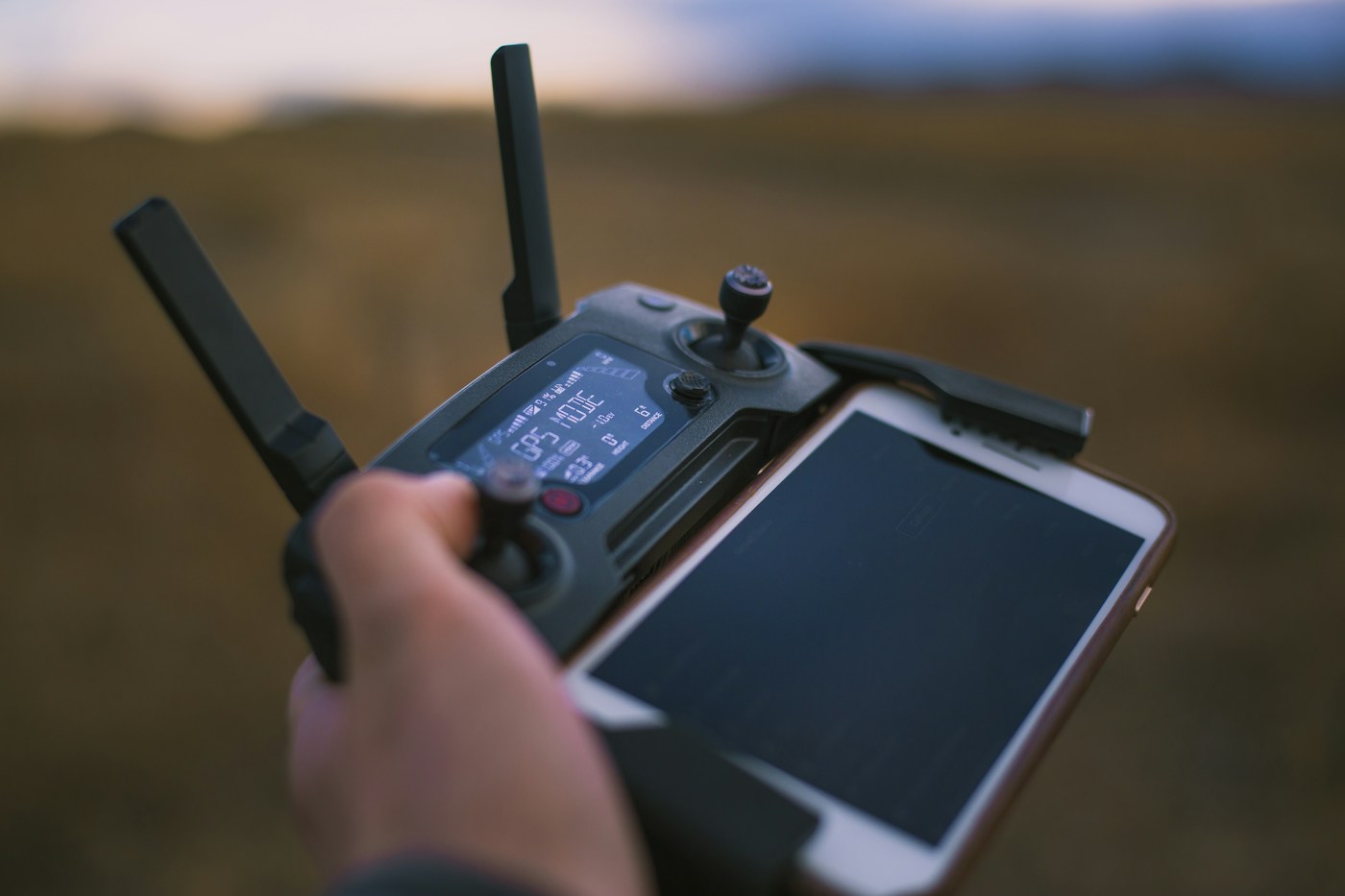
Featured photo: DJI Mavic remote controller, via Unsplash. The illustration is not a model-specific calibration screen; follow the procedure for your exact remote.
Frequently asked questions
Should I calibrate IMU for stick drift?
No; first determine whether the controller itself reports off-centre input.
Can I open the remote to clean it?
Check warranty and manufacturer service options before disassembly.
Before your next flight or project
A controller that sends spontaneous stick inputs must be taken out of service until its neutral response is stable and verified. Keep screenshots of calibration readings and firmware versions for authorised DJI support rather than attempting a risky in-flight test.
Technical reference
DJI remote controller calibration instructions. The calibration menu differs across DJI RC generations; power off the aircraft before the documented routine.

















