The receiver appears to connect, the transmitter telemetry may briefly say C, but Betaflight receives no stick movement. The ExpressLRS Lua script then displays ‘Model Mismatch’. This is often an intentional security feature doing its job: the current radio model is not authorized for that receiver ID.
Binding phrase and Model Match are separate concepts
An ELRS binding phrase allows compatible transmitter and receiver firmware to recognize each other. Model Match adds an independent model-ID gate. A receiver can be associated with the same binding phrase and still refuse to pass RC commands because the radio’s currently selected model uses a different receiver number. ExpressLRS documentation describes a half-connected state: the radio detects the receiver, yet the flight controller gets no control data. Do not repeat the basic bind process until you have checked the Model Match screen.
Recognize the signature on the bench
Open the ExpressLRS Lua tool on the radio. It may show a C status and then a Model Mismatch warning. A receiver LED sequence of three fast blinks followed by a pause is another documented clue. Inspect the selected model in EdgeTX and the Receiver ID or receiver-number value in its module settings. A duplicated radio model or a copied backup can carry a different ID than the original. Before changing anything, record the current ID and receiver behavior so you can recover safely.
Fix a deliberate matching setup
If Model Match was intentionally enabled, select the correct EdgeTX model and verify its receiver number matches the ID stored on the receiver. Connect the transmitter and receiver with proper power, then follow the manufacturer’s recommended Lua assignment sequence to set the receiver’s Model Match to the current ID. Confirm the mismatch warning disappears. Restart and check stick movement in Betaflight. Keep the props off until inputs and a disarm switch work correctly.
How to clear an accidental mismatch
For a setup that does not use Model Match, official ExpressLRS instructions describe turning the Model Match option off while both devices are powered and connected; in some cases toggling On and Off is needed to clear an existing ID. Use the current ExpressLRS firmware’s documentation for the relevant radio and receiver. Do not blindly reflash with an unknown binding phrase just to suppress a warning. If you maintain several similar drones, consider retaining Model Match as a protection against selecting the wrong model.
Distinguish this from UART and CRSF failures
If there is no Model Mismatch warning and the receiver is fully connected, then missing movement in Betaflight could instead involve wrong UART selection, missing serial receiver enable, reversed RX/TX wiring or a serial protocol mismatch. That is a separate troubleshooting branch covered in our CRSF guide. The key is to identify at which layer the RC information stops, rather than replacing a healthy receiver because one layer is silent.
Diagnostic decision matrix
Status
Likely meaning
Next test
C then Model Mismatch
Receiver/model ID gate
Verify matching model number
Three fast RX LED blinks
Model Match mismatch
Inspect ELRS Lua
Connected with no mismatch, no BF sticks
Possible UART/CRSF setup
Check FC serial receiver
No radio link at all
Binding/power/RF
Use basic bind diagnostics
Binding and Model Match solve different problems
ExpressLRS binding establishes a radio link between compatible transmitter and receiver firmware. Model Match adds a separate identity check so that a receiver associated with a particular model is less likely to accept commands when the transmitter has selected the wrong model memory. A successful bind does not prove the model identifiers agree. This is why the Lua interface can report Model Mismatch while the pilot sees signs that the RF link is functioning. The feature is valuable when one transmitter operates several aircraft with different modes, switch mappings or critical setup requirements.
Start by asking whether the operator deliberately enabled Model Match. If so, the correct repair is usually to select the intended model memory and restore its matching identifier, not to disable a protection intended to catch the wrong model. If Model Match was enabled unintentionally, follow the official ExpressLRS procedure for clearing or assigning it while the transmitter and receiver are properly powered and linked. Do not reset an entire radio configuration just because this one safety check has become inconsistent.
Recognize the receiver and Lua warning correctly
ExpressLRS documentation describes a Model Mismatch indication in its Lua interface and an associated receiver LED blink pattern. The specific display and indicator depend on hardware and firmware, so use the current official manual for interpretation. A ‘connected’ indicator that changes to Model Mismatch is different from no RF sync at all. If there is no initial sync, investigate compatible major firmware versions, RF settings, power and binding first. Do not apply Model Match toggles as a universal remedy for every disconnected receiver.
On the bench, remove propellers and keep the arm switch disabled. Confirm the correct model is selected on the transmitter and that its channel map and failsafe configuration are appropriate for the airframe. Only then inspect the ExpressLRS Lua Model Match state. If the selected model name is simply wrong, switching to the intended model memory may resolve the warning without writing any new identifier. This is less disruptive than changing receiver configuration and preserves the protection for future flights.
How matching identifiers can become inconsistent
The problem often appears after creating a new radio model, copying an older model memory or changing transmitters. The visible model name is not the complete identity used by Model Match. Two model entries with similar names can carry different internal IDs or settings. A new model may also inherit switch assignments that differ from the aircraft’s original profile. A receiver still expecting the previous identifier will reject a newly selected model even though the binding phrase and radio hardware are unchanged.
Before changing anything, record what worked last: transmitter model, firmware versions, whether Model Match was enabled and whether the receiver was recently rebound or reflashed. Keep backups of EdgeTX model data. If the aircraft was purchased used, ask the previous operator how it was configured rather than assuming a factory-reset transmitter must be paired from scratch. Consistent records make it possible to recover a deliberate model-matching setup without weakening a safety feature merely to clear a message.
Recover the intended matching state deliberately
When Model Match is desired, first load the correct EdgeTX model and establish a valid RF connection. The ExpressLRS official binding guide describes a controlled sequence through the Lua Model Match option to assign or restore the expected identity. Follow the current procedure for the installed major firmware version rather than relying on an old video. Confirm that the mismatch indication clears and that the current receiver is associated with the correct model. Avoid changing binding phrases, packet rates and model IDs simultaneously; each change creates another unknown.
When Model Match is not intended for a simple single-aircraft system, the official documentation also describes how to clear the receiver’s stored model identifier using the Lua control while both sides are connected. This is a deliberate policy decision, not a compulsory repair step. A shared workshop radio may benefit from Model Match to prevent operating the wrong aircraft memory. Document whether the protection remains active after service and explain the implications to the pilot.
Distinguish a model-ID fault from a CRSF or UART fault
A receiver can be synchronized and properly matched yet the flight controller may show no stick movement. That is a different communication problem. External serial ExpressLRS receivers typically pass channel data through CRSF over a UART, so the receiver wiring, correct serial RX assignment and protocol selection matter. If the Lua status is normal but the Betaflight Receiver tab remains frozen, diagnose that serial path before altering Model Match. For SPI-integrated receivers, the FC firmware build and compatible protocol generation require separate consideration.
Use a staged bench test: establish RF sync, verify Model Match status, then observe stick channels in Betaflight. If the first two stages succeed but the third fails, investigate serial configuration or mapping rather than repeatedly rebinding. If a channel responds but arm logic fails, inspect auxiliary switch values and mode ranges. Keep propellers removed throughout. This decomposition is especially helpful for a customer who reports ‘bound but no controls’, because the phrase alone does not identify where in the control chain the fault lies.
Do not ignore failsafe after resolving Model Mismatch
Restoring normal channel movement is not the final safety check. Verify the intended control directions, arm and disarm positions, transmitter battery state and receiver failsafe behavior using the approved bench procedure. Ensure that a radio-link loss produces the configured safe response and that selecting an unrelated model does not unexpectedly enable control when Model Match protection is intended. An apparent fix that leaves the wrong model able to arm the quad has not solved the operational risk.
For aircraft fleets, test the user workflow rather than only the electronics. A pilot should be able to identify the correct model name, recognize a mismatch and stop before arming. Store a consistent naming convention that includes the airframe identifier or other non-sensitive distinction. If a borrowed transmitter is introduced, reconcile the model memory before moving any aircraft. This prevents a working radio link from becoming a route to a wrong-switch or wrong-mode accident.
Support and service notes worth keeping
A useful fault report names the transmitter, internal or external module, ELRS major version, receiver type, selected radio model and exact Lua warning. Note whether the receiver LED indicates normal connection or a repeated mismatch pattern, and whether channels appear in Betaflight. Screenshots of the Lua page and channel monitor can be helpful when they do not reveal passwords or private binding phrases. Explain what changed immediately before the warning, such as copying a model or updating firmware.
After repair, record whether Model Match was retained, reassigned or deliberately disabled, and why. Keep the correct model backup with the aircraft maintenance record. Explain to the customer that Model Match is not the same as binding security or a guarantee against every operator error. It is one safeguard within a larger preflight discipline. Good documentation prevents the next technician from clearing a deliberately configured protection simply because a radio appears connected but refuses stick commands.
Common questions
Is Model Mismatch the same as an incompatible ELRS version?
No. A model ID mismatch has its own documented warning and can occur after successful binding.
Should I permanently disable Model Match?
Only if that suits your fleet and safety workflow. It helps prevent radio model mix-ups.
Will a receiver replacement automatically fix this?
No. A replacement can reproduce the same mismatch if the model-ID configuration is inconsistent.
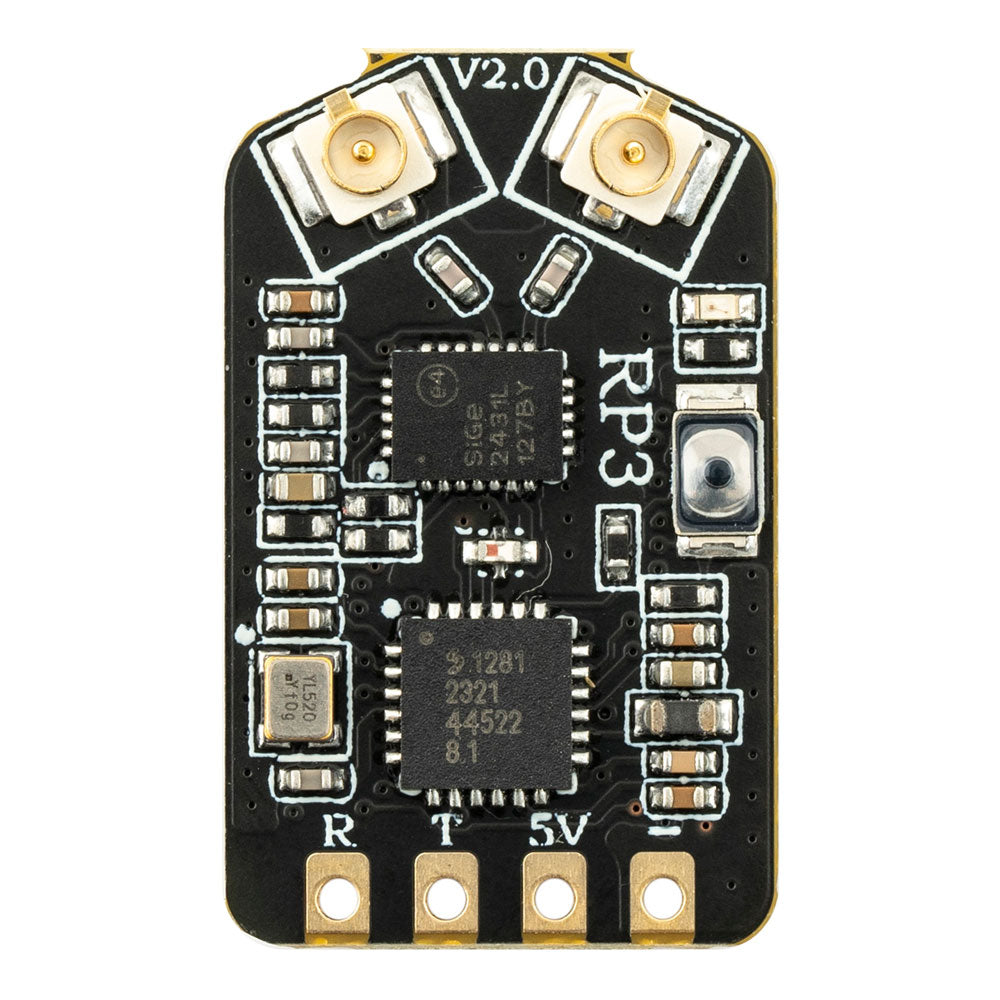
Example ExpressLRS receiver. A matching binding phrase does not necessarily mean the Model Match ID is correct.
Use the revision-matched documentation for the actual firmware and hardware. A troubleshooting guide cannot replace the manufacturer’s safety requirements.