


ExpressLRS Gemini Xrossband vs 2.4GHz ELRS: When Is Dual-Band Worth It?

FALCONFLY UAV | EXPERT FIELD GUIDE | DUBAI & UAE
Standard 2.4GHz ExpressLRS, single-band Gemini and Gemini Xrossband are not three names for the same control link. Gemini uses true-diversity architectures to send or receive redundant packets; Xrossband can operate on 2.4GHz and sub-GHz bands together using appropriate radio hardware. The value depends on the compatible transmitter, receiver, antennas and legal frequencies where the aircraft is flown.
At-a-glance technical comparison
| Factor | Meaning | Decision |
|---|---|---|
| Standard ELRS 2.4GHz | Single supported band | Broad mainstream hardware selection |
| Single-band Gemini | Redundant channel operation within one band | Compatible true-diversity hardware needed |
| Gemini Xrossband | 2.4GHz plus supported sub-GHz band | Requires crossband-capable TX/RX hardware |
| Regulatory domain | Permitted radio bands and power vary | Check UAE authorizations and local frequency rules |
1. What Gemini actually adds
ExpressLRS documentation describes Gemini as a transmission mode using diversity hardware to maximize successful reception of control packets. In a single-band implementation, transmissions use separated frequencies within the same band. In Xrossband implementations, the radios can transmit on 2.4GHz and supported sub-GHz frequencies simultaneously, giving the receiving equipment two differently behaving propagation paths.
2. A firmware setting cannot add a missing radio chip
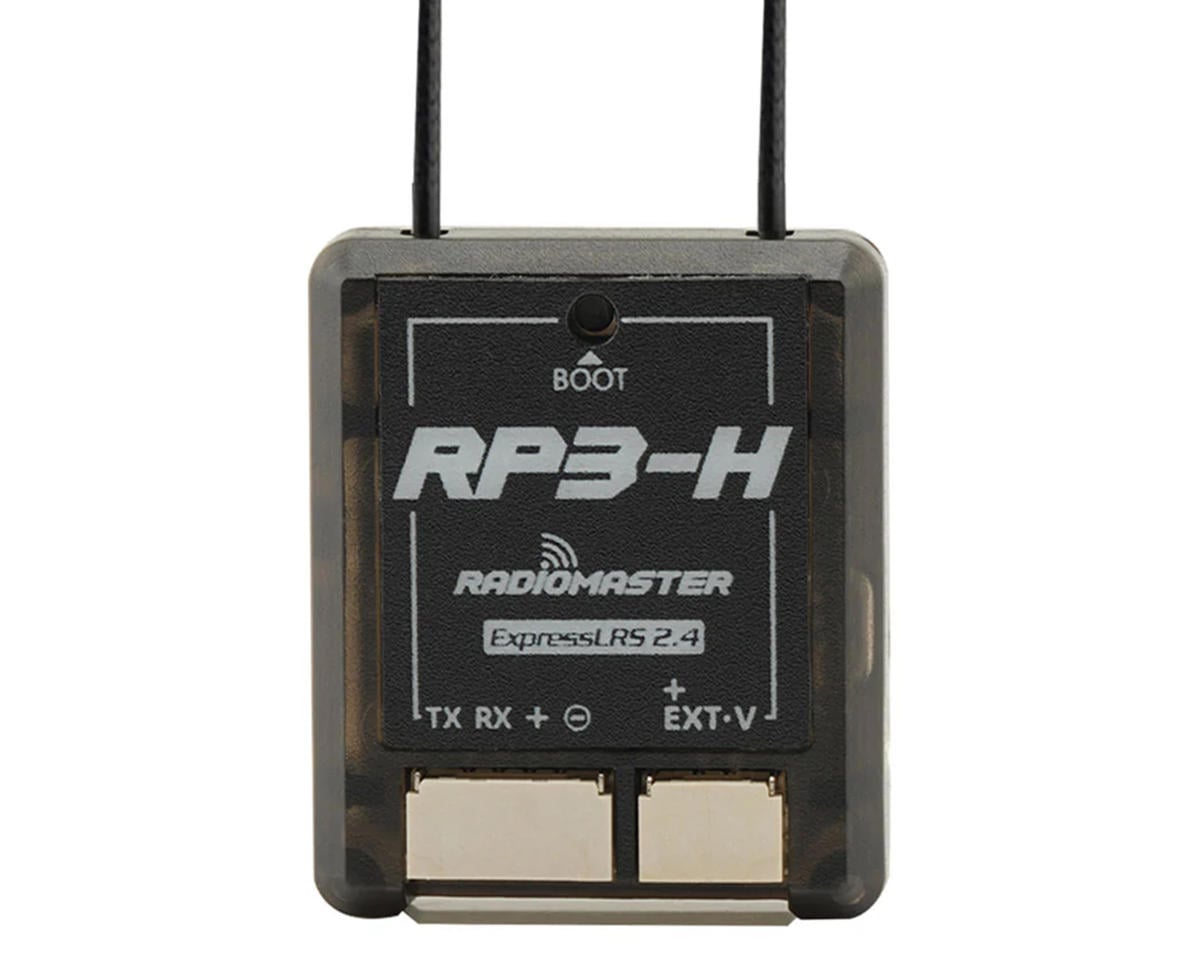
A standard single-radio 2.4GHz receiver does not become crossband simply by enabling a Lua-menu option. The TX module, receiver transceivers, antennas and firmware must all support the mode. Some products market receiver diversity for two antennas on one band; that is not the same hardware as true Xrossband.
3. Antenna placement matters as much as protocol
Both bands need their correctly tuned antenna elements, and the installation must leave suitable separation from carbon and conductive hardware. A dual-band receiver installed with one broken antenna cannot deliver its intended resilience. Follow approved orientation and routing guidance, not a generic pattern copied from a different frame.
4. Packet rate, link margin and telemetry
A control link’s response and resilience depend on packet rate, modulation settings, power, antenna placement, obstruction and interference. Evaluate Link Quality and RSSI/SNR together and watch trends. Dual-band redundancy does not eliminate failsafe, ensure infinite range or justify flights beyond authorized operating limitations.
5. Check the permitted frequencies in the UAE
Sub-GHz radio frequencies and output powers are regulated, and equipment sold for another region may not meet local rules. Verify regional settings and permitted operation before selecting a 900MHz-capable module. Do not assume that a menu offering a frequency makes its use authorized at your location.
6. Decide whether the extra complexity pays off
For an indoor whoop or a short local freestyle route, a properly installed standard ELRS 2.4GHz link may be simpler and fully sufficient. More complex long-distance environments may benefit from redundancy when regulations, radio hardware and pilot skills align. Spend first on reliable antennas, sound receiver wiring and controlled range testing.
7. Build your purchasing checklist
Confirm the exact firmware generation, true-diversity/crossband support, antenna connectors, included antennas, supply voltage, serial protocol and supported transmitter module. Pair the radio only after reading the compatibility chart. Carry out short-range bench and ground tests and keep failsafe configured correctly.
What to verify before checkout
- Identify your exact aircraft, accessory revision and firmware or control-link capability.
- Inspect physical connector and voltage requirements; never assume same-looking parts interchange.
- Check realistic performance under your own temperature, radio and charging constraints.
- For troubleshooting, remove props before bench tests and never override protective fault behavior.
- Follow UAE aviation and radio-frequency regulations where applicable.
Frequently asked questions
Can any ELRS receiver use Gemini Xrossband?
No. Crossband requires supported transmitter and receiver hardware.
Does Gemini mean automatic unlimited range?
No. Link quality remains subject to interference, power, antennas and regulations.
Will changing Lua settings make a 2.4GHz-only transmitter transmit sub-GHz?
No. That capability requires appropriate physical radio hardware.
Manufacturer and technical reference: https://www.expresslrs.org/software/gemini/. Specifications, firmware behavior and regional restrictions should always be verified for the exact model.
FIELD NOTES • PRACTICAL APPLICATION
Three shopping questions that avoid costly incompatibility
First ask whether the transmitter module has the required single-band or crossband transceivers. Second verify that the receiver specifically supports the intended mode, not merely general ELRS firmware. Third inspect whether both included antennas are meant for the correct frequency ranges and can be installed safely on the frame. If any answer is unclear, postpone purchase until the exact hardware revision and supported firmware are confirmed.
Example: why Xrossband may not solve a local interference problem
A buyer experiences LQ drops on a short-range flight near dense urban radio traffic and considers replacing the entire system with crossband equipment. Before doing so, inspect a damaged receiver coax, video-transmitter shielding, antenna shadowing and poor receiver power. Crossband technology is useful only when the supporting radio architecture works correctly. It cannot repair an intermittent ground wire or an antenna broken in a prior crash.
Separate resilience from legal authorization
Even equipment technically capable of simultaneous 2.4GHz and sub-GHz transmission must comply with the frequency plan and transmitter power limits applicable to the flying location. Regulatory settings differ by region, and the existence of a frequency in an open-source configuration menu does not establish permission to transmit. Verify the UAE requirements and configure both hardware and firmware accordingly before use.

















