Every time you choose a model, the RadioMaster display asks you to move the throttle or a switch into a safe position. Sometimes the warning never clears, even when the stick is fully down. The difference between a legitimate preflight safety prompt and an incorrect model configuration matters: one is protecting you from accidental motor start, and the other can mask a throttle-source error.
What the radio is checking
EdgeTX performs model-specific pre-start checks when a model is activated. The T-Warning setting checks whether the configured throttle source is at an expected low position. S-Warning compares switches to the required startup positions stored for that model. A message can therefore be triggered by a perfectly functional radio with a stick or switch simply in an unsafe position.
On a conventional multirotor, a low throttle and disarmed switch are appropriate startup conditions. A glider with a differently configured motor control may need a separate expected source. The correct check follows the vehicle’s actual control mapping, not a generic picture of a transmitter.
T-Warning: identify which throttle source is being checked
Open the model Setup page and inspect Throttle Settings and Pre-start Checks. Look at T-Source, the selected throttle source, any custom warning position and the current physical input shown in the channel monitor. If the radio is Mode 2, the throttle is commonly on the left vertical stick; other stick modes have different mappings.
If the throttle input reports the wrong direction at minimum, review source and calibration carefully rather than immediately reversing output channels. Remember that EdgeTX model inputs, mixes and outputs are separate stages. A stick may be correctly calibrated but a model’s throttle source may point to an unexpected control.
Switch Warning: correct the intended starting position
The EdgeTX Setup manual describes selecting an expected startup position for each switch. Set the switches physically to the safe configuration for the specific vehicle—especially the arm switch—then record those positions in the model settings. Never assume that all switches up, all switches back or the positions from another model represent a safe state for your build.
A warning that appears after switching between two aircraft with different arm-switch layouts may be completely expected. The radio’s model selection should not silently carry a potentially armed control state into the next vehicle. Use the startup prompt as an opportunity to verify the correct aircraft model before powering the receiver.
Warning
What it usually tests
What not to do
Throttle not idle
Selected throttle input not at expected low
Disable warning without checking source
Switch Warning
One or more switches in unexpected position
Assume all models have same arm switch
Prompt freezes controls
Possible firmware defect
Fly before confirming safe firmware
No warning but no receiver movement
RF/UART/control path
Blame startup-check configuration
When the warning will not disappear
Check whether the throttle source or switch identifier is wrong, whether the model was cloned from a different radio and whether calibration maps endpoints sensibly. EdgeTX has documented issues in older and newer releases affecting the behavior of throttle or switch warnings. If the radio actually freezes while such a prompt is displayed, record the exact EdgeTX version and radio hardware before using the appropriate supported firmware fix.
In 2026, an EdgeTX GitHub issue documented a color-screen hard fault when switching models with a throttle warning active. That is a firmware defect scenario, not a reason to disable safety checks blindly. If ordinary controls do not respond, do not keep flying with that radio until the cause and update path have been verified.
Make startup checks part of a repeatable preflight
Choose the radio model, ensure switches and throttle meet the intended start positions and confirm the receiver is on the correct aircraft. Then power the receiver and examine control output and arming status with props off. Check failsafe and telemetry separately; the absence of a startup warning does not establish a working RF link.
For users who regularly switch between airplanes, whoops and 5-inch drones, consistent arm-switch conventions and saved model notes reduce mistakes. A good radio setup makes the warning useful without being annoying.
Field takeaway
For users who regularly switch between airplanes, whoops and 5-inch drones, consistent arm-switch conventions and saved model notes reduce mistakes. A good radio setup makes the warning useful without being annoying.
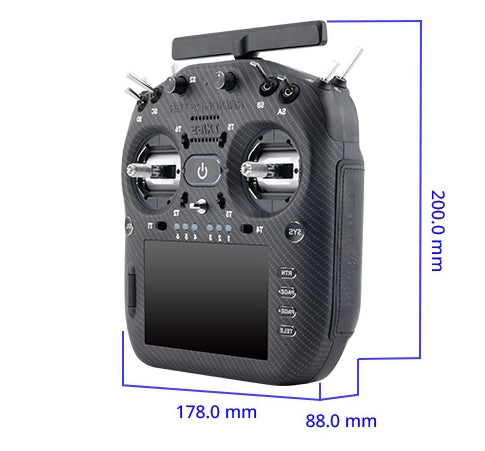
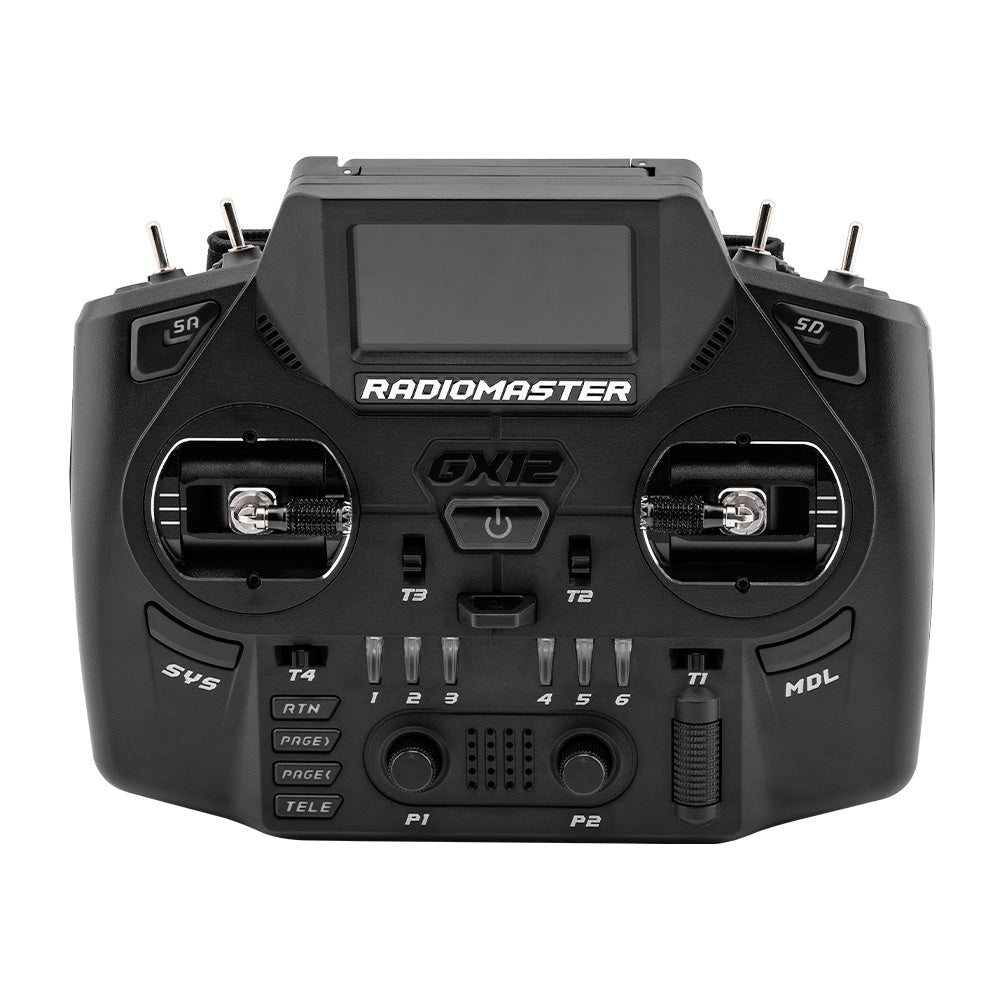
A RadioMaster controller example; menu layout varies by hardware and EdgeTX version.
Why a startup warning can appear on an otherwise healthy radio
EdgeTX can check the state of inputs before a model is used. A warning at power-on is not proof that a switch, gimbal or internal RF module has failed. In many cases the currently selected model expects a throttle source or switch position different from what the pilot has physically selected. Model memories have independent setup values: a radio can boot cleanly for one aircraft and warn for another without the hardware changing. The goal is to identify the expected state rather than repeatedly dismissing a screen that serves a genuine safety purpose.
Start by checking the radio’s selected model name and ensuring it matches the aircraft you intend to operate. Compare the physical throttle position and switch settings against that model’s pre-start configuration. For a quadcopter, the arm switch should be in the disarmed position before the radio and aircraft are powered. With the aircraft disconnected from power and any propellers removed for bench checks, observe the radio’s channel or input monitor. A warning that tracks an incorrectly selected model is a configuration problem, not a reason to replace the transmitter.
Identify which source actually drives the throttle
Depending on the radio and model setup, the throttle warning evaluates a configured source, which might not be the physical control the user assumes. A model imported from another EdgeTX radio can inherit a different stick mode, logical mapping or source selection. Check the Inputs, Mixes and Outputs rather than interpreting the printed label on the shell as conclusive. If the throttle value increases when the stick moves toward the low end or never reaches the expected minimum, verify calibration and source polarity before changing any warning thresholds.
EdgeTX supports a throttle-state check and, on supported screens, a custom minimum position. That flexibility is useful for nonstandard aircraft but can become dangerous when configured casually. The warning should agree with a genuinely safe throttle state, not simply be made to disappear. If a model uses reversed throttle travel or a throttle-cut arrangement, confirm the final output behavior on the radio monitor. Changes must be evaluated with the propellers removed and with the aircraft disarmed; do not infer safety from the absence of a message.
Understand Switch Warning as an intentional model profile
Switch Warning compares the actual switch positions with those stored for the model. A trainer may prefer a specific flight-mode switch position, disarmed state and inactive beeper before enabling the RF link. Those expected positions are not universal defaults. A configuration imported from a different transmitter may assume that a two-position switch has three positions or that a switch is physically oriented differently. Find which switch label is highlighted on the warning screen and compare it against the configured switch-warning settings.
When choosing expected positions, create a repeatable safe start state: throttle minimum, arm disabled, any autonomous or assisted mode positioned deliberately, and accessory switches set so they cannot surprise the pilot. EdgeTX allows some switches to be excluded from the check. That is appropriate only when an input truly has no hazardous pre-start state; it should not be a blanket workaround for irritating alarms. A functioning warning is valuable because it catches a physical state left over from the previous flight.
When recalibration is appropriate—and when it is not
If the throttle monitor visibly fails to reach its expected endpoints on more than one model, inspect stick calibration at the radio level. Follow the radio’s calibration routine and move the controls through the ranges requested, without forcing their mechanical stops. Inspect for travel restrictions or a spring configuration inconsistent with the intended use. An intermittent gimbal input that flickers or jumps may be a hardware issue and warrants qualified inspection. Do not hide unstable readings using large offsets or unrealistic endpoint limits.
By contrast, when only one model warns, changing the global stick calibration is usually not the right first response. Review that model’s source, mixes, outputs and pre-start checks. Record the original values before editing them so you can reverse a mistaken change. If a recent firmware update coincides with the warning, verify the model file and available options rather than assuming the new software changed radio hardware. Test a copy of the model profile when practical.
Build a preflight routine that preserves the warning’s value
Power up the radio with the intended model selected, inspect the arm switch and throttle, then verify the RF module and receiver state. Once connected, use the radio’s monitor or telemetry to confirm that neutral sticks and switches correspond to the expected control values. For a multirotor, carry out any ground tests with propellers removed and never test arming while the aircraft is restrained by hand. The pilot should understand each warning before acknowledging it; a warning that appears every day is a sign the stored expected state may need deliberate review.
A multi-pilot organization benefits from standard names and documented arm-switch conventions. If two pilots share a transmitter, write down which model configuration belongs to each aircraft and which firmware version was last validated. Use a backup in EdgeTX Companion or an equivalent export before large edits. The cheapest reliable safety improvement is often eliminating inconsistent model configuration, not installing a new radio or disabling a built-in check.
Fast symptom-to-cause examples from the workbench
If a warning persists with the throttle physically low but the output monitor reads high, examine the selected throttle source, reversed inputs and mix settings. If only one switch label flashes, compare its current position with the expected pre-start setting. If the warning appears only on a model copied from another radio, check switch mapping and missing hardware controls. If multiple models exhibit unstable or jumping input readings, investigate global calibration and potential gimbal hardware rather than changing each model independently.
After a change, power the radio off and back on to verify the alert behaves consistently. Intentionally move a monitored switch into an unsafe starting state and confirm the warning returns, with the aircraft fully disconnected. This negative test is important: making an alert disappear is not the same as confirming that the safety check still works. Document the corrected setup so the next firmware update or model restore does not reintroduce the same problem.
Frequently asked questions
Can I disable throttle warning in EdgeTX?
There is a model setting for it, but preserving a meaningful startup safety check is strongly preferable on motorized aircraft.
Why does switching models trigger a warning?
EdgeTX checks each model’s own expected throttle and switch positions when that model becomes active.
Will a throttle warning fix itself when the drone is bound?
Not necessarily. This is normally a radio-level model preflight check and can appear before the receiver is powered.
Always verify model, firmware and regional operating requirements using the manufacturer’s current instructions. Forums can highlight symptoms, but they are not a substitute for the official safety procedure.