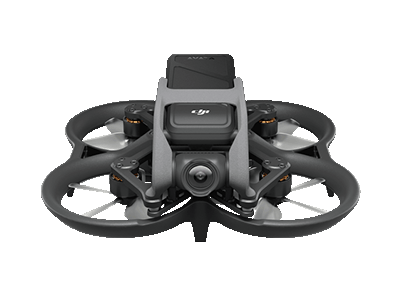
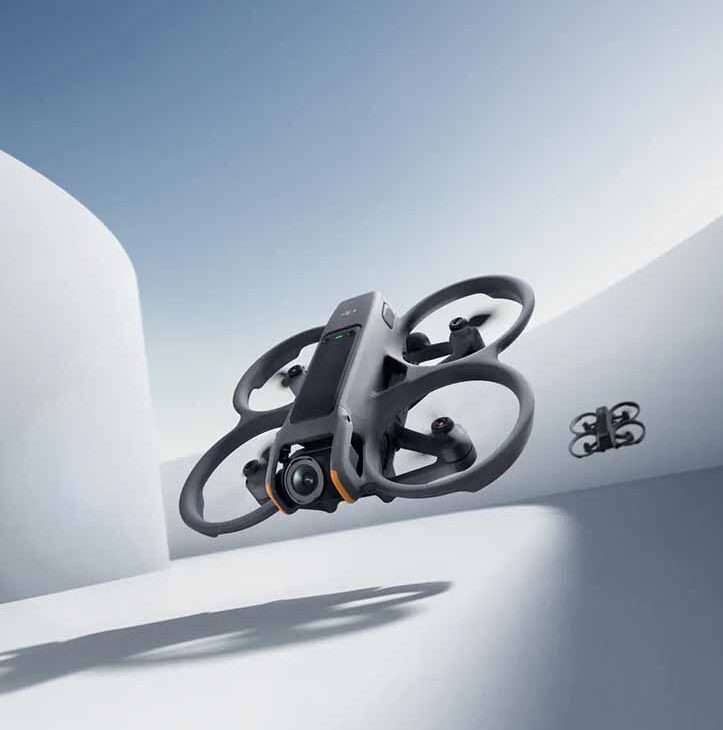
Two controllers can be sold alongside the same Avata 2, but they teach very different flying skills. The motion controller is a quick route to smooth accessible FPV footage and automated Easy ACRO moves. The two-stick FPV Remote Controller 3 is the route to hands-on Manual mode—but it demands training and a genuine understanding of aircraft attitude.
What the RC Motion 3 is for
DJI designed the RC Motion 3 around pointing, squeezing a trigger and using gestures or a small joystick for supported flight functions. It lowers the barrier to learning basic movement, camera framing and uncomplicated action shots. DJI’s Easy ACRO function can automate selected flips, rolls and 180-degree drifts on Avata 2 under the appropriate flight mode and firmware conditions.
That automation does not grant full manual throttle and attitude control. There are operating restrictions for Easy ACRO, including specific modes, recording circumstances and environmental safety limits. DJI warns that Easy ACRO is not available in all situations; use its current manual before relying on the effect for a shot.
What FPV Remote Controller 3 makes possible
The FPV Remote Controller 3 provides conventional dual-stick control and access to Manual mode on supported Avata 2 setups. Manual flying is not just a faster version of the motion controller: the pilot assumes far more direct control over aircraft attitude and must manage throttle, orientation and recovery without the same automated assistance.
DJI’s Avata 2 FAQ explicitly associates Manual mode with the FPV Remote Controller 2 or 3, subject to compatible goggles. Experienced FPV pilots may prefer two sticks because the muscle memory transfers to many other multirotors, but beginners should budget realistic simulator hours and open-space training.
Compatibility comes in a three-device set
DJI’s current Avata 2 compatibility information differentiates Goggles 3/N3 with generation-3 remotes from Goggles 2/Integra with generation-2 remotes. Firmware support and regional availability can evolve. Do not purchase a controller based solely on the phrase ‘supports Avata 2’; check the exact aircraft, goggles, controller and firmware combination on DJI’s official compatibility list.
If you own a previous generation of DJI goggles, there may be a supported pairing with the corresponding earlier remote rather than the newest controller. Test the complete system before buying accessories, particularly if a store lists goggles and controllers individually.
Buying criterion
DJI RC Motion 3
DJI FPV Remote Controller 3
Learning basic movement
Low initial learning curve
Higher learning curve
Easy ACRO automation
Supported within DJI’s conditions
Not used the same way
Full Manual (M) mode
No
Yes, with compatible goggles
Transferable FPV stick skills
Limited
High
Fast basic filming workflow
Often a strong fit
Requires pilot practice
Which is better for the work you actually do?
For smooth walk-through-style shots, basic training and quick flights, Motion 3 is often the practical choice. For advanced acrobatics, controlled freestyle or building manual FPV skill, Remote Controller 3 has the more appropriate control layout. Owning both can make sense for a mixed crew, provided each user is trained and the exact devices are supported.
The decision is not only about top speed. Consider takeoff and landing environment, visual observer procedures, flight-space availability and the subject’s safety. An automated flip still requires generous clearance and cannot be assumed safe near trees, people or buildings.
Buying and preparation checklist
Before spending, write down the model names on your aircraft and goggles. Check firmware pairing, the desired flight modes and whether the purchase includes the remote at all. For Remote Controller 3, verify simulator support and plan staged training. For Motion 3, check the supported Easy ACRO actions and the actual limitations for your firmware.
Remember that DJI Avata 2’s visual positioning features do not equal full omnidirectional obstacle avoidance. The controller you choose does not remove the aircraft’s environmental limits, so the safest setup remains the one matched to your skill and location.
Field takeaway
Remember that DJI Avata 2’s visual positioning features do not equal full omnidirectional obstacle avoidance. The controller you choose does not remove the aircraft’s environmental limits, so the safest setup remains the one matched to your skill and location.
Avata 2 aircraft; choose a compatible controller and goggles together.
Start with the experience you want, not with controller marketing
The RC Motion 3 is primarily an accessible way to guide the aircraft by pointing and operating its controls. It is designed for a different hand movement and learning process from a conventional twin-stick FPV radio. This matters for customers who want to film a moving person, follow a relatively gentle path or introduce a new pilot to an immersive view. The attraction is not simply fewer buttons: the flight system interprets the pilot’s motion-oriented requests rather than asking for continuous manual attitude and throttle management.
FPV Remote Controller 3 has two sticks and supports the manual flight path used for advanced acrobatic control with a compatible aircraft and goggles. Manual flight is not merely a faster Normal mode. Automatic hovering and some protective assistance no longer behave the way a new DJI pilot expects. If your ultimate goal is to control throttle and aircraft attitude directly, you need the FPV controller and substantial simulator practice. If it is comfortable short-form cinematic flying, Motion 3 can make more sense.
Easy ACRO and true Manual mode are not interchangeable
DJI describes Easy ACRO as an assisted set of maneuvers including flips, rolls and drift-style actions. It is not a substitute for learning manual flight, because the aircraft executes a managed maneuver when the operator selects an available action. A pilot who can trigger an Easy ACRO flip has not necessarily learned throttle control, recovery from unusual attitudes, or the judgment needed to fly a manual quad through obstacles. DJI’s official instructions also identify mode and recording-related restrictions; read the current operation guide for the exact pairing before attempting any maneuver.
True M mode requires a compatible FPV Remote Controller and explicit mode preparation in the goggles and controller. DJI’s support guidance describes setting a custom control mode and mechanically adjusting the throttle stick so it does not automatically return to center. That detail matters because an inadvertently self-centering throttle can give a very misleading training experience. Beginners should learn orientation and emergency responses in a suitable simulator before attempting manual flight outdoors, and should choose clear space with an experienced observer.
Build a compatibility triangle: drone, goggles and radio
Do not purchase a controller by looking only at the words ‘Avata 2 compatible’ on a marketplace listing. DJI’s supported combinations involve the aircraft, the particular goggles generation and the control device together. Its current Avata 2 FAQ distinguishes combinations using Goggles 3/N3 with newer controllers from Goggles 2/Integra with previous-generation controllers. Compatibility can change with firmware, but an unmatched collection of individually supported products is not necessarily a supported three-device pairing.
Before checkout, record all three exact model names and their firmware versions. Ask whether the controller’s required functions work with the specific goggles; basic linking is not proof that a desired flight mode or training workflow is available. Used headsets may be sold without the cable or controller generation assumed in older reviews. If upgrading an existing kit, verify the official matrix rather than spending money on a radio that cannot complete your present setup. Treat third-party retailer compatibility tables as leads, not a replacement for manufacturer information.
Choose by real jobs: travel, training or paid filming
For a casual travel pilot, the ease of Motion 3 and familiar Normal-mode behavior can be more valuable than access to the full manual control envelope. A content creator who wants repeatable, gentle tracking shots may similarly prioritize smooth operator input, safe positioning and practice with camera settings. For an aspiring freestyle pilot, however, the main requirement is deliberate control of attitude and throttle, and the FPV Remote Controller is the more relevant purchase.
For commercial work, do not assume either controller compensates for Avata 2’s limitations. DJI states that Avata 2 does not have the conventional all-around obstacle avoidance found on some camera drones; its positioning aids are not a license to fly close to people or unseen obstructions. Manual and assisted modes each demand a deliberate operating plan. In UAE locations, establish local airspace requirements, privacy rules and job-specific permissions independently of whether DJI Fly or the goggles allow the aircraft to take off.
Plan a sensible learning progression
A beginner can start with link checks, controller orientation and wide-open Normal-mode flights before attempting any special maneuver. Practice controlled takeoff, steady headings and predictable returns. If using Motion 3, learn where the brake and relevant menu controls are before increasing complexity. If transitioning to the FPV controller, practice the correct stick layout, arming and disarming procedure, throttle management and emergency recovery in a simulator first. DJI notes that FPV Remote Controller 3 is not compatible with DJI Virtual Flight, so verify your selected third-party simulator supports your exact controller.
A flight log should record what was attempted, what felt uncomfortable and which response needs rehearsal. Do not make your first manual flight a low-altitude close pass near a subject. Use conservative conditions, a clear area and an observer. Flying a simulator route smoothly is a useful prerequisite, not proof that wind, latency, battery limits and the real aircraft will behave identically. Take deliberate steps rather than rushing to a dramatic clip.
Questions worth answering before purchasing a bundle
Does the box include the goggles you actually need? Is the controller a Motion 3 or FPV Remote Controller 3, and is the seller describing the right generation? Are spare propellers and batteries available for the exact aircraft? If manual mode is the reason for purchase, does the kit support it in the stated combination? Confirm whether any package photographs depict optional components rather than items in the box. A low advertised price can be misleading when the headset and controller are missing.
Ask about return conditions before buying an incompatible accessory. Record serial numbers and firmware versions when purchasing used equipment. For professional crews, standardizing goggles and controller generations can simplify training, maintenance and spares. The right choice is not whichever controller looks more advanced; it is the one that supports the intended flight mode without compromising the safety workflow or requiring a second unplanned purchase.
Frequently asked questions
Can Motion 3 fly Avata 2 in fully manual mode?
No. DJI identifies the conventional FPV remote as the compatible control method for Manual mode.
Are Easy ACRO flips the same as manual acro tricks?
No. Easy ACRO is a supported automated action, while Manual mode involves direct pilot control.
Should a brand-new pilot buy FPV Remote Controller 3 immediately?
It is useful if manual flight is the long-term goal, but start with simulator training and respect the different risk profile.
Always verify model, firmware and regional operating requirements using the manufacturer’s current instructions. Forums can highlight symptoms, but they are not a substitute for the official safety procedure.