DJI Avata 360, Avata 2 and Neo: Goggles and Controller Compatibility Explained

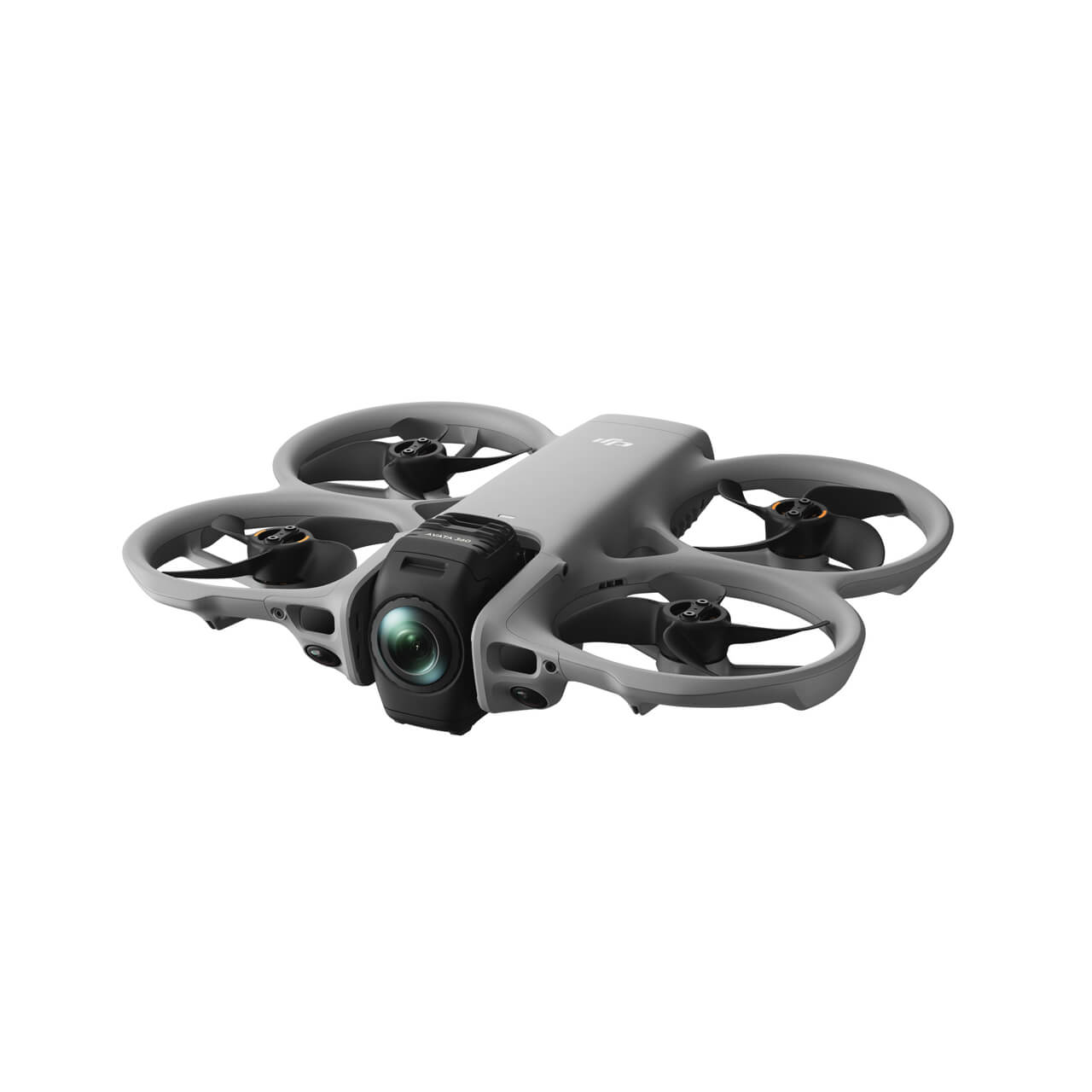
DJI’s FPV accessories now span several generations, and the names are close enough to make mistakes surprisingly easy. DJI Goggles 3 and Goggles N3 support a different set of aircraft from older Goggles 2 or Integra. Likewise, RC Motion 3 and FPV Remote Controller 3 are not simply newer versions of every controller in the DJI catalogue.
Begin with the aircraft, not the goggles
DJI’s published compatibility matrix lists DJI Goggles 3 and DJI Goggles N3 as compatible with DJI Neo, Neo 2, Avata 2 and Avata 360 in supported configurations. By contrast, neither is listed for the original DJI Avata. The original Avata belongs to an earlier supported goggles/control ecosystem. Firmware and pairing steps still matter even when hardware appears in a compatibility chart.
A second important distinction is between DJI Neo and DJI Mini series. For example, DJI’s matrix lists Goggles 3 with the Mini 4 Pro, but does not list Goggles N3 as compatible with that drone. It would be a mistake to extrapolate from the Neo family or the shared O4 branding to every DJI consumer drone.
DJI Avata 360 supports different ways to fly
DJI identifies RC 2, RC-N2 and RC-N3 as standard remote-controller options for Avata 360. For immersive FPV operation, DJI lists RC Motion 3 or FPV Remote Controller 3, each paired with compatible Goggles 3 or Goggles N3. Crucially, DJI states that the goggles are not used in combination with RC 2/RC-N2/RC-N3 for this aircraft.
This is easy to miss when purchasing accessories separately. The controller and goggles form a specific supported combination. Before ordering, decide whether the operator will be using a standard remote with its own viewing arrangement or a goggles-based FPV setup. The aircraft’s 360-degree capture modes and available assisted features may also vary with the selected control method.
Neo and Neo 2 require exact combination checks
DJI’s Neo support documentation lists Goggles 3 and N3 with RC Motion 3 and compatible FPV control options. But it also gives model-specific notes on which controller/goggles combinations are supported. Avoid treating the single phrase ‘Neo Series’ as proof that every hardware/firmware pairing behaves identically. Confirm your exact Neo or Neo 2 model and the current DJI support chart before updating or purchasing a new radio.
For owners who already have a standard camera-drone controller such as RC 2 or RC-N3, verify supported Neo control modes individually. For FPV operation, check whether the compatible DJI goggles and the intended motion/FPV controller are both required. A transmitter listed as ELRS is a separate RC protocol; it cannot be assumed to bind natively to a DJI Neo aircraft.
Why won’t the devices link when everything is ‘compatible’?
Compatibility is the first check, not the last one. DJI’s linking guide recommends pairing the aircraft with the goggles before linking the motion controller or FPV remote in affected Avata configurations. Verify software versions, selected aircraft type in the goggles, activation state and the correct DJI Assistant application. A previously paired controller may need to be switched off during goggles pairing.
Do not carry out arbitrary firmware downgrades because a community video used an older version. DJI release notes for Avata 360 specifically document support added for FPV Remote Controller 3 and instruct users to restart the aircraft, goggles and controller after updates. Re-check RTH altitude and other flight settings that an update might reset.
Quick side-by-side shopping reference
| Aircraft | Goggles 3 | Goggles N3 |
|---|---|---|
| DJI Neo | Supported | Supported |
| DJI Neo 2 | Supported | Supported |
| DJI Avata 2 | Supported | Supported |
| DJI Avata 360 | Supported | Supported |
| Original DJI Avata | Not listed | Not listed |
| DJI Mini 4 Pro | Supported | Not listed |
This comparison is based on DJI’s published chart as checked in October 2026. ‘Supported’ means a supported configuration exists, not that any arbitrary remote, firmware version or flight mode will work. Always use DJI’s latest compatibility page before completing a sale.
Relevant products and next reading
You can compare DJI Avata 360, DJI Avata 2 and DJI Neo on FalconFly. The DJI Goggles N3 and DJI FPV Remote Controller 3 are separate accessory products. Read the Goggles 3 versus N3 guide for optical differences and O4 Air Unit considerations.
A note for UAE pilots: equipment compatibility is not flight permission. Check current GCAA and emirate-level rules, including temporary safety decisions, before any outdoor operation.
Frequently asked questions
Do DJI Goggles N3 and RC Motion 3 work with DJI Neo?
DJI lists supported Neo FPV configurations with Goggles N3 and RC Motion 3. Verify the exact model and required firmware before pairing.
Are Goggles N3 and Goggles 3 compatible with Neo 2?
DJI’s published chart lists both as compatible with Neo 2. The exact controller combination and firmware still need checking.
Do Goggles N3 work with the original DJI Avata?
No support is listed in DJI’s comparison. The original Avata uses earlier compatible goggles and controllers.
Can I use DJI RC 2 together with Goggles N3 on Avata 360?
DJI states that Avata 360 goggles are not supported together with RC 2/RC-N2/RC-N3. Use an officially supported control path.
Does Avata 360 support FPV Remote Controller 3?
Yes, with Goggles 3 or N3 in a supported configuration. DJI release notes documented the addition of FPV Remote Controller 3 support.
Will an ELRS RadioMaster controller bind directly to a DJI Neo?
No standard direct ELRS pairing is indicated for these DJI aircraft. Do not confuse independent ELRS receivers in custom drones with DJI’s proprietary aircraft control link.
Why won’t my Avata 2 goggles pair after updating?
Check the official device combination, firmware, goggles mode and the recommended pairing sequence rather than assuming the goggles hardware is defective.
Explore more FalconFly UAV FPV and DJI buying guides.
References: DJI official goggles compatibility chart · DJI Avata 360 guide · DJI Neo control-system support · DJI Avata linking procedure