DJI Drone Batteries and Controllers: Why Model Names Aren’t Enough

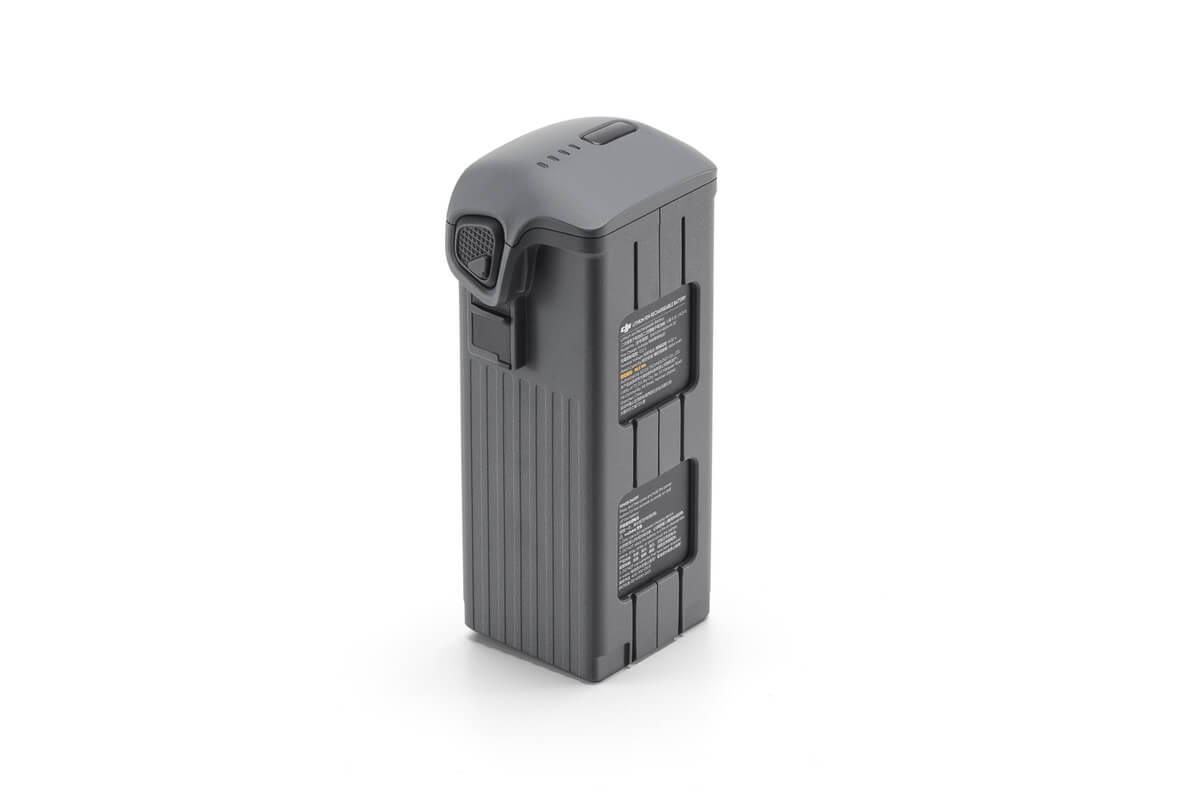
DJI accessories can appear almost identical while serving different aircraft generations. Batteries, charging hubs and remote controllers are particularly easy to confuse, especially when a product name differs by only one number or a “Pro” suffix. Compatibility should be checked at the exact model level, not inferred from appearance.
Battery fit is more than physical shape
A drone battery is a designed component with mechanical contacts, internal electronics, firmware expectations and charge management. Two batteries from the same DJI family do not necessarily share a locking system or communication interface. Never force a pack into an aircraft because the shell dimensions look close.
Similarly, an intelligent flight battery can require a specific charging hub or adapter. A hub for Mavic 4 Pro is not automatically appropriate for another Mavic generation. Check full official accessory compatibility and power specifications before ordering spares.
Charging hubs are not generic USB splitters
Multiple-slot charging hubs differ in whether they charge sequentially or in parallel, their supported input adapters, thermal limits and power allocation. A large printed wattage describes the input or system capability in a specific configuration; it does not promise the same rate for every battery.
For portable operation, plan not only the number of batteries but the charging sequence. Check how long the equipment needs to cool, required adapter output and whether a vehicle charging arrangement has adequate power.
Remote controllers need the matching aircraft generation
The DJI RC Pro 2, RC 2 and FPV Remote Controller 3 serve different supported aircraft and operational workflows. Wi-Fi, display size and physical button layout do not prove aircraft compatibility. Check the DJI support table for each combination of aircraft, remote and firmware; this matters particularly when buying used equipment or transferring a controller from another drone.
FPV motion controllers and conventional DJI RC units are different classes of control equipment. For O4 FPV builds using independent ELRS receivers, a RadioMaster controller operates that separate control system rather than pairing like a DJI remote.
A practical shopping checklist
Write down the exact aircraft model and edition, firmware, existing remote model, battery part number and hub designation. Photograph the relevant labels if necessary. Review the official matrix and update only by following manufacturer guidance, ideally before heading to a job site.
At FalconFly, compare the Mavic 4 Pro Intelligent Flight Battery and Mavic 4 Pro Parallel Charging Hub for the same aircraft family. The DJI RC Pro 2 should only be considered with a separately verified compatible aircraft.
Storage and serviceability
Keep contacts dry and clean according to DJI instructions, avoid extreme heat in parked vehicles and inspect batteries after a hard landing. Never attempt improvised cell repair on a DJI intelligent battery. If the battery reports a fault or the aircraft rejects it, record the error and use manufacturer-supported diagnostic or service channels.
Questions worth asking before purchase
Can I use a Mavic 3 battery in a Mavic 4 Pro?
Do not assume so. Compatibility needs explicit DJI support; similar product families are not evidence of interchangeability.
Can I charge any DJI battery in any DJI hub?
No. Charging hubs have model-specific battery, voltage and power requirements.
Does DJI RC Pro 2 work with every DJI drone?
No. Check DJI’s current supported aircraft list and firmware requirements.
Is an FPV Remote Controller 3 the same as DJI RC 2?
No. They target different control ecosystems and aircraft combinations.
What if a battery has been stored fully discharged?
Follow DJI service guidance; do not bypass the battery electronics or attempt to force-charge a defective pack.
Explore the FalconFly FPV Knowledge Hub for related technical buying guides. Specifications and compatibility should be verified for each exact model.
Further reading: DJI compatibility resource · GCAA operational framework