


DJI Return-to-Home From a Moving Takeoff Point: What Happens on a Boat or Vehicle?


You launch from a boat, the vessel continues moving, and then the drone announces Return-to-Home. Does it follow your remote controller—or the coordinates where you took off? That distinction matters more than the RTH altitude when your original launch point is now open water.

Fast symptom matrix
| Observed symptom | What it may indicate | Safe first check |
|---|---|---|
| Boat has moved from takeoff position | Recorded Home Point may now be over water | Inspect actual Home Point marker before launch |
| Controller does not update Home Point | Dynamic update unsupported or GNSS unavailable | Check exact DJI model and controller manual |
| Critical battery descent begins | Forced landing may not be cancellable | Maintain reserve and predefined alternate recovery |
1. Understand the default Home Point
On many DJI aircraft, the Home Point is recorded near takeoff once positioning criteria are satisfied. A standard RTH does not automatically mean the drone will pursue a moving boat. The exact behavior and availability of updates are model-, controller- and firmware-specific; never assume a feature advertised on one aircraft exists on another.
2. Check whether your setup offers Dynamic Home Point
Some newer DJI platforms and controller combinations can update the Home Point toward a controller with a good GNSS fix. The official manual for that specific model is decisive. A weak controller GNSS signal may leave the previously updated position unchanged. Check the displayed Home Point location, not just an icon that says RTH is ready.
3. Plan the recovery instead of relying on automation
Before departure, identify a safe alternative landing location and maintain enough energy to reach it. Vessel motion, wind and a cluttered deck can make manual recovery substantially harder. RTH altitude, obstacles and low-battery actions must be considered together. Do not initiate a boat launch unless local laws and the aircraft’s procedures permit it.
4. Consider signal-loss and low-battery cases separately
An RTH initiated manually can be canceled or adjusted differently from an automatic failsafe or forced critical-battery landing. Do not plan around being able to cancel every sequence. Test the selected mode in a benign land-based environment before using it over water.
5. Brief everyone involved
Assign one person to focus on vessel positioning and one to operate the aircraft. Agree on a recovery signal and safe landing method; do not grab spinning propellers or improvise a catch. A failed dynamic-home update is not the moment to learn a new controller interface.
Example: the vessel is 150 metres away from takeoff
A boat moving downwind can leave the drone’s recorded Home Point over open water. Before departure, verify whether your exact aircraft and controller can update the Home Point and confirm the marker shown on the map. If it cannot follow the vessel, establish a legal and safe alternative recovery plan with adequate energy. Do not wait for low-battery RTH to discover that the stored point is no longer a landing surface.
What to check before purchasing equipment
Compare electrical specifications, physical connector dimensions, firmware support and exact model variants. Similar product names can hide incompatible wiring or controller requirements. Browse the FalconFly catalogue (related equipment: DJI Mavic 4 Pro) for supported parts, but use the checks above to justify replacement rather than guessing from appearance alone. If you need help confirming fit, give the support team the full component labels and a photograph of the connection.
Related FalconFly troubleshooting
- DJI Mini Drone Warns of Strong Wind: Return-Trip Planning That Saves Batteries
- DJI Compass Interference Before Takeoff: Metal Roofs, Cars and Concrete
What the Home Point display should tell you
If a vessel has moved away from its launch location, a return command may direct an aircraft to the original coordinates rather than toward the operator. On compatible DJI aircraft, Dynamic Home Point can mitigate some of this risk but depends on controller positioning and supported software. A weak GNSS fix can leave an older location displayed. Confirm the actual map marker before relying on it.
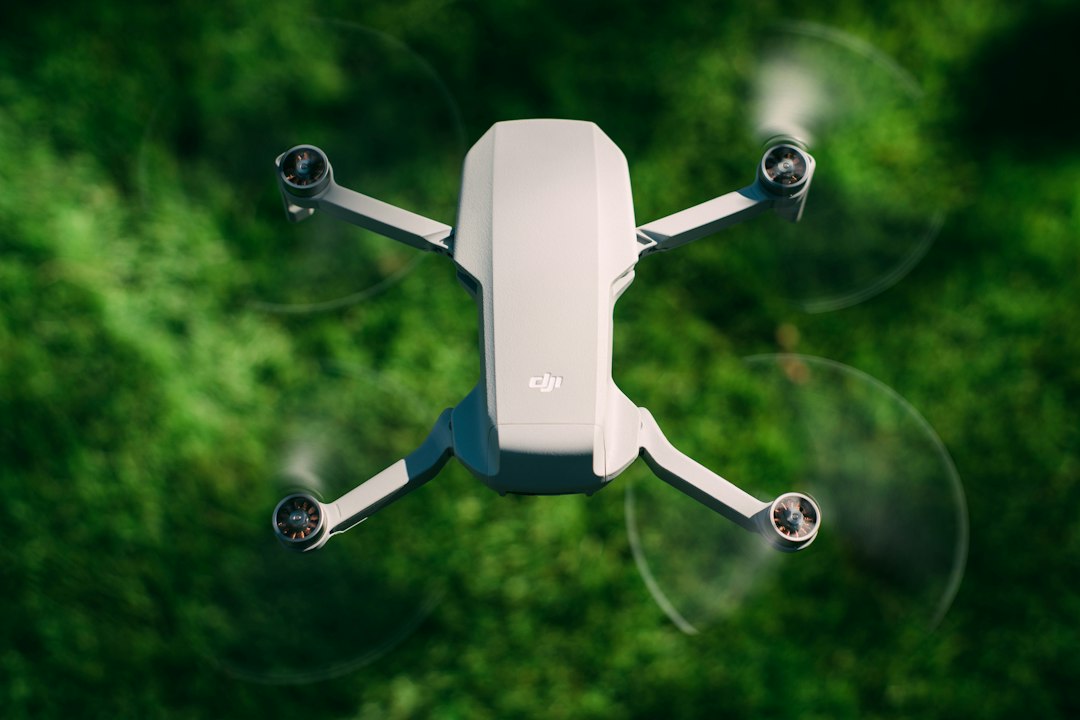
A safe maritime flight plan includes an alternative recovery area, allowance for wind and current vessel speed, and a minimum reserve above the predicted return energy. Do not assume emergency critical-battery behavior can always be cancelled. Check the specific manual before launching from any moving platform.
Frequently asked questions
Will DJI RTH automatically follow a moving boat?
Not by default. The aircraft may return to the last recorded geographic Home Point. Dynamic updating is model-, remote-controller- and firmware-dependent; verify the map marker before launch.
Can I always cancel Low Battery or critical-battery RTH?
No. Some low-battery return prompts can be dismissed, but a forced critical-battery descent may not be cancellable. Plan a reserve and alternative landing location.
Is it safe to catch a drone by hand from a moving vessel?
Do not improvise a hand catch or grab spinning propellers. Follow the aircraft’s approved recovery procedure and have separate people responsible for aircraft operation and vessel movement.

















