


DJI Neo 2 Charging Hub: How Many Batteries Charge Together at 20W, 45W or 65W?

FALCONFLY UAV • TECHNICAL FIELD GUIDE • UAE
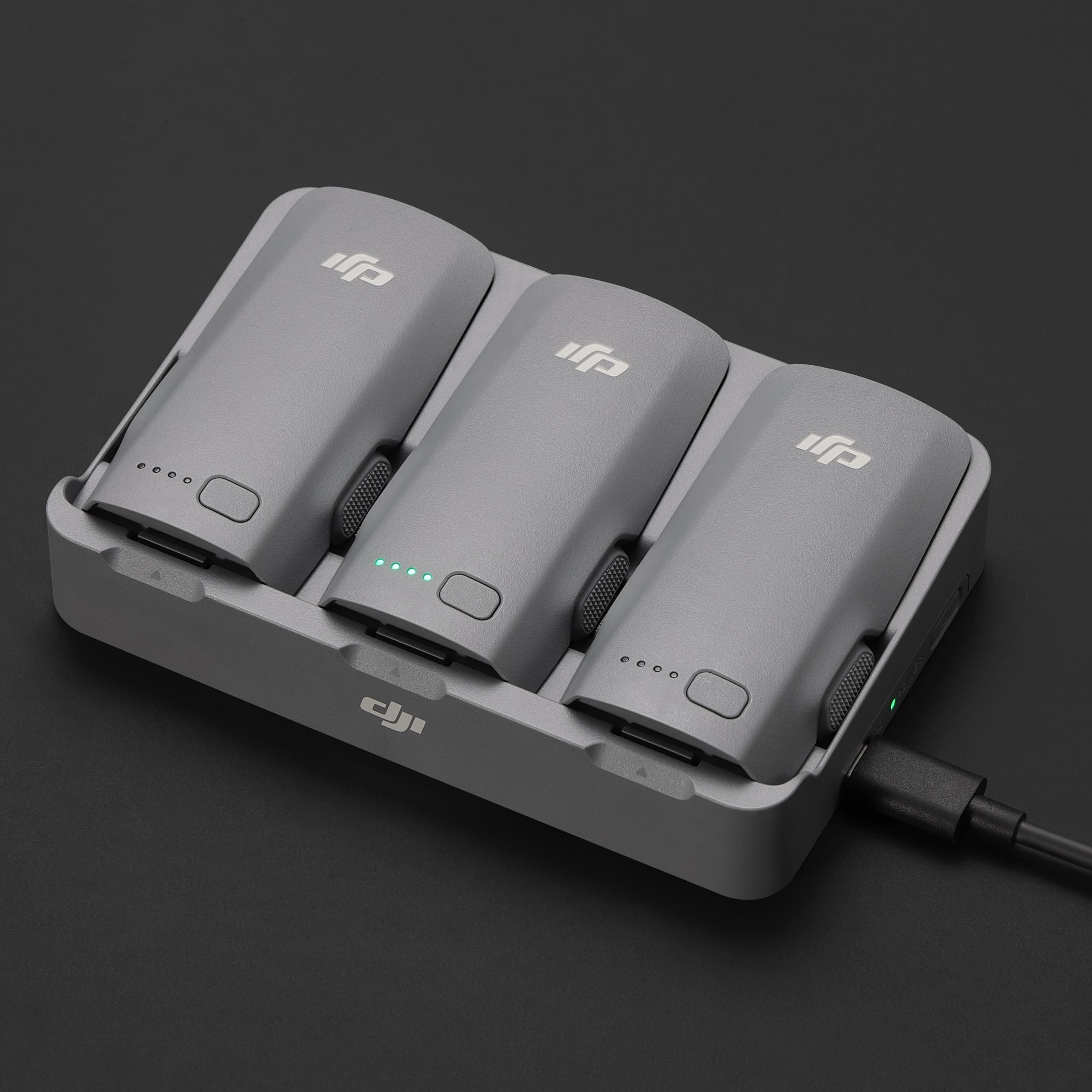
The Neo 2 charging hub can hold three batteries, but the number it actually charges simultaneously depends on the USB power adapter and charging protocol. This detail explains why two customers using the same hub can report very different turnaround times. The correct comparison starts with the charger’s available wattage, not the number of slots.
Quick-reference decision table
| Signal or factor | Meaning | Recommended response |
|---|---|---|
| Under 30W | Sequential charging | Not three simultaneous charging channels |
| 30W to 45W | Up to two simultaneously | Depends on negotiated power |
| Above 45W | Up to three simultaneously | Use a compatible USB-PD charger |
| Battery model | DJI Neo 2 Intelligent Flight Battery only | Do not confuse with original DJI Neo |
1. Read the official power tiers
DJI’s Neo 2 specifications state that a compatible source above 45W supports three batteries charging at once. From 30W to 45W the hub can charge two simultaneously; below 30W charging is sequential. The actual negotiation profile matters, and a charger advertising high watts on a different port may offer less power to the port you used.
2. What comes with a replacement battery?
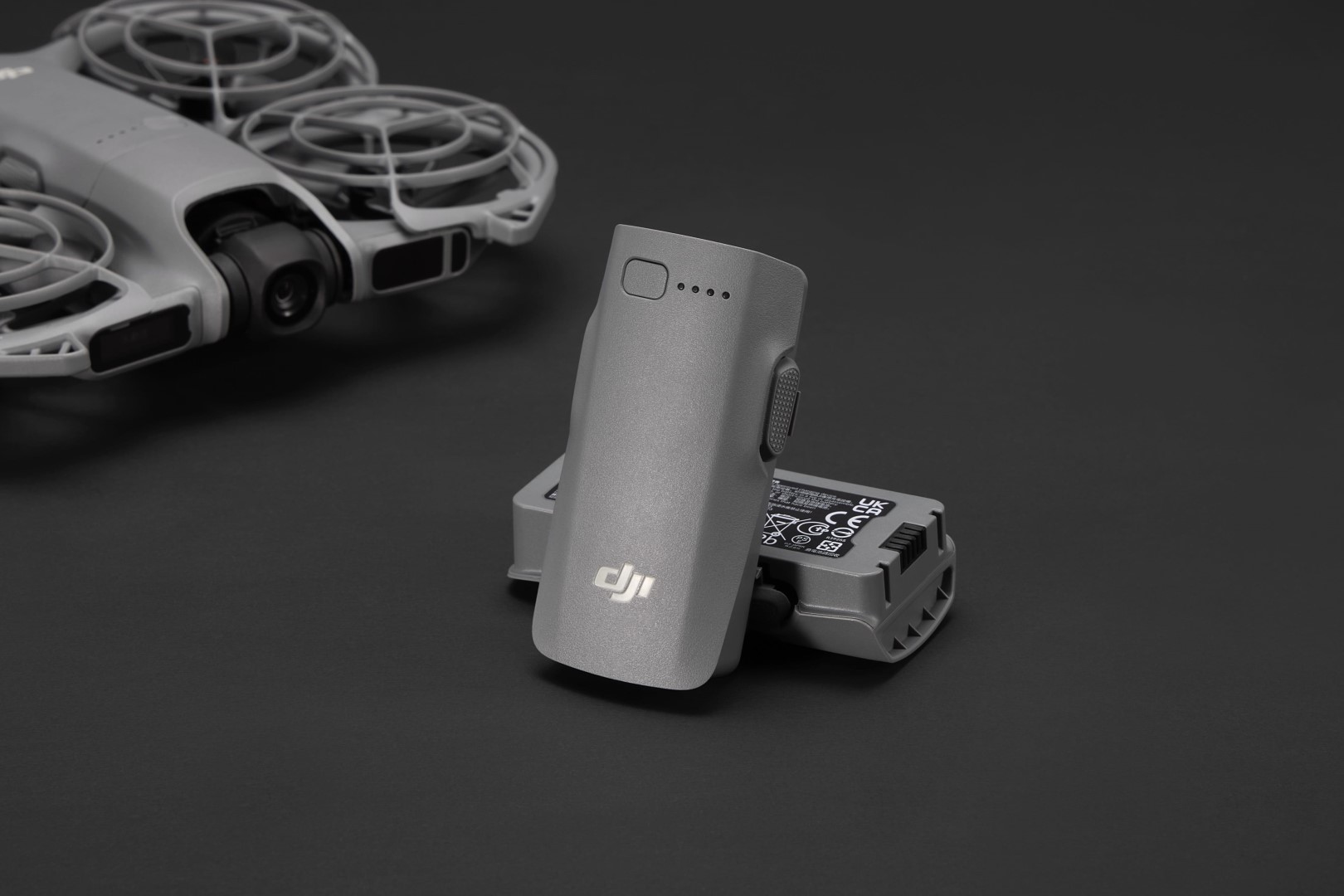
A standalone Intelligent Flight Battery does not automatically include a hub or power adapter. Verify package contents before checkout. DJI lists Neo 2’s battery at 1606mAh, 7.16V nominal and about 11.5Wh of energy, with approximately 46g weight; it is a different SKU from the original Neo battery.
3. Charging temperature is a real limit in the UAE
DJI lists a charging temperature range of 5°C to 40°C for the Neo 2 battery. A pack left in direct sunlight or just removed from a hot aircraft may delay charging or show abnormal behavior. Cooling the battery naturally in a safe, shaded area is preferable to forcing repeated charge attempts.
4. Watch the LEDs and use documented behavior
LED patterns indicate state and may change during fast charging. Verify the indicators against the exact Neo 2 battery manual; do not infer that a flashing light means a fault. If you encounter four simultaneously flashing LEDs or a documented error, stop charging and follow official diagnosis rather than trying different high-power supplies repeatedly.
5. How to rotate three batteries efficiently
Label packs, separate those cooling after flight and move ready batteries into a clean transport pouch. Ensure battery contacts are clean and fully seated in the hub. Keep the aircraft turned off while charging through its USB-C port, since DJI states charging is not supported when the aircraft is on.
6. When the hub becomes a power bank
DJI documentation describes supported charging hubs that can output battery energy to another USB device. This feature consumes flight energy, so avoid using mission-reserved packs for phone charging just before departure. Check the hub’s state indicator when switching between charging batteries and powering an external device.
7. Before buying an adapter
Confirm that the power source delivers enough power on a single USB-C port, not merely a summed total across several ports. Prefer a documented USB-PD adapter and suitable cable. A stable 65W unit is often a more relevant purchase than an oversized multiport charger whose per-port behavior is unclear.
Before you order or test
- Confirm the precise hardware model and firmware edition; a similarly named product can use a different component.
- Check manufacturer electrical limits, connection type, physical fit and accessories in the product listing.
- For troubleshooting, work with propellers removed, observe temperature and stop at the first unsafe symptom.
- Make changes one at a time and document your baseline to avoid confusing correlation with the actual fault.
- Perform any flight testing only where permitted, with people and property well clear of the aircraft.
Frequently asked questions
Will a 20W charger charge all three at once?
No. DJI specifies sequential charging below 30W.
Is 45W exactly enough for three simultaneously?
DJI’s wording is above 45W for three; check the actual output and protocol.
Can I use my original Neo battery in the Neo 2 hub?
Do not assume compatibility. The official Neo 2 hub specifies Neo 2 batteries.
Further technical reference: https://www.dji.com/se/neo-2/specs. Always check the current manufacturer documentation, and do not rely on estimated flight times or charging limits as guarantees.
FIELD NOTES • PRACTICAL APPLICATION
Example: why a multiport charger behaves like a smaller one
Consider a charger advertised as 65W across two outputs. If its USB-C port supplies only 30W while a phone occupies the second port, the Neo 2 hub cannot automatically perform like it does with a dedicated supply exceeding 45W. Some adapters re-negotiate the power budget when a second cable is inserted. Look at the printed voltage-and-current combinations for the single port you actually use, and test while no other devices are attached.
Interpreting battery self-discharge correctly
DJI describes controlled self-discharge for Neo 2 batteries after a period of inactivity. A pack that was fully charged several weeks earlier may show less than 100% even without flying. This behavior protects storage health and should not by itself be taken as proof of a manufacturing fault. Check its documentation and recharge in an appropriate temperature range before a planned mission. Never repeatedly force charging of a pack that displays a battery error or physical damage.
A practical three-pack travel workflow
Mark each battery and maintain three statuses: ready, cooling and used. Keep the aircraft itself turned off for USB-C charging. Bring a certified compatible PD supply, one known-good cable and a way to shelter batteries from direct sun. If the aircraft app reports a battery communication problem, stop and investigate instead of masking it by switching chargers. Charging logistics improve only when the aircraft, hub and power source operate as one verified system.

















