


DJI Drone Video Flickers Under LED Lights? Fix 50Hz and 60Hz Banding

A showroom looks perfect to the eye, but the recorded video contains dark rolling bands across the ceiling. You check the lens, swap batteries and even change ND filters; the flicker remains. Usually the culprit is the relationship between the camera’s exposure timing and the room’s LED driver or mains-frequency lighting. This is a recording problem, not a transmission-range problem. The right fix starts with a ten-second test clip before the paid shoot.
Why your eyes and the camera disagree
Many artificial lights modulate their output rapidly. The human visual system averages that change, while a rolling-shutter camera records portions of the frame at different moments. This can create moving dark bands, pulsing brightness or subtle color variation. Two LED fixtures in the same building can behave differently because their drivers differ. Some cameras offer automatic anti-flicker settings, but the available choices vary by model and firmware. Do not assume every DJI drone exposes the same menu.
Understand 50Hz and 60Hz without guessing a universal setting
Regions using 50Hz mains often favor video timing families such as 25 or 50 frames per second, whereas 60Hz environments commonly use 30 or 60. However, LED PWM drivers are not limited to mains frequency and can still cause banding. Shutter exposure duration affects how much of the light cycle is averaged. Test manufacturer-supported combinations rather than memorizing one shutter value as a universal cure. For work in the UAE, verify the actual fixture behavior in the venue; local mains frequency does not tell you everything about the light driver.
A ten-second diagnostic sequence
Set the desired camera resolution and record a short clip with the room lighting at its planned brightness. Review it on a larger display, ideally at normal speed and while scrubbing. Change one parameter at a time: first a supported anti-flicker option, then frame rate or shutter timing as appropriate. Keep a note of combinations that remove banding without unacceptable motion blur. Avoid changing exposure, ISO, white balance and lighting level simultaneously, because then you cannot identify which variable helped.
Symptom-to-cause comparison
| Visible issue | Likely direction |
|---|---|
| Horizontal moving dark bands | Lighting modulation vs rolling-shutter timing |
| Whole image brightness pulsing | Auto exposure response or LED modulation |
| Banding only when dimmed | Fixture driver/dimmer PWM behavior |
| Goggles affected, onboard file fine | Video-link path, not the lighting capture itself |
The best fix may be a lighting decision
On a professional indoor shoot, a compatible flicker-free video light or a different dimmer level may solve the problem more effectively than extreme shutter settings. Coordinate with the venue’s lighting technician where possible. If footage is already recorded with visible bands, software deflicker tools may reduce some defects but cannot reliably reconstruct every ruined frame. Record test clips before committing to long takes. Smooth, consistent lighting is part of a successful drone filming plan, not an optional editing detail.
Confirm the exact aircraft model, active firmware, current rules and environmental conditions. If a warning or physical safety issue is unresolved, postpone the flight rather than relying on an automated feature.
Example: the LED showroom that looks fine on a phone
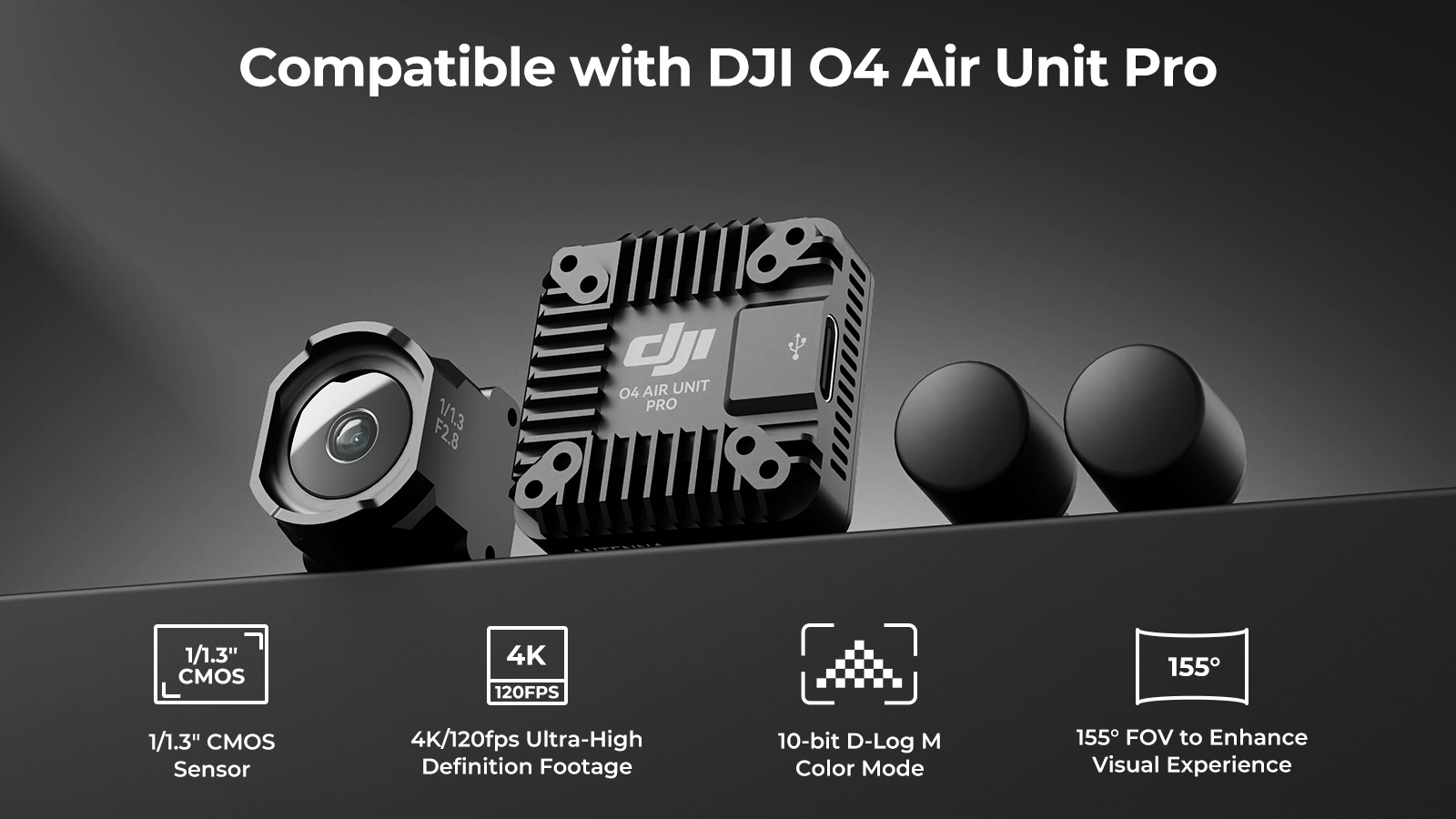
The client wants a sweeping shot of a product wall under ceiling LEDs. The crew sees no flicker by eye, but an O4-based camera records moving dark stripes. Instead of immediately changing lenses, record the same static view at two supported timing combinations and inspect the files. The issue may disappear at one shutter and frame-rate family while remaining visible at another. For cameras like the DJI O4 Air Unit Pro, verify the exact supported modes rather than assuming all 4K or slow-motion combinations provide the same anti-flicker behavior.
Try the test at the same lighting brightness level planned for the final shot. A dimmed fixture may behave differently from the fully powered version used during the morning equipment check.
What the client should know before choosing a frame rate
Frame rate is not just an aesthetic question; in artificial lighting it can determine how consistently the camera integrates illumination. Ask whether final delivery is 25, 30, 50 or 60 frames per second, and whether the footage requires slow motion. Then test realistic camera settings at the venue. If no acceptable setting avoids bands, consult the lighting operator about fixture or driver changes, or plan the shot under another light source. A small test is cheaper than trying to repair ten minutes of rolling bands in post-production.
Frequently asked questions
Will an ND filter remove LED banding?
Not by itself. ND controls total light; timing relative to light modulation is the key issue.
Should I always film at 25fps under 50Hz lighting?
It is a useful test family, not a guarantee with every LED driver.
Why do bands appear only when lights are dimmed?
Some dimmers alter output using pulse-width modulation; fixture behavior can change with brightness.

















