


DJI Drone Has No GPS Indoors: Why Vision Positioning Is Not a Safety Guarantee

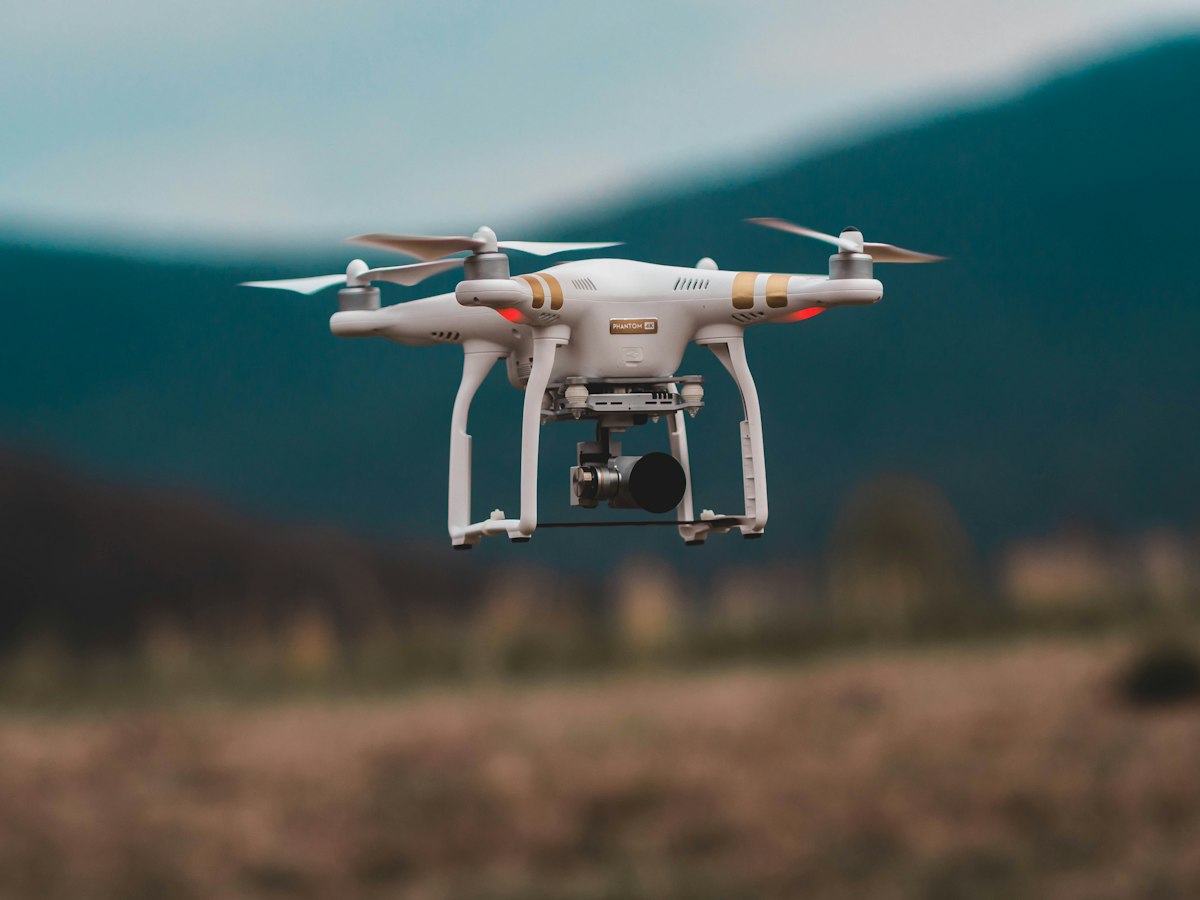
The aircraft hovers neatly in a bright living room, then starts drifting in a dim hall. That change is not necessarily a broken GPS receiver: indoors, satellite signals are often obstructed and the aircraft may depend heavily on downward vision, infrared and model-specific sensing limits.
Before you make changes
- Avoid indoor flight near people, fragile objects, reflective glass, ceiling fans or narrow corridors.
- Never rely on obstacle sensing as a replacement for open space, a spotter and hands-on control.
- If the aircraft shifts unexpectedly or cannot maintain position, land immediately rather than experimenting with aggressive stick inputs.
What the aircraft uses to hold position
Outdoors, DJI camera drones typically combine satellite navigation, inertial sensors and vision data. Indoors, GNSS reception may degrade severely. Some aircraft can still maintain horizontal position with downward sensors observing a textured, well-lit floor. This is conditional: the camera needs usable features to track and adequate illumination; uniform tiles, moving carpets, water, mirrors, transparent flooring and repeating patterns can undermine that estimate.
Altitude sensing has its own limits. Airflow from propellers close to walls or ceilings and reflected light can create confusing behavior. An aircraft with a suitable indoor mode still needs a suitable indoor space.
Why low light changes the risk so quickly
Vision systems are not magic cameras that see equally well in every room. Their minimum illumination, field of view, detectable obstacles and operating height vary by model. A drone that stabilizes over a high-contrast rug may drift when crossing polished stone or a featureless hallway. Rotating LED lighting, direct glare and transparent surfaces can further degrade performance.
Even if the app shows no critical error, the sensing environment may change during the flight. Read your exact model’s user manual for the vision-system operating conditions, not only marketing claims such as omnidirectional obstacle sensing.
A conservative indoor decision tree
- Decide whether the job can be done with a handheld gimbal camera instead of a drone.
- Verify the flight is permitted in the venue and that people and property are protected.
- Inspect the propellers, guards if applicable, floor texture and lighting.
- Confirm firmware, sensor status and controller link before takeoff.
- Check whether your model supports the selected mode in that environment; do not force a takeoff through safety warnings.
- If testing is appropriate, use the smallest practical aircraft in a controlled, unoccupied environment and maintain a clear landing area.
A controlled test in one room does not certify the rest of a building. Reassess at every lighting or floor transition.
| Environment | Positioning concern | Operational response |
|---|---|---|
| Bright textured floor | Vision may work within documented limits | Check sensor status and clear area |
| Dim corridor / dark carpet | Insufficient optical features | Do not rely on stable hovering |
| Glossy tile or glass | Reflections and weak texture | Choose another method or area |
| Roofed space | GNSS obstruction | Expect weak satellite signal |
GPS loss versus a vision-system warning
‘Weak GPS’ alone does not prove an aircraft fault; it may be expected under a roof. A downward-vision unavailable warning is more consequential when satellites are also weak because position hold may become degraded. DJI describes situations in which the aircraft can enter ATTI-type behavior and drift rather than braking automatically. Precise indications and available flight modes vary with generation and model.
If the warning persists outdoors in a clear, open area with normal lighting after normal acquisition time, investigate the aircraft’s GPS/sensor health through official diagnostics. Do not try to calibrate everything repeatedly just because an indoor test failed.
Choosing the right platform for interiors
For inspection and filming in tight spaces, a smaller protected-prop platform may reduce—but never eliminate—impact risk. Compare the actual indoor flight envelope, sensing capabilities, propeller coverage and image requirements. A large obstacle-avoidance drone is not automatically safer than a well-controlled small aircraft, and FPV cinewhoops demand a different pilot skill set entirely.
Plan the shot around the location and safety requirements. A useful buying question is not ‘Which drone has the most sensors?’ but ‘Can this shot be done reliably within the limits of this particular environment?’
Field-ready checklist
- Model manual’s vision limits reviewed
- Lighting and floor texture checked along entire route
- Unoccupied escape and landing space maintained
- No safety-warning bypass attempted
- A handheld camera considered as alternative

Why an indoor flight can change from stable to unstable within seconds
Satellite navigation needs a usable view of the sky. Roofs, reinforced concrete, metal sheeting and tall structures can limit it, but a weak GNSS signal is only the beginning of an indoor flight problem. Some DJI aircraft maintain a stable hover when downward vision sensors can recognize a textured floor within their operating height and illumination range. When the aircraft crosses a glass table, glossy stone, a uniform carpet or a dark corridor, those features can disappear. An aircraft that appeared steady over a patterned mat may begin drifting in the adjacent area.
Visual positioning works by extracting useful features from camera images; it cannot reconstruct reliable motion from a scene that offers too little texture or light. Moving patterns, mirrors and reflections can confuse it. Bright light shining directly into a sensor can be as problematic as insufficient illumination in some conditions. Model-specific operating limits matter: downward optical systems, infrared ranging and obstacle sensors may not share the same minimum illumination or valid altitude. Marketing terms such as omnidirectional sensing do not erase those restrictions.
Consider a property inspection where the pilot wants to pass through a lobby and then a narrow hallway. The lobby has large windows and patterned tiles, so the drone appears well controlled. The hallway is dim, with a polished floor and repetitive walls. Even if the aircraft has not issued a warning yet, the positioning environment has changed. A conservative pilot reassesses the route rather than treating the opening hover as proof the entire indoor job is safe.
How to decide whether a drone should fly indoors at all
Begin with the objective. If the customer wants a steady room-tour shot, a handheld gimbal or small remote camera may obtain it without propeller hazards. If an overhead inspection is necessary, assess the room size, ceiling height, people present, ventilation, electrical cables, sprinklers, mirrors, loose objects and emergency exits. Plan a landing area and a method to stop the operation quickly if positioning or video fails. No camera shot justifies flying close to unprotected people or machinery.
Next, read the exact aircraft manual for indoor and vision-system operating conditions. Do not assume a drone that uses GPS outdoors will hold position equally well inside. Some platforms may offer optical stabilization only within a limited height above a textured surface. Others do not have the sensing hardware needed for the intended conditions. A smaller protected-prop FPV platform is not automatically suitable either: its pilot may need manual stick skill, an appropriate spotter and strict control of the flight envelope.
For a controlled demonstration or training session, inspect every part of the planned route, not just the takeoff point. Map changes in lighting and floor material. Remove movable hazards and maintain an empty landing area. If the space is too confined to manage an unexpected drift safely, do not conduct the flight. A preflight decision that rejects an unsafe task is a successful outcome, not a failed attempt.
What to do when the warning appears in the air
If the aircraft announces degraded positioning, a vision-system problem or an abnormal attitude while already airborne, stop the intended manoeuvre and use a conservative recovery according to the model’s documented flight behaviour. Do not accelerate deeper into the building hoping GPS will return. A pilot should anticipate that automatic braking or position hold may be reduced, and should maintain sufficient clearance to control the aircraft manually only to the extent that the aircraft and pilot capability allow.
Remain attentive to the difference between a weak GPS warning and an actual aircraft sensor fault. Poor GNSS reception under a roof may be expected; a persistent vision-system hardware error outdoors in bright, suitable conditions is a different diagnosis. DJI’s guidance highlights that location, light, texture and sensor cleanliness can affect readings. Before any ground calibration, check whether the aircraft is near metal objects or electrical interference and whether a calibration is actually recommended. Random repeated calibration in an unsuitable environment can create further confusion.
After landing, document exactly when stability degraded. Note the surface type, altitude, lighting, reflections and displayed status. If the drone behaves correctly outside in clear conditions, you have evidence supporting an environmental limitation. If symptoms persist in an appropriate open-sky location, seek a model-specific sensor assessment. Do not use a successful indoor takeoff as a substitute for a proper functional check.
A practical comparison for indoor filming equipment
A handheld stabilized camera offers direct human control and avoids propeller impact, but cannot deliver every aerial angle. A small ducted cinewhoop can fit through spaces that larger camera drones cannot, yet its manual control and airflow requirements may be more demanding. A standard DJI camera drone often produces excellent high-quality footage but may be physically large and dependent on environmental sensing conditions that cannot be guaranteed indoors. Choose according to the actual shot rather than the largest sensor or highest advertised obstacle-detection coverage.
For a client quote, specify whether the indoor scene will use a drone or a ground-based camera, what environmental conditions are required, and which location changes may stop the work. This avoids promising a seamless flight through reflective atriums or crowded events when no safe route exists. If a live flight is approved and technically feasible, allocate time for a controlled preflight and keep the crew’s attention on safety rather than only image quality.
The key buying insight is to separate stabilisation quality from reliable positioning. A camera gimbal can make the video look smooth even when the aircraft itself is beginning to drift. Stable footage does not prove that the navigation system can safely maintain position. Always judge the aircraft’s movement and clearances independently from what the recorded video looks like.
Frequently asked questions
Is it normal to see weak GPS inside a building?
Yes. GNSS signals are often obstructed by roofs and structural materials; that does not by itself prove a defective receiver.
Will obstacle avoidance prevent indoor collisions?
Not reliably. Detection varies by object, lighting, distance, speed and model, so the pilot remains responsible.
Should I recalibrate the compass indoors?
Do not calibrate next to metal or electrical interference just to silence a warning. Consult model-specific DJI guidance and test outdoors safely.
Related FalconFly guides
References and verification
Manufacturer guidance takes precedence over forum anecdotes. Menus and feature availability can change with the aircraft, application and firmware revision; verify on the exact device.

















