In newer Betaflight builds, Position Hold can keep a quad near a GPS target when configured correctly. But a POSHOLD FAIL message means an important condition was not met. It must not be treated as permission to keep flipping a switch until the aircraft holds still.
First confirm your firmware includes the feature
Betaflight 2025.12 introduced Position Hold and Altitude Hold as explicit build features. Depending on your selected target and cloud build, the feature might not be included. An absent mode entry can indicate missing build options, not a defective GPS. Open the firmware’s feature/build list for the exact target before attempting configuration. Version-specific behavior matters: an older Betaflight release cannot acquire a new flight mode just by pasting CLI commands from a newer guide.
GPS fix and valid heading are separate requirements
Important 2026.6 version note: The older Betaflight 2025.12 guide still describes the now-removed pos_hold_without_mag option. In Betaflight 2026.6, GPS Position Hold will not engage until a valid heading has been established, and restoring that old option will fail. Magnetometer users must explicitly enable set trust_mag = ONonly after verifying correct compass orientation and calibration; its default is OFF. Without a trusted magnetometer, the aircraft needs suitable clean nose-forward flight to calibrate heading from GPS course over ground. Follow the latest official 2026.6 release notes rather than mixing these settings with older guidance.
A GPS 3D fix provides position, but Position Hold also needs a usable orientation estimate to decide which direction to tilt. Betaflight strongly recommends a calibrated magnetometer. Without one, supported configurations can derive heading after a sufficiently clean straight-line flight; the official guide warns that Position Hold may not engage before that orientation is established. Do not infer good heading merely from satellite count. Check the live aircraft orientation and compass data on a safe bench.
Altitude Hold and Position Hold should be set up in sequence
The documented setup starts with stable Angle Mode and a calibrated accelerometer. Then configure and test Altitude Hold alone, fine-tuning hover_throttle to prevent an abrupt drop or climb when the hold is activated. Only once altitude behavior is trustworthy should Position Hold be assigned, often on the same switch as Altitude Hold. A quad that drifts badly in Angle Mode is not a sound foundation for GPS-assisted hovering.
Interpret POSHOLD FAIL rather than suppressing it
The warning can appear when no 3D fix is available, the magnetometer is unhealthy/unconfigured, or heading has not been learned when operating without a magnetometer. Betaflight also applies sanity checks to prevent some extreme departures. Record the actual prerequisites and flight circumstances. Never use undocumented configuration to defeat the warning. A craft which suddenly pitches or circles on engagement should have Position Hold disengaged promptly and be recovered under normal manual control.
Position Hold is not GPS Rescue
Position Hold attempts to maintain a location while the pilot remains in control; GPS Rescue is an emergency navigation behavior with separate setup and safety assumptions. Betaflight’s guide describes GPS Rescue as taking priority over Position Hold when relevant. A well-configured hold is not proof that failsafe return is ready. Verify the appropriate modes independently, preserve the ability to disengage and never use an assisted mode in an environment where a full failure would harm people.
Diagnostic decision matrix
Failure
Likely prerequisite
Check
No Position Hold option
Build feature omitted
Cloud build/target
POSHOLD FAIL before takeoff
GPS or heading not valid
GPS fix, magnetometer
Drops when Alt Hold engaged
Hover throttle estimate
Tune hover_throttle safely
Circles/flys away on engagement
Bad heading estimate
Stop test, check mag/GPS heading
Start with firmware build options, not GPS hardware replacement
Betaflight introduced Altitude Hold and Position Hold in the 2025.12 generation, but the availability of the modes can depend on firmware build options for the exact target. An aircraft with working GPS hardware may still lack Position Hold if the feature was omitted when its firmware was built. Read the version and target reported by Betaflight, then compare the build with official feature requirements. Do not paste a collection of CLI commands from an unrelated firmware revision to create a mode that the installed build does not contain.
When you see POSHOLD FAIL, capture the exact message and determine whether Position Hold was available before the last firmware update. Keep the original configuration backup and list of build options. A radio-switch assignment can also be incorrect; confirm the Modes tab shows the intended range and the receiver’s auxiliary channel moves reliably through it. The first diagnostic question is whether the feature is present and being requested correctly, not whether the GPS module should be replaced.
Good satellite numbers are not the same as valid navigation
Position Hold requires an appropriate GPS fix and usable position information. Satellite count alone cannot guarantee a sufficiently accurate position estimate, especially near reflective buildings, under partial sky cover or when a receiver suffers electrical interference. Verify that the reported position and altitude stabilize while the craft is stationary. A GNSS antenna placed next to noisy power wiring or a high-power video transmitter may perform badly despite appearing connected. Inspect receiver placement, cable routing and power before changing control settings.
Even with a stable geographic position, the aircraft needs a sensible direction estimate to decide which way to tilt in order to oppose drift. That is why Betaflight’s official guide strongly recommends a working, calibrated magnetometer. A correct-looking home arrow or satellite icon is not by itself proof of accurate heading. Test the reported orientation in a safe environment against known directions and the flight-controller documentation. If heading is inconsistent, do not attempt Position Hold while hoping the controller will correct itself.
Why a magnetometer changes the startup procedure
When a properly calibrated magnetometer provides valid heading, the flight controller can establish direction more readily. Betaflight also documents configurations without a magnetometer, but they require a suitable heading estimate to be established from flight motion. Such configurations are not expected to enter Position Hold immediately after takeoff. The official guidance describes a sufficiently clean straight-line flight at suitable speed to establish heading before Position Hold can engage. This is a specialized, risk-sensitive operating condition, not a workaround to recommend casually to an inexperienced pilot.
If the aircraft uses no magnetometer, confirm that the exact version permits that configuration and read the full manufacturer/project procedure before attempting it. A POSHOLD FAIL warning in that situation is a protective signal that required orientation information is missing. Do not bypass the warning by entering undocumented settings. If a magnetometer is installed but unhealthy, inspect calibration, wiring and mounting rather than treating the sensor as automatically reliable. An incorrect heading can cause circles, abrupt tilts or a flyaway when holding position is requested.
Validate stable Angle Mode and altitude control first
Position Hold is not a shortcut around an aircraft that already drifts badly in Angle Mode. First verify accelerometer calibration, physical FC orientation, transmitter centering and frame condition. Once a stable basic hover is possible, examine Altitude Hold independently. The Betaflight guide explains that an inappropriate hover-throttle estimate can produce an immediate drop or climb when altitude control is engaged. That symptom should be understood and corrected under controlled conditions before adding geographic position control on top.
Do not conduct a hover test unless the aircraft is mechanically sound, the flight area is clear and the pilot is able to return to ordinary manual control. A crew member should observe the craft directly where appropriate. If the aircraft makes abrupt altitude changes, disengage the assisted mode and land safely. Check battery condition and propeller suitability too: an inconsistent powertrain can change hover characteristics and make an otherwise reasonable control estimate inaccurate. Safety margins matter more than achieving a perfectly motionless video demonstration.
Interpret an unexpected movement when the mode engages
If the quad begins circling or tilts strongly as soon as Position Hold is enabled, do not keep the switch active in the hope that the controller will settle. A wrong heading estimate is a serious candidate and is explicitly identified in Betaflight’s official guidance. A sudden jerk can also reflect the controller trying to arrest existing motion; entering hold at high speed is very different from enabling it during a stable hover. Establish the operating state at the moment of engagement rather than treating every movement as evidence of a PID defect.
A safe troubleshooting record should include GPS fix status, heading indication, airspeed, whether the craft was already hovering, Altitude Hold behavior and the exact mode-switch state. Do not begin by aggressively increasing controller gains. Higher gains can produce oscillation, while lower gains can make position corrections too vague; tuning belongs after sensor validity and basic control are established. Keep a documented escape or disengagement plan and stop testing if the aircraft behaves unexpectedly. Do not use Position Hold over crowds or near fragile property.
Position Hold is not a commercial RTH guarantee
Position Hold aims to maintain or adjust a geographic location while the pilot remains involved. GPS Rescue is a different behavior with its own prerequisites and limits. An aircraft holding a point for several seconds does not prove it will return safely after radio-link loss. The Betaflight guide describes interactions between assisted modes and failsafe, but these need interpretation for the exact firmware build and operating context. Avoid telling a customer that enabling Position Hold provides the same mission reliability as a purpose-designed commercial flight-control system.
For aerial filming or training, explain the limitations in terms the operator can recognize: GPS reception must be dependable, heading must be valid, control transitions may be abrupt and a strong wind may exceed the available correction margin. Do not use a successful bench test to validate airborne position control. A responsible handover includes the conditions under which the feature should not be used, not merely instructions for moving a switch. Airspace and site permissions remain separate from the software’s ability to engage a mode.
A concise fault report for technical support
Provide the firmware target and release, build options, GPS and magnetometer models, antenna location, reported GNSS state and whether the warning appears before or after takeoff. Note whether Altitude Hold can operate alone and whether Angle Mode is stable. Attach a configuration backup or sanitized screenshots with the relevant modes and sensors, while protecting any private details. If the problem began immediately after a flash, report which parameters were restored and whether the cloud-build options changed.
Where it is safe and supported, collect logs that show the relevant sensor and mode state, but do not perform a hazardous flight solely to obtain data. The most useful comparison is between a known-good baseline and the failing configuration. Separate absent feature, invalid position, invalid heading and control-response problems into different diagnosis paths. This is more effective than replacing the GPS, compass or flight controller simply because the OSD displayed POSHOLD FAIL.
Common questions
Can I use Position Hold with GPS but no compass?
Betaflight documents conditions for setups without a magnetometer, but a valid heading estimate must be established before hold can engage; the compass is strongly recommended.
Will GPS Rescue automatically work if Position Hold works?
No. Each mode has separate logic and requires its own preflight tests.
Is Position Hold the same as Angle Mode?
No. Angle Mode self-levels attitude, while Position Hold additionally attempts geographic stabilization when its prerequisites are met.
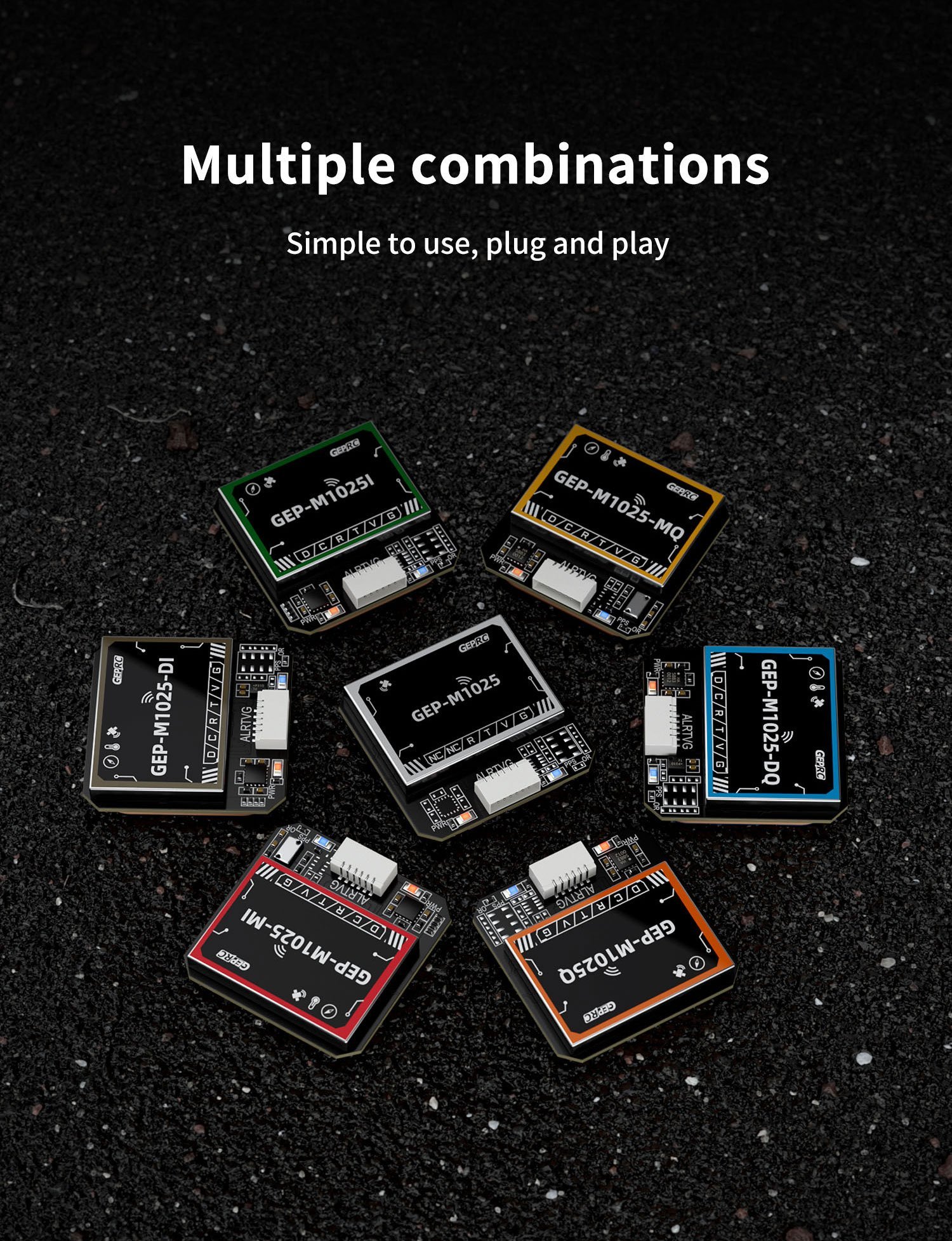
Example GPS modules. Position Hold also requires valid heading and appropriate firmware configuration.
Use the revision-matched documentation for the actual firmware and hardware. A troubleshooting guide cannot replace the manufacturer’s safety requirements.
Related FalconFly equipment: A relevant module example is the GEPRC GEP-M10-DQ GPS with compass and barometer. Verify flight-controller UART/I²C wiring and firmware support; this product alone does not enable Position Hold.