


Betaflight GPS Not Getting a Fix? GEPRC M10 Wiring and Interference Guide

A lit indicator proves at most that a module is receiving power; it does not prove a valid UART signal, correct protocol or usable GNSS reception. Betaflight needs a properly configured serial port, the expected GPS protocol and a module with a clear view of the sky. A receiver may report zero satellites when tested under a metal roof or next to energized video equipment. Start by recording the exact FC model, module revision, wiring, protocol, firmware version and whether GPS packets are arriving before buying a replacement.
Why GPS power does not equal a satellite lock
A lit indicator proves at most that a module is receiving power; it does not prove a valid UART signal, correct protocol or usable GNSS reception. Betaflight needs a properly configured serial port, the expected GPS protocol and a module with a clear view of the sky. A receiver may report zero satellites when tested under a metal roof or next to energized video equipment. Start by recording the exact FC model, module revision, wiring, protocol, firmware version and whether GPS packets are arriving before buying a replacement.
Distinguish the GEPRC M10 family variants
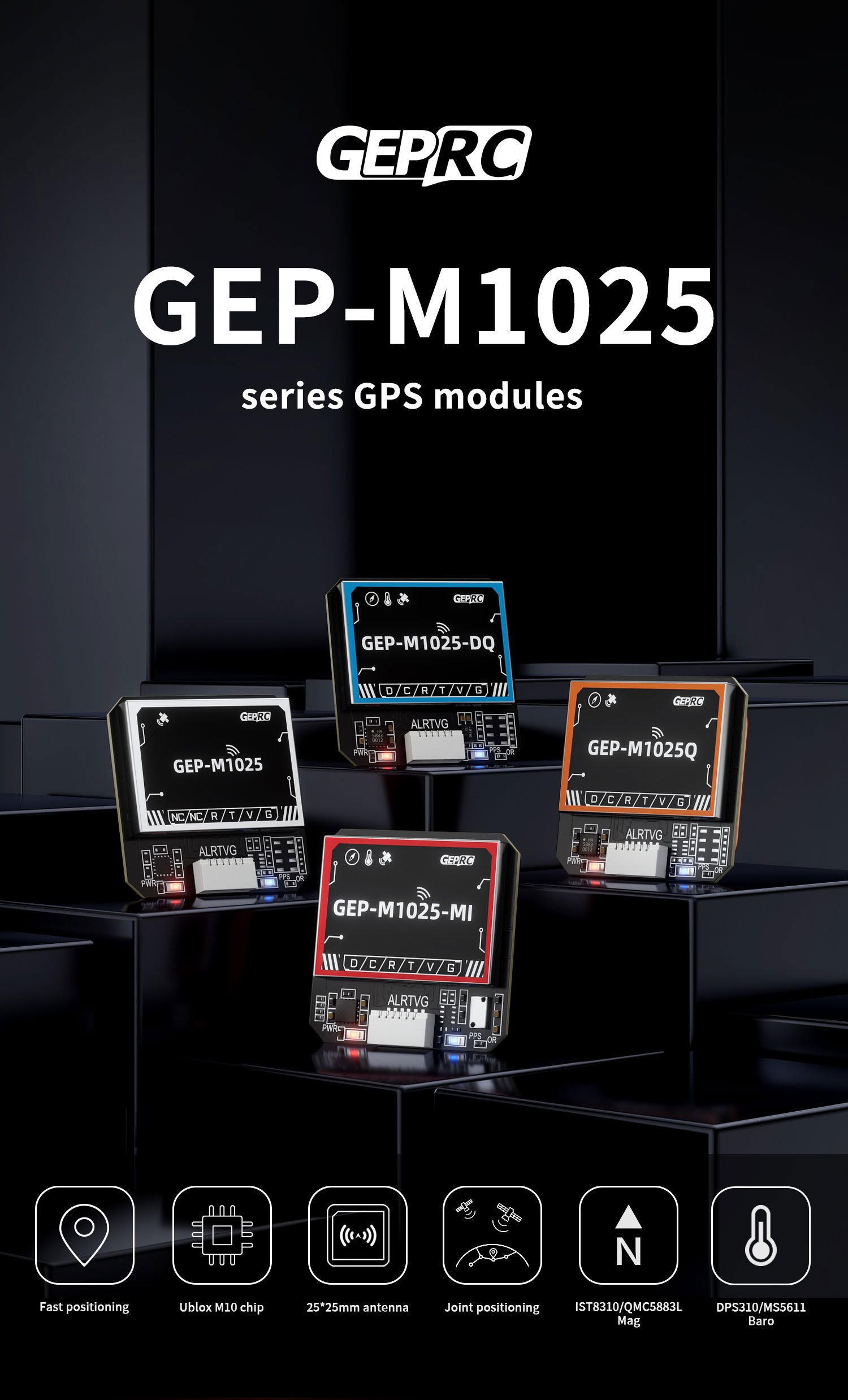
The GEPRC GEP-M10 family includes compact Nano options and larger ceramic-antenna models, while selected variants add a magnetometer or barometer. These sensors are not present on every module, so never enable compass functions based only on a family name. A smaller antenna saves space but installation and antenna orientation influence real-world reception. Check the manufacturer variant table for dimensions, power and interface. For example, GNSS data uses a serial UART, while optional compass/barometer functionality may use other interfaces depending on the exact version.
Verify electrical wiring with power disconnected
Before soldering or changing a pin, unplug the battery and propellers. Confirm the module’s stated input voltage and the flight controller’s regulated supply output. GEPRC lists 3.3–5V input on its M10 family, but always confirm your exact SKU. Connect the GPS module’s transmit output to the flight controller’s appropriate serial receive pin, and receive to transmit when bidirectional UART communication is needed. A power wire alone is insufficient. Inspect connector orientation and continuity rather than copying colors from a different harness.
Set the UART and protocol deliberately
In Betaflight, enable GPS for the actual UART connected to the module, choose the protocol supported by the GNSS device, and review the port speed configuration. Betaflight supports UBLOX and NMEA; many M10 installations use UBLOX. Do not force a baud rate simply because another pilot used it. Betaflight’s documentation notes that some systems experience packet loss at 115200 and suggests alternative settings when appropriate. Save configuration after changing the correct port, then check whether packet counters and coordinates begin to update.

Move the antenna away from electrical interference
GPS receivers deal with extremely weak signals. A high-current battery cable, ESC, motor or video-transmission module positioned very close to the antenna can degrade reception. Betaflight recommends placing GNSS hardware above and away from interference; a compass-equipped variant also needs separation from magnetic disturbances. Carbon structures and battery placement can block much of the sky. Keep a clear antenna orientation, check that cables do not pull on the ceramic patch and avoid attaching it directly to noisy power electronics.
Test outdoors without flying
Move to a legal open-sky ground location and let the GNSS receiver acquire satellites while propellers are removed. Watch the actual satellite and fix indicators rather than waiting for an arbitrary number of minutes. A module may take longer after prolonged storage or relocation. Comparing an indoor test to an outdoor sky-view test is often more informative than changing firmware immediately. If packet data arrives but the receiver never locks outdoors, investigate antenna condition, interference and hardware fault. Never perform unapproved test flights to check satellite count.
Do not confuse GPS Rescue with true return-to-home
Even a healthy fix does not guarantee a drone will navigate home safely. GPS Rescue settings, minimum satellite and accuracy criteria, compass assumptions, altitude control and fail-safe behavior must be validated separately. Betaflight GPS Rescue is not equivalent to the obstacle-aware return-to-home of a consumer camera drone. Set appropriate arming restrictions and review failsafe before flight. If the display indicates unreliable GPS, postpone the flight rather than bypassing the safety check.
Frequently asked questions
Does a flashing LED mean my GPS is working?
Not necessarily. Verify Betaflight receives valid GNSS packets and a real positioning fix.
Will a bigger M10 antenna always fix reception?
No. Mount location, interference, connectors, sky view and configuration can dominate.
Can I enable compass settings on all GEPRC M10 variants?
No. Only use features physically present on the exact model and supported by the firmware.
Related products and sources
See the FalconFly product example, our complementary technical guide and official manufacturer details. Read version-specific instructions before ordering.

















