The tiny whoop bound normally before a firmware flash. Now the radio never connects, even though the same transmitter works with your other quads. In Betaflight 2026.6 the version of ExpressLRS compiled into an SPI-receiver build can be the deciding factor—especially if the radio has moved to ELRS V4.
Before adjusting the aircraft: Do not flash random firmware targets or operate the aircraft with unverified failsafe behavior. Back up configuration and confirm exact flight-controller hardware first.
Why SPI ELRS differs from a separate receiver
An external ELRS receiver runs firmware on its own radio processor and communicates with the flight controller, commonly over CRSF. A tiny-whoop board with an SPI ELRS receiver integrates the RF path into the FC system, so the Betaflight firmware build also determines the supported on-board ELRS protocol. Updating Betaflight can change compatibility even though no receiver module was replaced. You must identify whether the aircraft truly has integrated SPI ELRS or a separate serial receiver before choosing fixes.
The 2026.6 release-note detail that matters
Betaflight 2026.6 documents support for ELRS V4 on compatible SPI targets, but also says ELRS V3 is the default protocol when new firmware is flashed. Enabling ELRS V4 via its firmware-build flag makes the resulting SPI build incompatible with an ELRS V3 transmitter. The converse also applies: a V4 transmitter cannot necessarily communicate with a default V3 SPI build. That version boundary is more useful to check than repeatedly entering ordinary binding mode.
Verify transmitter and receiver protocol versions first
On the transmitter, inspect the ELRS firmware version and the appropriate ExpressLRS Lua information. On the FC, confirm the target name, selected build options and whether the integrated SPI driver is appropriate. If the quad was upgraded with a default cloud-build preset, the required V4 option may not have been selected. Never apply the V4 flag to an aircraft with the wrong target or an unrelated external receiver. Use the release-matched build instructions.
Rebuild or change one side deliberately
If the radio uses ELRS V3 and the integrated Betaflight build uses V3, preserve that match. If the fleet intentionally standardizes on V4 and the FC target supports it, obtain a compatible build with the documented ELRSV4 option. Keep backups of the old firmware target, CLI settings and model information before flashing. Once the correct RF protocol is present, confirm the binding phrase and radio configuration as a separate step. Do not assume ‘V4’ alone fixes a mismatch in domain, packet mode or key.
Check control movement and failsafe after connection
A successful link is only the beginning. With props off, verify the Receiver tab shows all four control channels, the arming switch reaches its intended positions and a transmitter-off bench failsafe simulation produces the expected safe state. Verify telemetry and link quality as well. Keep an inventory of firmware versions for all your aircraft: one radio fleet with mixed SPI V3/V4 and serial receivers can be managed, but only when each compatibility boundary is documented.
Troubleshooting at a glance
Radio
SPI build
Expected outcome
ELRS V3
V3 default
Potentially compatible
ELRS V4
V3 default
Version mismatch
ELRS V3
V4-selected build
Version mismatch
ELRS V4
V4-selected build
Potentially compatible
Identify the receiver architecture before choosing any fix
A tiny whoop with an integrated SPI ExpressLRS receiver is different from a quad carrying a separate UART-based ELRS receiver. On an SPI design, the flight-controller firmware build provides the receiver protocol implementation for the integrated RF hardware. A serial receiver carries its own firmware and reports channel data to the flight controller through a configured serial protocol such as CRSF. Updating Betaflight may therefore change the SPI receiver’s compatibility even though the hardware has not changed. A serial receiver generally follows a different firmware-update and configuration process.
Read the exact board label or manufacturer specification and note the firmware target. Do not infer receiver type solely from a product’s marketing phrase ‘ELRS built in’. Some boards integrate an external-style serial receiver on the same PCB. Examine the manufacturer’s wiring or board documentation and, when safe, the receiver configuration reported by Betaflight. Getting this classification wrong leads to irrelevant advice: changing a Betaflight SPI build flag cannot upgrade a separate serial receiver’s radio firmware, and flashing serial receiver software onto an SPI-only configuration is not an appropriate recovery method.
Understand what changed in the 2026.6 SPI build
Betaflight’s official 2026.6 release notes describe support for ExpressLRS V4-compatible operation on supported SPI targets. They also state that ELRS V3 remains the default protocol when new firmware is flashed. V4 operation requires the documented ELRSV4 build flag. Selecting this option changes the resulting compatibility boundary: an ELRS V3 transmitter will not sync with a V4-only SPI build, and a V4 transmitter will not sync with the default V3 build. That behavior is not fixed by entering pairing mode repeatedly.
The exact target and build options must be checked at the time of flashing. A generic tutorial from a previous release may omit the flag entirely, while a cloud-build preset used by another aircraft may include an option that is wrong for your fleet. Do not select a random target with a similar board name to gain a missing flag. The firmware must match the hardware and supported feature set. Preserve the previous target identification and configuration backup before making any change that affects receiver communication.
Check the transmitter’s actual RF firmware version
On EdgeTX radios, inspect the active internal or external RF module and its ExpressLRS firmware identification using the correct module interface. The radio operating system version alone does not tell you the ELRS major protocol version. Likewise, having a Lua script with a recent filename does not prove the module firmware matches that script. Record the module brand, RF band, firmware major version and selected model. If the aircraft was working before a change, compare both sides against a maintenance record instead of relying on memory.
ExpressLRS official binding documentation states that incompatible major protocol generations will not sync normally. A shared binding phrase does not override that requirement. Check domain and regional RF settings as applicable, but avoid turning them into a substitute for version compatibility. When several aircraft share one radio, a change to the transmitter module can affect all of them. Plan upgrades deliberately: inventory the firmware combinations first and make sure every aircraft has a supported path before changing the module used by the whole fleet.
Use a version-mismatch decision tree
If the board is confirmed as SPI ELRS and the transmitter runs V3, a compatible default V3 Betaflight 2026.6 SPI build may be appropriate. If the transmitter uses V4, verify that the exact flight-controller target offers the officially supported V4 build option and that it was enabled. If the target lacks documented support, do not invent compatibility by applying flags from another board. A previous release or transmitter version may be a safer supported interim configuration, but any downgrade must follow the board and manufacturer instructions, with all settings backed up.
When transmitter and SPI protocol versions match, move to ordinary binding checks: expected binding phrase, radio model, receiver status and valid RF configuration. A bind failure after an upgrade can therefore have two layers: first establish protocol compatibility, then examine normal pairing state. Do not confuse this with Model Match, which can prevent a bound and synced receiver from delivering controls to the wrong model profile. The radio’s Lua display and receiver LED behavior provide clues, but only when interpreted against the actual firmware and hardware.
Back up and flash without creating a second problem
Before changing the FC firmware, record the target name, current build options, board orientation, UART assignments, receiver configuration, modes and failsafe settings. Save a suitable Betaflight configuration backup and identify any features that were selected in the existing cloud build. The phrase ‘same target’ may not be sufficient when optional features have changed between releases. If a backup is restored blindly across different firmware versions, renamed or removed settings can produce hidden errors. Review the relevant release notes and restore settings selectively where required.
Perform firmware operations with reliable USB power and the appropriate flasher workflow. Remove propellers and disconnect unnecessary peripherals if recommended. Do not treat a failed flash as an invitation to try random target files. Confirm DFU or bootloader state, USB connection and exact hardware identification first. After flashing, check the receiver protocol selection before any flight attempt. A successful firmware write says only that the software was installed; it does not establish that the radio link, arming logic and flight dynamics remain safe.
Validate the recovered link without propellers
With the aircraft physically secured, propellers removed and normal safety precautions in place, connect the transmitter and observe the Betaflight Receiver tab. Confirm that throttle, roll, pitch and yaw respond smoothly and that their directions match the control layout. Check arm-switch behavior and whether the expected channels reach usable positions. A green receiver LED or a connection indicator is insufficient; Model Match, serial mapping and channel configuration can still leave the flight controller without usable commands. If the aircraft uses a separate serial receiver, inspect its UART and CRSF settings rather than pursuing SPI build flags.
Validate failsafe deliberately on the bench using the manufacturer’s safe testing guidance, ensuring that loss of RF communication results in the configured safe state. Then verify telemetry and link quality where supported. Only after the entire control path is confirmed should a suitably trained pilot consider a conservative flight test in an appropriate location. Stop if any control response is reversed, inconsistent or delayed. Binding is a communication milestone, not a flight-readiness certification.
Support evidence and avoiding future fleet-wide outages
A useful support report contains the exact FC target, hardware revision, Betaflight and configurator versions, selected cloud-build flags, transmitter module and its ELRS major version, and the receiver type. Describe whether the failure began immediately after flashing, whether other ELRS aircraft still bind to the same radio, and whether the receiver ever reports a synchronized state. Include screenshots of the relevant configuration rather than sending an unstructured list of guessed settings. Do not publish private binding phrases or unrelated configuration secrets.
For a workshop managing many whoops, keep a simple compatibility matrix and label aircraft with the RF generation they require. Update one representative aircraft before migrating an entire fleet. Archive working firmware/build details and configuration backups. This makes it possible to distinguish a real RF hardware defect from a predictable protocol mismatch and prevents a transmitter upgrade from unexpectedly grounding several otherwise healthy quads. A careful version inventory is cheaper than replacing receivers that were never defective.
Frequently asked questions
Does every ELRS receiver need this Betaflight build flag?
No. This is about compatible SPI-integrated ELRS receiver builds; external serial receivers have a different update path.
Can the correct binding phrase fix a V3/V4 mismatch?
No. A binding phrase does not overcome incompatible major protocol versions.
Can I upgrade just the radio to V4?
Only if the entire fleet’s receiver compatibility is planned. Check SPI firmware support before updating one side.
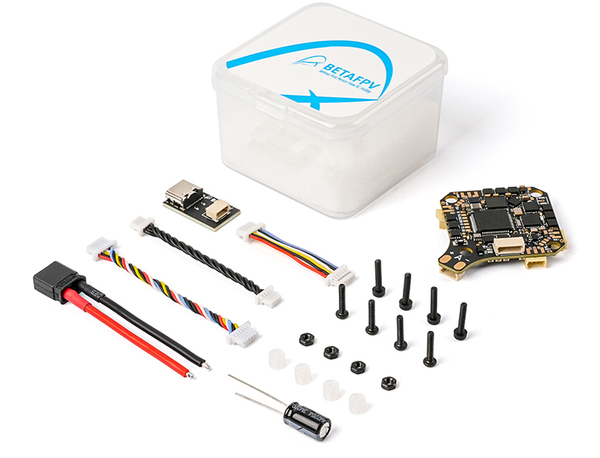
Example integrated flight-controller hardware. Identify your own target and radio version before flashing.