


Tiny Whoop Gets Stuck on the Ceiling? Understand Duct Wash and Safe Recovery

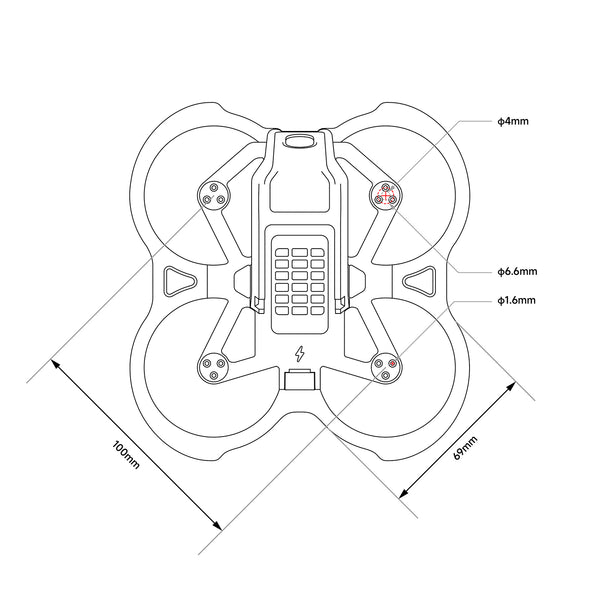
A small ducted FPV drone can seem to glue itself to a ceiling or wall, particularly at low speed indoors. This is often an airflow and control-authority interaction rather than a radio malfunction.
Ceiling-effect aerodynamics or a damaged tiny whoop?
A ducted whoop that behaves normally in open space but clings to a ceiling is revealing the influence of a nearby surface on rotor airflow. The right response differs from that for an all-flight oscillation or a mechanically damaged prop guard.
| What you notice | What to investigate |
|---|---|
| Whoop stays against ceiling at high throttle | Airflow, pressure and ceiling proximity can trap it |
| Drone scrapes along a wall | Duct contact and lateral propwash limit control |
| Oscillation occurs away from obstacles | Investigate tuning, props and mechanical defects separately |
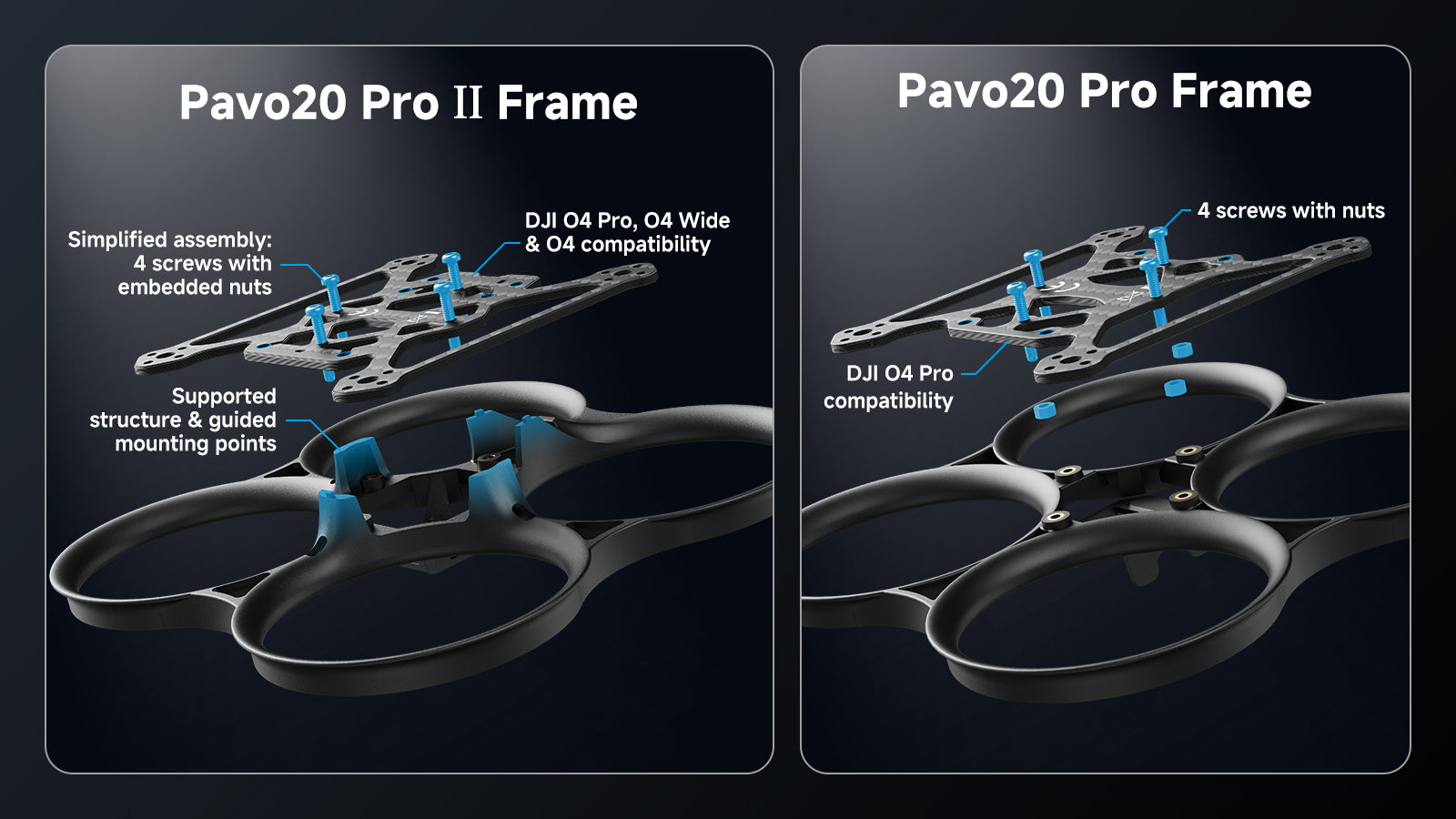
Diagnosis map
1. Understand ceiling effect
A propeller’s inflow changes near a large surface. Ducts, frame and surface can create an unexpectedly stable or unstable near-contact condition; throttle alone may keep the craft pressed against it.
2. Recover without force
Avoid raising throttle aggressively while the ducts touch the surface. If safe and possible, reduce input and steer away with room to descend; otherwise disarm and retrieve the drone safely.
3. Inspect after contact
Remove props before bench inspection. Check duct distortion, bent propeller blades, motor shafts and any material caught in the rotating assembly.
4. Refine indoor control
Try a lower camera tilt, gentler throttle movement and deliberate clearance from ceilings; don’t use an aggressive full-size freestyle tune as a default for a small whoop.
5. Test in a clear area
Confirm it hovers consistently away from surfaces before blaming a specific flight mode. Compare actual changes with repeated, short controlled tests.
Detailed diagnostic and purchasing analysis
Why tiny whoops feel glued to walls and ceilings
When a small ducted quad approaches a large surface, the propellers and ducts alter the pressure and airflow around them. The relationship differs from open-air hover because a ceiling or wall interferes with the inflow and wakes of the rotors. Close to the ceiling, a pilot can add throttle to climb and find that the craft presses against the surface instead of moving away. The exact behaviour depends on the duct geometry, propeller speed, surface gap and control commands, so there is no universal distance or recovery throttle percentage. The useful lesson is that close-range flight near rigid surfaces is a distinct aerodynamic situation, not proof that Betaflight or the radio froze.
A recovery procedure with lower risk
If the drone remains stuck, avoid repeatedly pushing maximum throttle. The motors may become hot, and continued duct contact can break a frame, fling a blade or shed debris. Depending on the geometry and available clear space, a modest reduction in throttle and gentle movement away from the surface may allow it to descend. If it cannot be recovered predictably, disarm and physically retrieve it only after motors have stopped and conditions are safe. Never reach past spinning propellers or climb unsafely to recover a toy-sized drone. Consider a small protective recovery tool, but do not continue to command powered flight against a ceiling.
Inspecting the drone after contact
Small ducted frames can crack almost invisibly at a motor post or prop guard joint. After a ceiling impact, unplug the battery and check each duct ring, prop tip, motor-mount screw and shaft. Rotate each prop gently by hand while power is disconnected to detect rubbing or hair trapped around a motor. A bent propeller can cause vibration, high current draw and reduced flight time even though the craft still arms. A loose motor connector can intermittently drop a phase under manoeuvre. Do not use the next flight as a diagnostic for a visibly cracked guard or rubbing rotor. Replace damaged mechanical parts before returning indoors.
Training exercise: ceiling clearance
Practice with a fixed and clearly safe vertical distance from ceilings, light fixtures, curtains and hanging cables. Beginners often increase camera tilt and speed before they have reliable altitude control; modest camera tilt makes precise navigation easier to learn. Mark a clear practice route and use smooth throttle transitions in an open indoor area where flight is permitted. When approaching a doorway, slow down in advance and maintain lateral clearance from the frame. Move into more complex rooms only after the craft can hover and turn without brushing the ceiling. Building this habit addresses most recurrent contact events without unnecessary tuning changes.
What a different propeller or frame can change
Duct size and rigidity affect how a whoop behaves near surfaces, but changing one part without considering the whole airframe may introduce vibration, altered motor load or poor fit. Check prop diameter, shaft size, blade count and motor KV against the manufacturer’s design. A stronger ducted frame may better survive a bump but adds mass. A higher-pitch prop may increase load and heat, not simply give better control. Test any parts change first in clear space and compare motor temperature, throttle position and battery draw. For indoor use, predictable control and impact resistance often matter more than maximum quoted speed.
When to suspect tuning rather than geometry
If the craft oscillates, surges or yaws unexpectedly in empty space well away from walls, investigate tuning, gyro orientation, motor direction and mechanical vibration separately. A ceiling-related airflow effect should be sensitive to distance from a nearby surface. Record a short flight log or video in safe conditions to compare. Some Betaflight settings and flight modes can change how a tiny whoop responds to throttle, but no PID tune eliminates the basic physics of a rotor near an obstacle. Ask whether the problem only happens in a particular room or is present during all flights before recommending software changes.
Repair, upgrade, or keep the existing equipment?
An indoor ceiling effect does not automatically justify buying larger motors or a new flight controller. A more expensive part is not automatically the correct fix. Explore the related FalconFly UAV product category for equipment that matches the verified requirement.
Four practical cases from the workshop
Case 1: The whoop sticks only to the living-room ceiling
Near-contact airflow is the first hypothesis when the drone otherwise flies normally in open space. A smooth rigid ceiling may alter rotor inflow and make continued throttle counterproductive. Practice with greater clearance and lower camera tilt before considering new Betaflight settings. If contact occurs, do not hold full power while trying to escape. Reduce commands where safe, or disarm and retrieve the vehicle after all moving parts stop. The correct response depends on space and surface geometry, so avoid prescribing one fixed throttle percentage for every whoop.
Case 2: One duct vibrates after the ceiling incident
Inspect the entire ring, mounting post, motor screws and propeller blade clearance with the battery disconnected. A tiny crack may only open when the frame flexes. Compare the affected motor’s free movement and gap to the other three motors, looking for hair or fibres trapped on the shaft. Do not continue flying a frame whose duct can touch a spinning blade. A prop that scrapes intermittently may increase current, reduce endurance and produce camera shake. Replace compromised mechanical parts rather than attempting to fix a damaged duct by aggressively increasing filter settings.
Case 3: The pilot thinks a bigger propeller will solve indoor control
A bigger propeller must match the frame’s physical clearance, shaft diameter, motor KV and recommended electrical load. It may add thrust but also alter handling and current consumption near obstacles. Ducted flight close to a wall remains an aerodynamic challenge irrespective of extra motor power. For indoor work, a predictable low-speed response and durable frame often matter more than peak-thrust specifications. Compare the new and old setup during short safe flights in open space first. Any new vibration, heat or excessive throttle sensitivity is evidence to review the purchase rather than forcing tuning changes.
Case 4: The drone oscillates even with no nearby surface
When instability follows the aircraft into open air, investigate motor/prop balance, gyro orientation, damaged frame, motor direction and software configuration. A ceiling effect by itself should vary with proximity to the ceiling or wall. Preserve a Betaflight configuration backup before experimenting. Inspect motor temperature and mechanical freedom after repairs; a shifted motor connector may imitate a tuning fault. Compare the same throttle and control movement away from obstacles rather than diagnosing inside a narrow corridor. The correct fix depends on whether the problem is physical vibration, sensor data or controller tuning.
Further checks for a reliable result
Why camera angle changes ceiling incidents
The angle of a tiny whoop’s camera influences the speed at which the pilot naturally maintains a level-looking horizon. A steeply tilted camera often encourages flying faster to keep the view aligned, leaving less time for precise altitude changes under a low ceiling. For indoor practice, moderate tilt and slow, deliberate turns provide more useful feedback than aggressive speed. When flying through a doorway, the pilot should identify the centre of the opening before committing. The ducting protects props from some contact but does not eliminate the risk of striking lights, curtains or people. A training route with known clearance reduces damage much more reliably than chasing exotic PID presets.
Distinguish ground effect and ceiling effect
A quad hovering close to the floor experiences a different aerodynamic environment from one approaching a ceiling. Both involve surfaces changing rotor airflow, but the direction and magnitude of the effect depend on the gap, frame geometry, throttle and surroundings. Avoid applying a simple blanket rule such as ‘more throttle always frees it’ or ‘all whoops stick at exactly two centimetres.’ If a craft only behaves strangely near a flat ceiling and hovers normally in free space, geometry is a leading candidate. If it oscillates in open air, inspect mechanical balance and tuning separately. A short bench video showing the surface proximity is often more diagnostic than a description of the noise.
A failure mode after a seemingly harmless bump
A lightweight duct may flex enough that one propeller scrapes only when the motor spins quickly. A motor connector can also be partially pulled during a crash without fully disconnecting. After any ceiling scrape, unplug the pack and inspect each prop for cracks, bends or rubbing against the guard. Turn each motor gently by hand with power removed to feel for grit or hair. Check that mounting screws have not shifted and that the frame remains square. An unbalanced propeller can raise vibration and motor temperature even though the craft appears able to fly. Replace damaged low-cost mechanical components before spending time tuning around them.
Choosing a new frame or propeller carefully
For a customer who repeatedly hits a ceiling, an alternative duct shape or slightly more durable frame may help survival but it will not remove the underlying airflow or piloting issue. Check the motor-to-motor dimensions, prop diameter, shaft type, canopy clearance and battery-mount arrangement for the selected model. A heavy frame can reduce flight time and control reserve. Higher-pitch props may increase current demand and heat; a bigger diameter may not fit the duct. Compare manufacturer fitment lists rather than shopping on colour or propeller blade count alone. Make a conservative short hover after any change before returning to tight indoor courses.
When Betaflight tuning is truly relevant
If the whoop oscillates in open space, drops an axis unexpectedly or shows unusual motor heat after a configuration change, investigate gyro orientation, PID tune and motor rotation. First return to a documented known-good profile for the exact flight-controller target, motor and frame combination rather than importing a random racing tune. Compare blackbox data where supported and verify the throttle response in a safe environment. For an issue that occurs only under a ceiling, tuning is a secondary consideration after spatial clearance and recovery technique. A successful result is predictable, controllable hover and manoeuvring—not merely a drone that can press harder against a surface.
A real tiny-whoop symptom that looks similar
Tiny-whoop pilots have described aircraft suddenly rising toward the ceiling even when they are not deliberately commanding that movement. Replies highlight loose mechanical parts and vibration as possible causes. That is different from genuine aerodynamic ceiling proximity, so first verify whether the drone behaves normally in free space. Community diagnoses are useful clues but should never replace a mechanical check. Community case: unexpected ceiling climb.
Frequently asked questions
Will bigger motors eliminate ceiling sticking?
No; more thrust can aggravate contact if airflow and piloting are the cause.
Is it always a Betaflight problem?
No. Geometry and proximity effects are often significant indoors.
Final quality and safety check
After a ceiling contact, check each duct, propeller and motor before installing the next pack. A whoop that rubs or oscillates in open space needs mechanical attention; increased throttle near a ceiling is not a safe substitute for clearance.
Primary technical reference
Peer-reviewed study of ducted-fan ceiling effect. The cited experiment studies ducted-fan aerodynamics; a specific tiny whoop can behave differently.

















