DJI O4 Air Unit vs O4 Air Unit Pro: Choosing the Right Video System

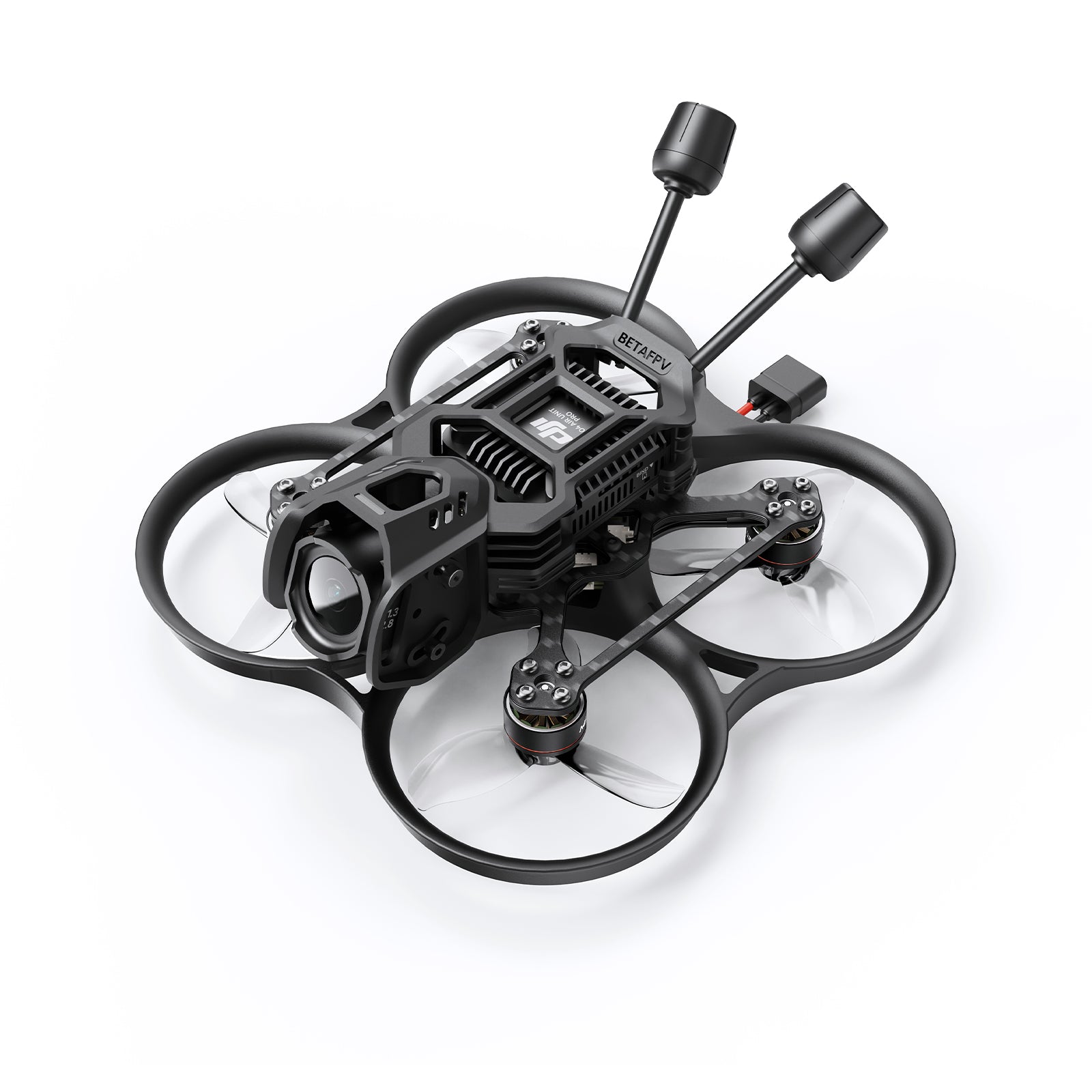
A DJI O4 build begins with a mechanical and electrical decision, not just a camera specification. The standard O4 Air Unit and O4 Air Unit Pro have different installation requirements, and a mistake with supply voltage can be more expensive than choosing the wrong camera mount.
Power input determines where you can install it
DJI specifies a power-input range of 3.7–13.2 V for the standard O4 Air Unit, compared with 7.4–26.4 V for O4 Air Unit Pro. This distinction is essential when connecting the unit to a flight controller or battery rail. A 6S LiPo at full charge reaches about 25.2 V; that is within the listed Pro input range but not the standard unit’s rating. Always verify the exact board output under load, battery chemistry and DJI’s current manual before soldering. Do not rely on wire colour alone.
Power filtering, regulator headroom and secure connectors matter. Noise from an ESC or a voltage spike can affect a video system even when nominal voltage seems acceptable. When a flight controller offers a dedicated regulated video-power output, check its actual current and voltage ratings rather than assuming it suits every Air Unit.
Camera selection and airframe fit
The Pro is aimed at installations where its larger camera and performance features justify additional space, mass and power demands. On a small whoop, a lighter standard unit may be more appropriate; on a larger cinewhoop or freestyle airframe, the Pro may be easier to accommodate. Camera dimensions, lens clearance, mounting holes and cable routing should be checked against the exact frame kit.
An installed camera can face a great deal of vibration. Use the frame’s recommended mounting hardware, avoid pinching the coaxial cable, and inspect for tight contact with carbon or metal parts. If the manufacturer supplies TPU vibration isolation, confirm that the camera can still be aligned and serviced without damaging the cable.
Goggles compatibility is a matrix, not a brand label
Both units work with compatible DJI goggles when suitable firmware and operating mode are installed. DJI Goggles 3 and N3 are central to O4 support, but there are device-specific constraints and generation differences. The Goggles 3 vs N3 comparison explains why O3 compatibility is a separate question.
Digital video is only one part of a functional FPV aircraft. With an ELRS-equipped airframe, flight control is provided separately by the radio and receiver. A DJI FPV Remote requires a supported DJI control path and compatible model combination. Never treat a video link as proof of receiver compatibility.
First power-on: activation, cooling and OSD
Use the official DJI Assistant application intended for the particular device to activate and update it. Pair with the target goggles in the correct mode and restart equipment after firmware updates. Ensure the video system has adequate airflow; long powered bench sessions without cooling may trigger thermal limits. Remove propellers before all bench work.
To obtain Betaflight OSD, confirm that the FC firmware, UART wiring and serial protocol are configured according to the Air Unit manual. If video works but voltage or flight data does not appear, investigate OSD wiring/settings before replacing the camera.
Examples from FalconFly
See the DJI Goggles N3 or DJI Goggles 3 as compatible-goggles starting points. A completed build such as the Pavo20 Pro II O4 Pro 3S ELRS illustrates how video and control links can coexist. Verify the hardware revision before buying a spare camera, coaxial lead or BEC.
Frequently asked questions
Can I connect a standard O4 Air Unit directly to a 6S pack?
No. The published standard O4 input range is not compatible with 6S full-charge voltage; use only a correctly rated, documented regulated supply.
Is the O4 Pro automatically better for a tiny whoop?
Not necessarily. Mounting dimensions, mass, power draw and cooling can outweigh a camera-performance advantage on a very light airframe.
Does O4 video mean I need a DJI controller?
No. A compatible ELRS receiver can be used for flight control on an ELRS-equipped build while DJI supplies video.
Why can I see video but no battery voltage overlay?
Review FC firmware compatibility, the data UART connection and supported OSD protocol/configuration.
Can I update firmware with any USB cable?
A cable must support data transfer; charge-only cables will not reliably connect to a computer for activation and updates.
For more technical guidance, see the FalconFly FPV Knowledge Hub. Always match the exact product revision to your existing equipment.
References: DJI O4 product documentation · DJI official accessories compatibility · Community video troubleshooting discussion