


DJI Power Station as a UPS? Transfer Time, Runtime and the Loads It Cannot Protect

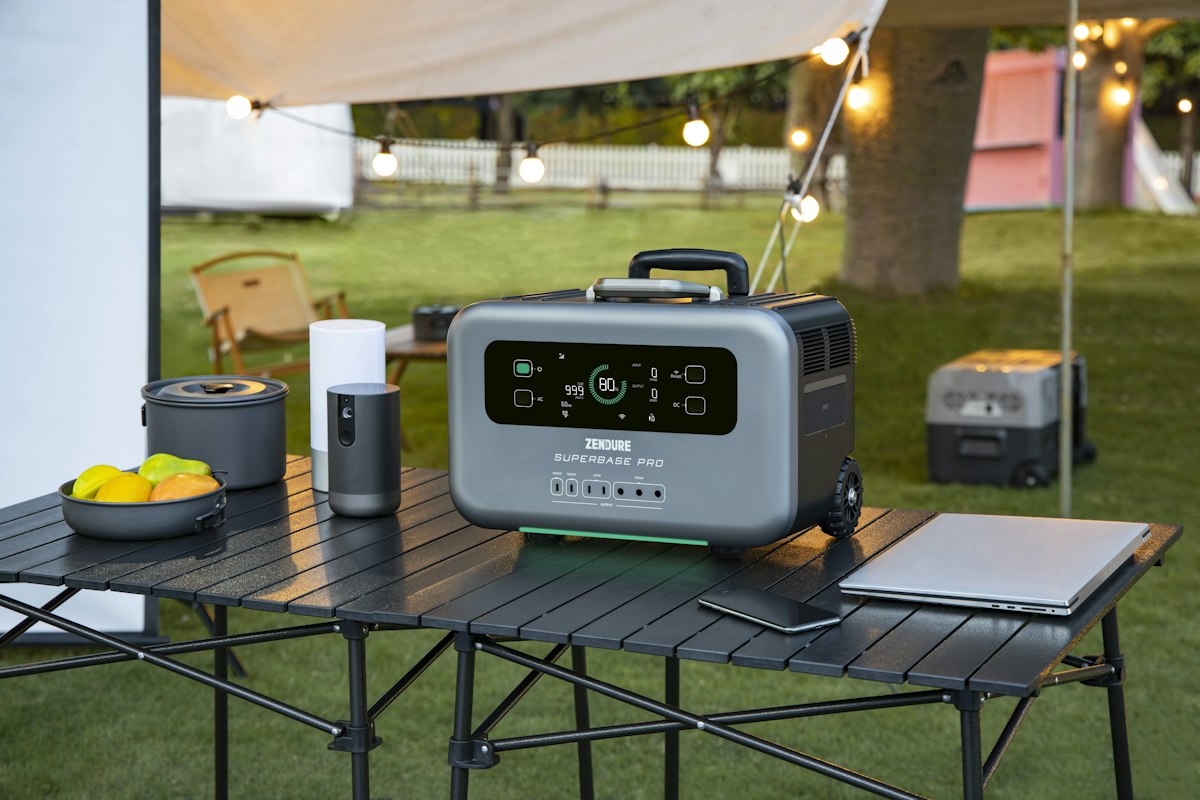
A portable power station looks like an obvious answer to outages: it has a large battery and an AC outlet. But a battery station with UPS-style switchover is not the same thing as a true online, double-conversion UPS. For routers, editing workstations, pumps and flight-charging rigs, that difference matters.
- Check the exact DJI Power model and regional AC variant; specifications differ.
- Never assume that a device tolerates a 10–20 ms transfer without testing or manufacturer confirmation.
- Do not connect high-inrush inductive loads, critical medical devices or life-safety systems based on a brochure wattage alone.
Transfer time and waveform: the key distinction
In bypass mode the connected appliance normally receives mains power. When the mains fails, the station switches to inverter output. DJI documents a switchover figure for supported Power units; the first-generation Power 1000 support page describes up to about 0.02 seconds. The actual model must be checked separately. A desktop PC power supply or router adapter may bridge a brief interruption; other devices reset. An online UPS continuously converts incoming AC and powers the load via its inverter, providing a different architecture.
Therefore, ‘UPS mode’ is a functional label, not a guarantee of zero interruption. The right test is the complete load under a realistic mains interruption—without risking expensive electronics.
Calculate energy before buying
Battery capacity is listed in watt-hours, while appliance draw is in watts. A rough starting point is runtime (hours) = battery Wh × usable efficiency ÷ average load W. Usable energy is lower than nameplate capacity because conversion, standby losses, temperature, reserve and battery condition matter. Example: an illustrative 1,024 Wh station with 80% usable AC energy running a steady 200 W load gives roughly 4.1 hours. This is an estimate, not a manufacturer guarantee.
Compressors and motors have startup surge; ‘200 W average’ may hide a much larger instantaneous draw. Measure the load in its real modes, including relays, pumps and fans.
AC output and bypass are different limits
A power station may have one continuous inverter output rating and another maximum bypass-through rating. DJI Power 2000, for example, lists 2,048 Wh capacity and separate AC bypass specifications by region. Many users overlook those limits because the marketing headline quotes the highest inverter wattage. Evaluate the lower applicable rating for your actual circuit.
For long power cuts, recharge availability matters too: a station that takes several hours to replenish cannot supply two consecutive outages indefinitely. Choose the charging architecture, cabling and extension-battery support before estimating a backup plan.
| Requirement | Portable power station | Dedicated online UPS |
|---|---|---|
| Several hours of portable energy | Often strong choice | Depends on battery configuration |
| Zero-transfer continuous inverter feed | Not generally guaranteed | Designed for this architecture |
| Vehicle/site charging flexibility | Often strong | Usually limited |
| High motor starting surge | Check exact inverter rating | Check exact UPS surge curve |
| Home-office shutdown signaling | Model-dependent | Common on appropriate UPS |
A staged test plan for a home office or drone crew
- List every critical device, average wattage, startup surge and acceptable interruption time.
- Confirm region-specific plug, voltage, grounding and installation requirements.
- Calculate a conservative runtime at the real combined load.
- Read the exact DJI model’s user manual for UPS/bypass behavior.
- Test with noncritical equivalent loads, then observe whether the actual device restarts on controlled transfer.
- For computers that cannot reset, use an appropriately specified online UPS rather than hoping for adapter hold-up.
When powering a drone charging hub plus other equipment, use the cumulative power draw, not the advertised power of one port in isolation.
Buying decision: power station or dedicated UPS?
A power station makes sense if portability, flexible outlets, outdoor use and high energy storage are the main priorities. A dedicated UPS is usually the better fit when seamless transfer, managed shutdown and integration with a fixed electrical installation are paramount. Some setups benefit from both: a dedicated UPS guards the sensitive computer, while a power station extends backup energy for noncritical chargers and lighting.
For heat-exposed UAE environments, read the stated charging and operating temperature ranges and keep adequate ventilation. Avoid placing a battery power station in direct sun or a sealed equipment cabinet.
- Model-specific switchover behavior confirmed
- Steady and startup loads measured
- Runtime calculated with efficiency losses
- Bypass rating checked for regional variant
- Sensitive electronics tested or put on online UPS
Why UPS wording is not enough for a computer or router
A conventional standby or line-interactive UPS normally feeds the load from mains while power is healthy and switches to battery/inverter operation when the supply fails. A true online, double-conversion UPS continuously powers its output through its conversion architecture, so its transfer behaviour is fundamentally different. Portable power stations with UPS-style bypass can provide useful outage backup, but the exact switching interval and supported loads are model-specific. A device that runs continuously across one interruption is not automatically guaranteed to survive every future outage.
Some AC adapters have internal energy storage that bridges a short interruption. Others are more sensitive; a router can restart during a brief gap even when the power station reports a successful switchover. A desktop PC may stay alive at a low workload yet reset during a heavy CPU/GPU load, because the hold-up time of its power supply depends on its actual demand. Sensitive equipment should use an appropriate UPS architecture verified with the complete load, not an assumption based only on the battery capacity printed on a portable station.
For life-safety devices, medical equipment and other critical loads, use professionally specified solutions and the equipment manufacturer’s guidance. A consumer power station is not a substitute for a compliant engineered emergency power installation. The user’s need may be valid, but the choice must follow the risk category of the connected devices.
Calculate realistic runtime from power, not product names
First measure the devices you need to support. A device labelled 500 W may draw far less in routine operation, while a pump may have a modest average but a very large starting surge. List continuous watts and momentary starting requirements separately. Then combine the real average draw, not merely the output capabilities of their power adapters. For AC equipment, account for inverter conversion losses and the power station’s own background consumption. Those losses increase as a proportion of the load when the load is very small.
Suppose a nominal 1,024 Wh station supplies 200 W continuously and you conservatively reserve 20 percent for conversion, standby losses and other uncertainty. The basic estimate is 1,024 multiplied by 0.8, divided by 200—about 4.1 hours. If the station carries a 60 W average load, the theoretical estimate is longer, but idle consumption becomes more important. If a startup surge exceeds the inverter’s limit, the station may shut down immediately even though the average-watt calculation looked acceptable.
Outdoor drone crews should calculate charging as an energy budget as well. If a battery hub draws a high amount of power for a short charging phase and then tapers, the average runtime differs from a constant-load heater. Two chargers plus GPS equipment must be evaluated as a combined electrical load and energy demand. Leave margin for hotter operating conditions and lower available capacity as the station ages.
Inverter, bypass, surge and installation limits
Different output ratings apply in different station modes. An inverter’s continuous rating describes what it can normally supply during battery operation, whereas a bypass rating may describe the amount of mains current that can be passed through while input is available. Surge handling is another property again. A power station might have sufficient continuous watts for an appliance yet react badly to its startup current. Motors, compressors, relays and heating equipment need special attention.
Check the exact regional AC voltage and frequency. A unit designed for a different electrical market can create compatibility and safety problems. Use appropriate protected outlets and extension leads, ensure ventilation and avoid placing the station in a sealed cupboard or direct hot sunlight. The manufacturer may prohibit certain wiring configurations; never connect a portable power station to building circuits with an improvised backfeed cable.
For repeated blackouts, recharge time matters. An overnight charging arrangement may be sufficient for a once-daily outage but not for several outages separated by short intervals. Evaluate whether the available charging source can restore the required energy before the next interruption. If the station supports expansion batteries or solar charging, verify compatibility for the actual model rather than extrapolating from another product in the DJI Power family.
Test the backup setup without gambling with equipment
Use a controlled test protocol. Start by measuring the combined load with a reliable power meter or suitable equipment specification. Confirm the station starts it safely on inverter power and does not display an overload or temperature warning. When assessing transfer, first test noncritical equivalent loads. For a real computer that cannot be interrupted, place a correctly rated dedicated UPS in the protection chain and follow professional guidance for the installation. Do not deliberately cycle mains in a manner that creates an electrical hazard.
Record whether the load survived, how much battery energy was used, the station’s temperature and any warning. Repeat at an appropriately representative load level. A router restart might be caused by a power-adapter hold-up issue even if the power station itself switched correctly, while a heater or pump may create a surge not reflected in the steady reading. Diagnose the connected appliance and power source as a system.
A hybrid arrangement may suit many users: a small online UPS protects the computer or network link against interruption, while a portable power station supplies longer-duration energy for lighting and noncritical chargers. That lets each device perform the job for which it was designed. It is usually more reliable than asking one box to provide both completely seamless power and several hours of general-purpose backup under every load condition.
Worked backup plan for a small office
Imagine a small office needs a router, LED lighting and one desktop workstation during a two-hour outage. Start by measuring the real combined steady load and whether the PC or network equipment can tolerate any interruption at all. If the router resets after a brief transfer, a power station with plenty of energy will still fail the continuity requirement. A dedicated UPS for that sensitive load and a power station for lighting and longer backup may be more suitable. Now add an air-conditioning fan or a pump: its startup current and possible motor characteristics must be checked independently of the average watts. Do not calculate solely from the energy capacity printed on the box. Use conservative conversion losses, consider the next outage’s recharge interval and leave ventilation around the equipment. This is why output quality, switching behaviour, startup surge and stored energy belong in four separate columns.
Frequently asked questions
Is a DJI Power 1000 identical to an online UPS?
No. DJI documents UPS-style transfer for supported models, while an online UPS uses a different continuous-power architecture.
Can I run a heater or pump from the rated wattage alone?
No. Startup surge, bypass limits, waveform compatibility and safety protection must be assessed.
Can I power computers and drone charging hubs at once?
Potentially, within the exact station’s total output and port limits, but sensitive electronics may still need a dedicated UPS.
Related FalconFly guides
References and verification
Manufacturer guidance takes precedence over forum anecdotes. Menus and feature availability can change with the aircraft, application and firmware revision; verify on the exact device.

















